I’ve nuked and started again with Linux so many times at this point.
Did the usual ill-advised distro hopping instead of just using Mint, to see if the grass was greener… and it wasn’t.
So many distros couldn’t even load the live USB and locked up with a black screen.
Others would install… but then wouldn’t boot.
Others ran for various amounts of time before failing after an update.
At least now I’ve done what I should have done at the start and figured out Timeshift. If anything goes wrong again I’ll make sure I take the time to see if I can understand why, to learn from it.
Definitely perfectly comfortable on Mint for day to day use… but would still struggle for anything that hasn’t got a GUI. Obviously can copy and paste commands but would like to be better than that.
This is installed on my old computer and I upgraded to a M1 Mac as my main one, so this is more a hobby project and learning experience than a daily driver.
Have had a lot of issues with previous installs from other distros failing, I think due to this Mac’s 2012 Intel/Nvidia hybrid graphics.
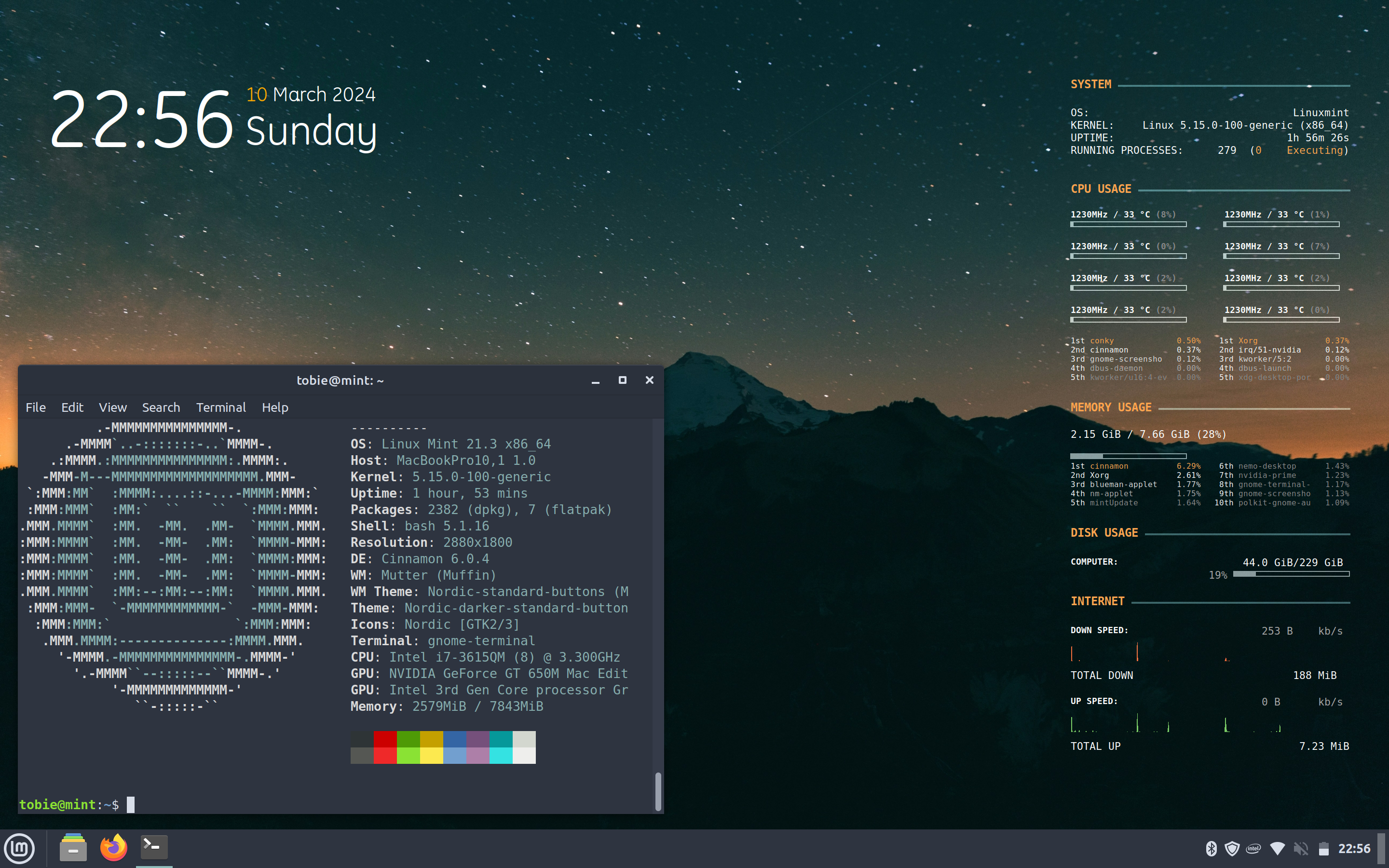
Trying to be incredibly non-invasive and able to backtrack on anything I do. So nothing extra installed and no Conky Manager, all just using someone else’s conky.conf settings I found online, which I then tweaked (and removed some bits I couldn’t get working!)
33 Comments
IsoSpandy@lemm.ee · 42 pts · 2y
You were able to take a nice unixporn worthy screenshot. That is all you need to learn.
Jokes aside I wish you a very good luck
sirico@feddit.uk · 23 pts · 2y
Looks like the learning's going well, Mint is such a good distro for all users and will teach you a lot.
HexagonSun@sh.itjust.works · 4 pts · 2y
Yeah, I foolishly shopped around a whole host of distros and DEs after seeing things on reddit and getting ideas above my station.
Most couldn’t even boot either the live USB or following install, and I didn’t really know how to find out why.
Others worked for a week or more before failing after an update and I hadn’t figured out Timeshift yet.
Probably my 2012 hybrid Intel/Nvidia graphics played a part if I was guessing.
NateSwift@lemmy.dbzer0.com · 6 pts · 2y
Having lived this, I would be inclined to agree
jerrythegenius@lemmy.world · 15 pts · 2y
HexagonSun@sh.itjust.works · 3 pts · 2y
Thanks!
I’ve nuked and started again with Linux so many times at this point.
Did the usual ill-advised distro hopping instead of just using Mint, to see if the grass was greener… and it wasn’t.
So many distros couldn’t even load the live USB and locked up with a black screen.
Others would install… but then wouldn’t boot.
Others ran for various amounts of time before failing after an update.
At least now I’ve done what I should have done at the start and figured out Timeshift. If anything goes wrong again I’ll make sure I take the time to see if I can understand why, to learn from it.
fernandu00@lemmy.ml · 13 pts · 2y
Wow people still use conky! Last time I tried using it, Linux was in kernel 2.6.
AMDIsOurLord@lemmy.ml · 8 pts · 2y
It's good shit
HexagonSun@sh.itjust.works · 1 pts · 2y
A lot of it seems at least partly deprecated, had to just delete a few presets I couldn’t get to show any data
Damage@slrpnk.net · 1 pts · 2y
I don't get it. The only time I see the desktop is just after login.
aberrate_junior_beatnik@midwest.social · 13 pts · 2y
I'm useless no matter what OS I use ;)
Cicraft@lemmy.world · 7 pts · 2y
I'm so useless I can't even be used as a bad example
Quazatron@lemmy.world · 7 pts · 2y
Try it out and see if it fits you.
There's plenty of resources and helpful people out there to help you, and a lot of new shiny tech and toys to enjoy.
Have fun and help others if you can.
captain_aggravated@sh.itjust.works · 4 pts · 2y
Seems you've taken to Conky pretty well. How's it holding up for daily tasks? You comfortable moving in?
HexagonSun@sh.itjust.works · 3 pts · 2y
Definitely perfectly comfortable on Mint for day to day use… but would still struggle for anything that hasn’t got a GUI. Obviously can copy and paste commands but would like to be better than that.
This is installed on my old computer and I upgraded to a M1 Mac as my main one, so this is more a hobby project and learning experience than a daily driver.
Have had a lot of issues with previous installs from other distros failing, I think due to this Mac’s 2012 Intel/Nvidia hybrid graphics.
agent_flounder@lemmy.world · 4 pts · 2y
If love to copy your conky setup. That looks slick.
HexagonSun@sh.itjust.works · 4 pts · 2y
Yeah, it’s nice!
I can’t take any credit for it, I found it here and figured out how to modify it slightly, mainly to remove the bits I couldn’t get to work.
https://github.com/andeon/conky-simple
bigmclargehuge@lemmy.world · 4 pts · 2y
vojel@discuss.tchncs.de · 4 pts · 2y
You‘re doing well, young Linux fellow
Diplomjodler@feddit.de · 3 pts · 2y
Looks like you got it pretty well under control to me.
WhiteHotaru@feddit.de · 3 pts · 2y
Where does this System Information edit: on the right side as desktop overlay come from?
Cover_czar@lemmy.ml · 5 pts · 2y
Conqi widgets
WhiteHotaru@feddit.de · 1 pts · 2y
Thanks!
jackpot@lemmy.ml · 4 pts · 2y
type neofetch into your terminal
WhiteHotaru@feddit.de · 2 pts · 2y
I meant the right side. Sorry, I should have clarified.
jackpot@lemmy.ml · 3 pts · 2y
i assume thats conky?
HexagonSun@sh.itjust.works · 2 pts · 2y
Yeah it’s plain old Conky.
Trying to be incredibly non-invasive and able to backtrack on anything I do. So nothing extra installed and no Conky Manager, all just using someone else’s conky.conf settings I found online, which I then tweaked (and removed some bits I couldn’t get working!)
gaael@lemmy.world · 3 pts · 2y
Interested as well :)
jackpot@lemmy.ml · 3 pts · 2y
conky (i think)
WhiteHotaru@feddit.de · 1 pts · 2y
Thanks!
agent_flounder@lemmy.world · 2 pts · 2y
My guess is conky. I use it too but mine doesn't look anywhere near as nice as OP's does.
HexagonSun@sh.itjust.works · 2 pts · 2y
Can’t take any credit, but found this after doing some searching
https://github.com/andeon/conky-simple
agent_flounder@lemmy.world · 2 pts · 2y
Much appreciated!
Septimaeus@infosec.pub · 3 pts · 2y
Looks good! Conky reminds me of [the long-defunct] rainmeter software, pretty good nostalgia.
max@lemmy.blahaj.zone · 2 pts · 2y
Linux mint is good 💚