I'm using EndeavourOS. I installed btop++ as well as Disk Usage Analyzer. Both give me different disk space information.
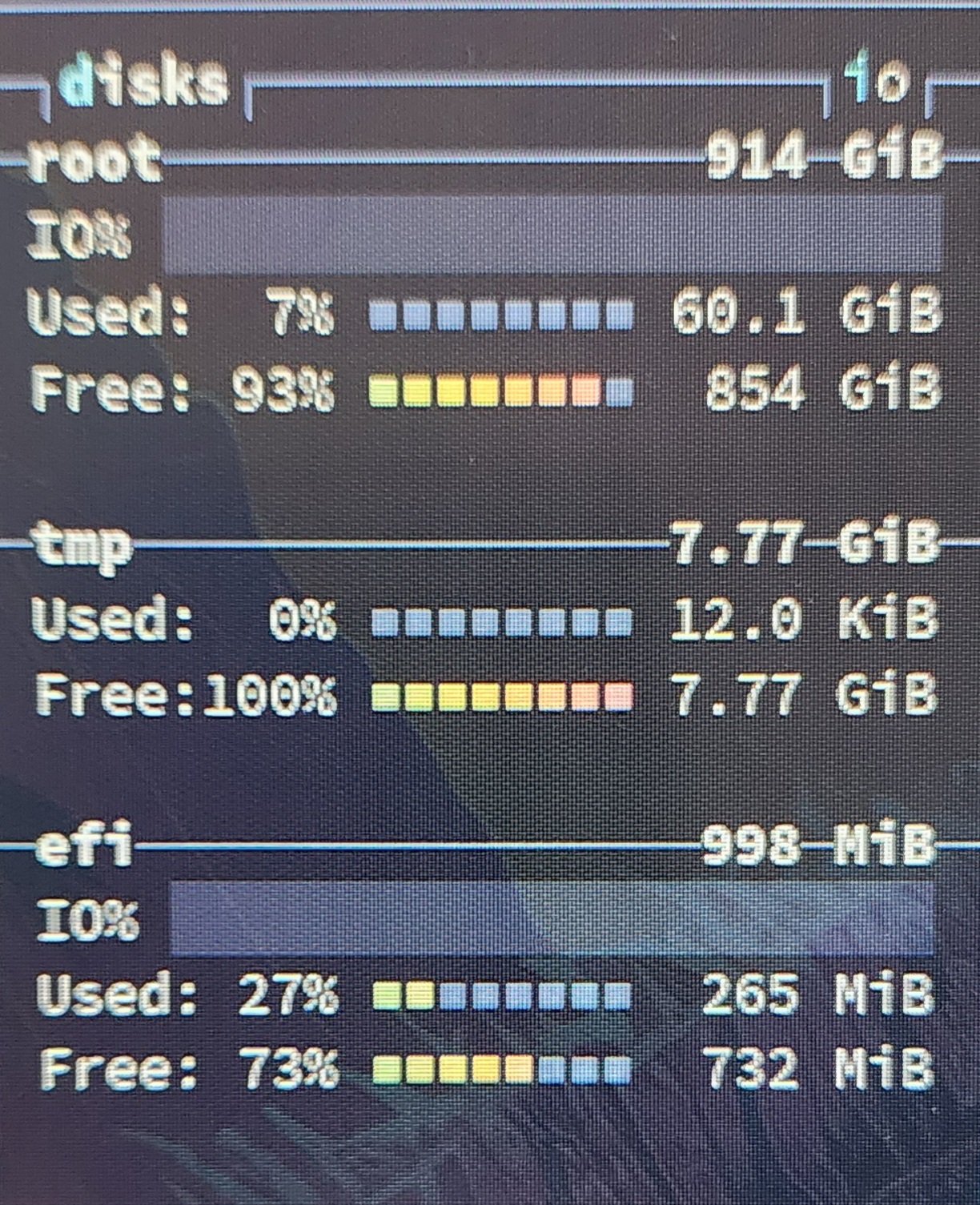
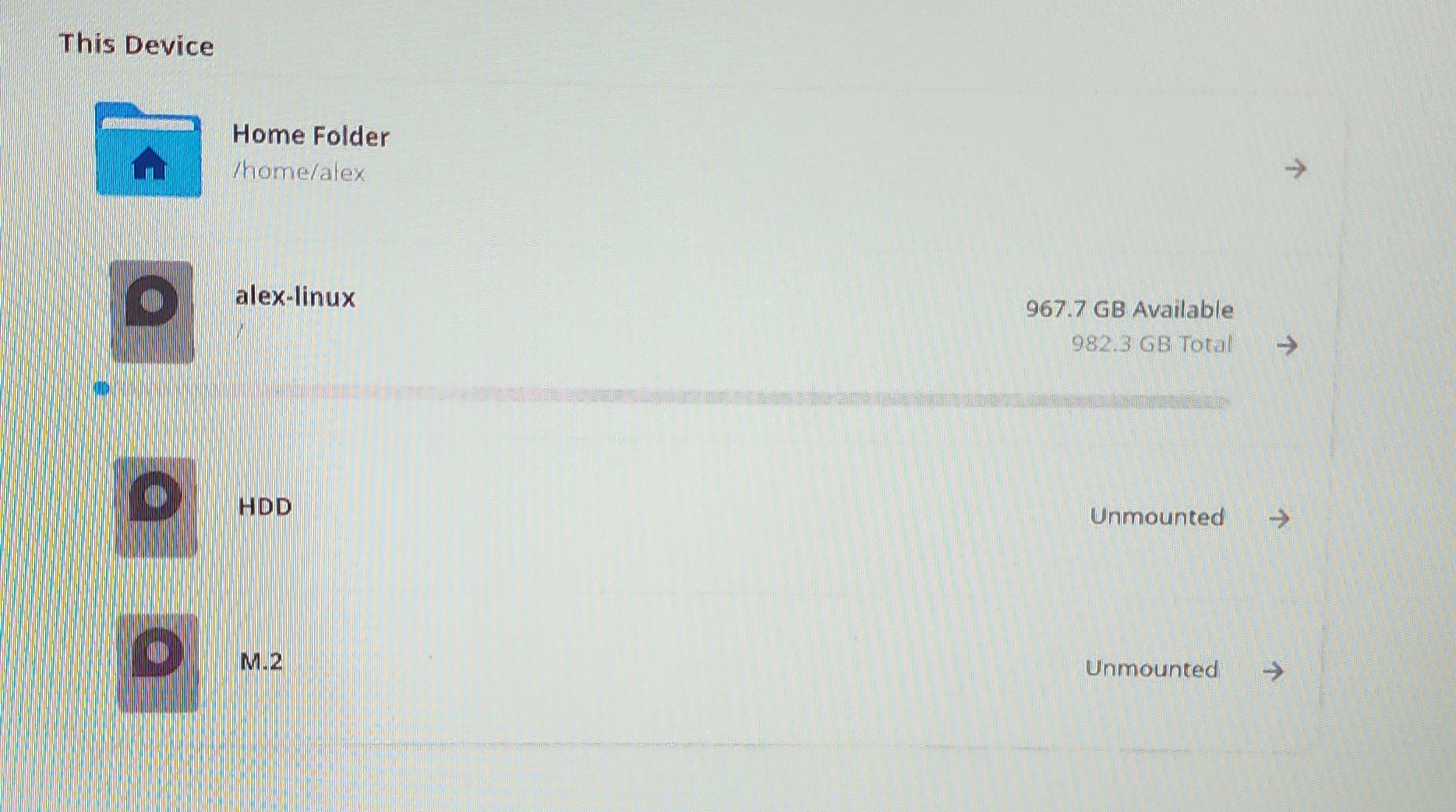
I know I don't have 60gb worth of files on my system for sure, DUA confirms that. How can I get btop++ to read the correct disk space usage?
9 Comments
reggie@lemmy.fmhy.ml · 5 pts · 3y
It seems like one is showing GiB and the other GB, which are two different units.
KB = 1000B KiB = 1024B
Which doesn't seem significant but it adds up.
YonatanAvhar@programming.dev · 4 pts · 3y
I'd like to add that GB is pronounced Gigabyte, and GiB is pronounced Gibibyte. For the full list of units you can check this
swrdghcnqstdr@lemmy.ml · 2 pts · 3y
It’s not this significant (3x). it should be closer to 7%. My guess is that OP is using something like btrfs, whose data used is calculated differently due to the CoW nature, and btop++ is using using a generic tool to estimate disk usage rather than the btrfs utility that DUA is almost certainly using.
sin_free_for_00_days@lemmy.one · 2 pts · 3y
GiB vs GB, but it shouldn't be that much difference at a really cursory look.
Digester@lemmy.world · 1 pts · 3y
I tried to vim into the config file to change GiG to GB but I didn't find the option.
sin_free_for_00_days@lemmy.one · 1 pts · 3y
You're probably stuck with whatever it's telling you.
Sharney@mastodon.social · 1 pts · 3y
@Digester
Search DuckDuckGo (or google) for “854GiB to GB”. The result will show 916.9755GB. It’s the units difference.