Hi!
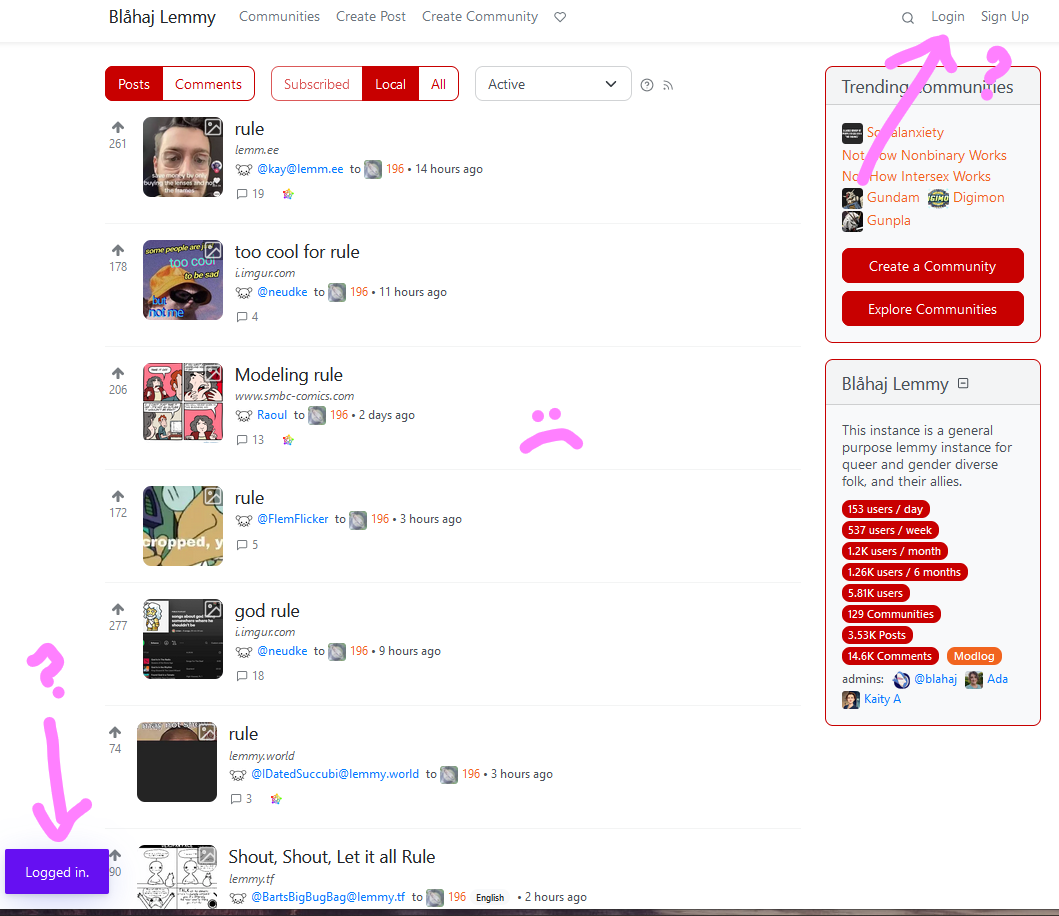
So I put in my username, my password, I watch the bright red login button go spinny for a couple moments, and then I get this screen, where it tells me I am Schrodinger's Logged In. Logged in, but also not logged in.
It seems to work in Chrome, but I very much prefer using Firefox for privacy reasons. :)
9 Comments
Ashiette@lemmy.blahaj.zone · 7 pts · 3y
Remove cookies and repeat
sponge@lemmy.blahaj.zone · 5 pts · 3y
this fixed it for me. you can do that by clicking on the lock in the URL bar and then clicking on "clear cookies and site data"
SamPond@lemmy.blahaj.zone · 4 pts · 3y
This is wild, I've deleted my cookies so many times but this method is the one that fixed the bug.
Thanks, hun.
VoltasPistol@lemmy.blahaj.zone · 2 pts · 3y
That fixed it! Thank you!!
cultpony@lemmy.blahaj.zone · 2 pts · 3y
I've done that a few times now but it seems that everytime I press F5 or open a new tab, it randomly has me logged in or not... weird.
Ashiette@lemmy.blahaj.zone · 2 pts · 3y
Try to clear cookies, then CTRL + F5 to clear cache ?
cultpony@lemmy.blahaj.zone · 2 pts · 3y
Still logs me out randomly. It's fine if I stay on the page weirdly enough.
Ashiette@lemmy.blahaj.zone · 1 pts · 3y
Amaria@lemmy.blahaj.zone · 1 pts · 3y