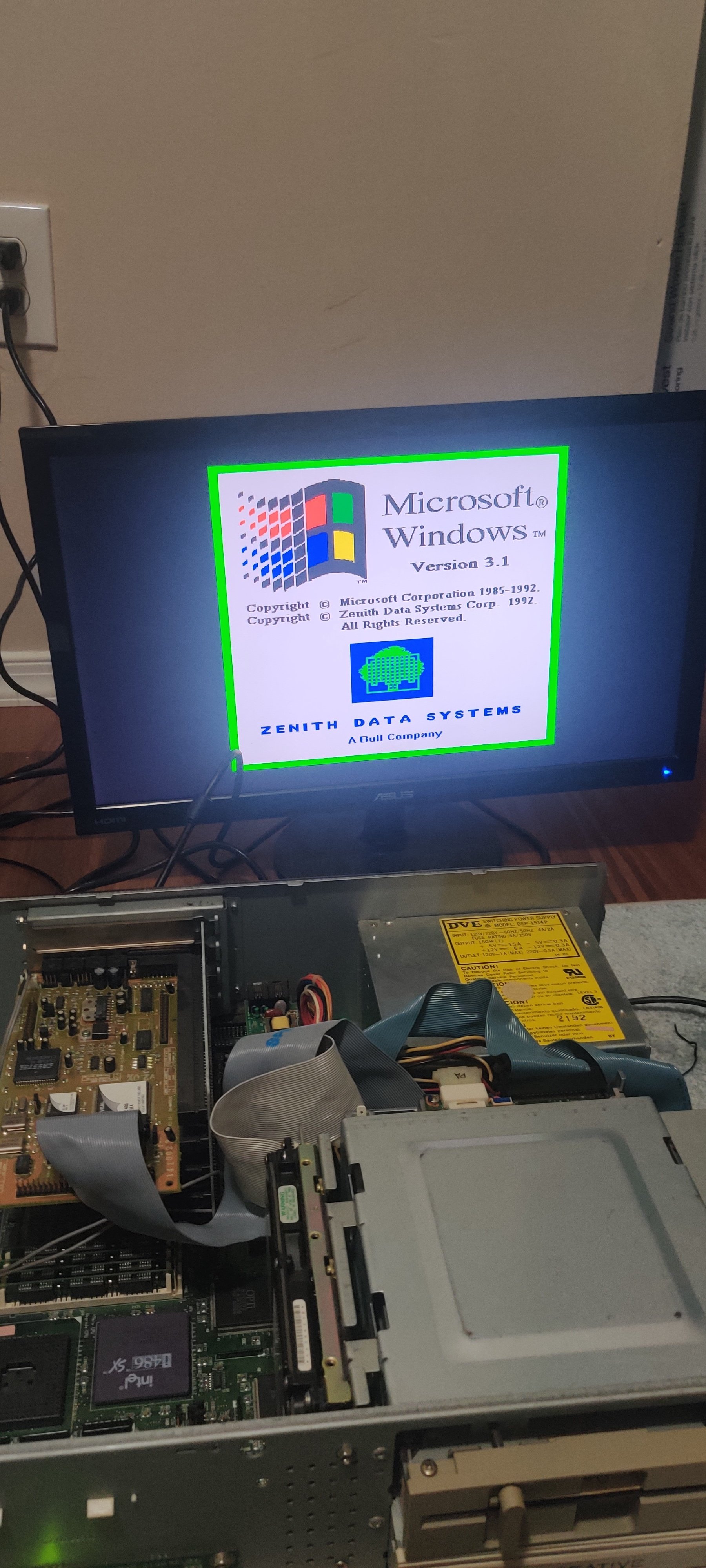
A few days ago I posted about my old PC and there was some interest, here's an update.
tldr: the hdd saved everything! It has windows 3.1 and all the games I remember are still there.
Longer story: I bought a few adapters for PATA/IDE to USB and they didn't work. I had this weird issue where when I plugged the usb into my computer, the drive would power off. You can hear it spinning when it's on, plug in USB, drive powers off. Unplug USB, drive powers back on. So after buying 2 different adapters, I gave up on trying to read it that way.
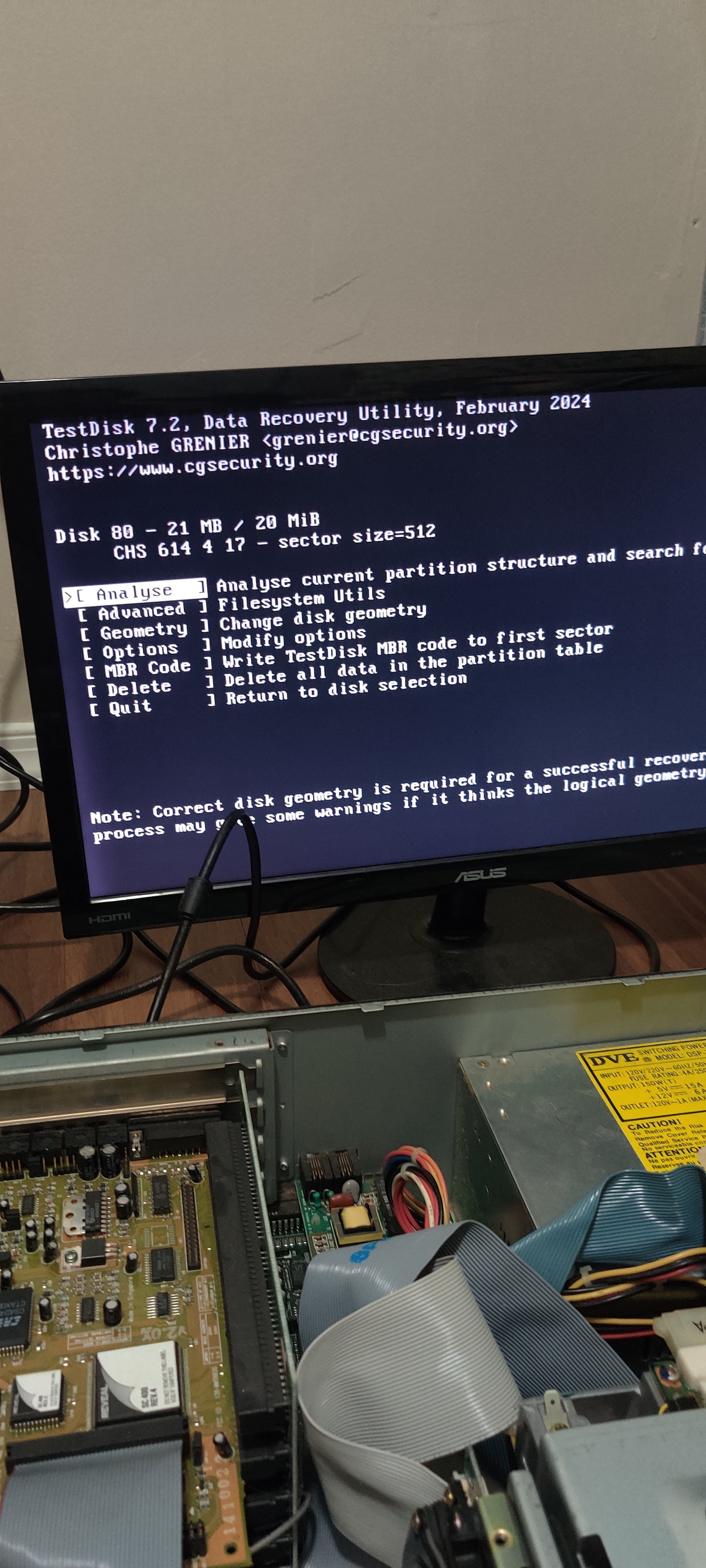
Then, I got a floppy reader and a bunch of floppy disks. The software testdisk has a DOS version, so I copied that to a floppy and ran it on the computer. While it was analyzing the HDD it told me in an error message that the drive appeared smaller than it actually is, and I should update my bios settings.
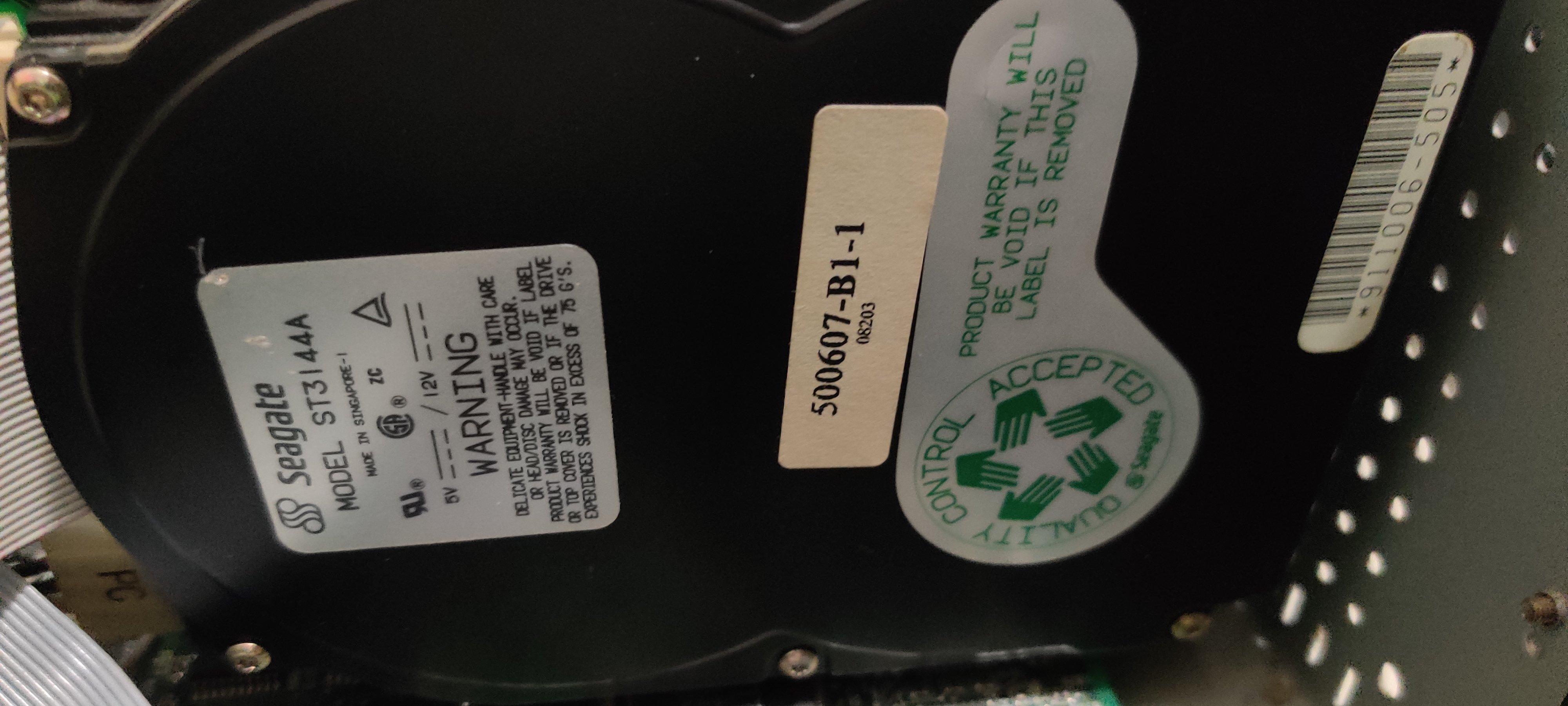
After struggling to figure out how to get to bios (ctrl alt s, AFTER BOOTING), I googled my drive model and found the cylinders, heads, sectors information and manually typed that into the BIOS as a "user defined" hard drive, and that was all it needed to be able to read the drive.
After that it booted straight into PC DOS + Windows 3.1 and everything is there. I found recipes, games, and other programs.
I was going to try to send files over serial, but it wasn't working for me (i still haven't tried zmodem yet) but I couldn't even receive an echo to the serial port. So I've been backing things up by copying to floppy disk, then reading the disk on my laptop with a reader.

12 Comments
Nougat@fedia.io · 11 pts · 1y
chellomere@lemmy.world · 7 pts · 1y
No, the reason it doesn't work is that IDE to USB adapters don't support pre-LBA HDDs. These old disks are all CHS-addressed.
I wanted to take images of such disks. I ended up managing to boot an ancient version of Knoppix from a CD (just booting it was a nightmare) and then using dd_rescue to clone it to a file on a CF card connected vi a CF-to-IDE adapter.
Edit: oh, drive powers off when usb is connected? Might be that the adapter doesn't offer enough power, but if you could get around this you would inevitably run into the problem I describe above.
Davel23@fedia.io · 2 pts · 1y
Nougat@fedia.io · 4 pts · 1y
Davel23@fedia.io · 5 pts · 1y
Tippon@lemmy.dbzer0.com · 7 pts · 1y
You're being downvoted, but you're right. Every adapter I've bought for a full sized hard drive has needed its own power supply. I'm not sure if I've seen one for a PATA drive that didn't come with one.
dhtseany@lemmy.ml · 3 pts · 1y
This is correct, these adapters all come with external power supplies to them run separate from the systems power.
Davel23@fedia.io · 3 pts · 1y
Nougat@fedia.io · 9 pts · 1y
reflectedodds@lemmy.world · 4 pts · 1y
I can't find the coin cell cmos battery on the board...
chellomere@lemmy.world · 5 pts · 1y
Then the cmos battery is probably in a Dallas DS1287 or similar chip. There are hacks to replace the battery itself with a CR2032 holder, but it requires drilling into the chip.
I bought a DS12887+ to replace it, and socketed it in case it would need replacement again in the future (in another 30 years? :)). But if you want to go this route look up what chip is compatible with the exact one you have.
reflectedodds@lemmy.world · 1 pts · 1y
Interesting. Will it just say DS#### on the chip on the board? I'll look for it, that sounds great. Some parts of this board are hard to reach though.
chellomere@lemmy.world · 4 pts · 1y
It will say "Dallas DS1287 REAL TIME" and be unusually thick for being a DIP chip.
I just remembered, there's a third possibility for replacement if this is the problem - the nwx287, a hobbyist-made replacement chip that has a cr2032 holder.
I_Miss_Daniel@lemmy.world · 7 pts · 1y
If you have a parallel null modem cable (or even a serial one) you can use the dos interlnk and intersvr command to access the drive from another computer. Not sure if that will help.
Entering the CHS values into bios was common practice on pre pentium level computers. This might explain why your usb adapter doesn't work as the drive is too old to send its geometry.
f4f4f4f4f4f4f4f4@sopuli.xyz · 5 pts · 1y
You got it. The IDE-USB adapters will technically only work with drives supporting ATA-2 (EIDE and newer).
Nougat@fedia.io · 2 pts · 1y
f4f4f4f4f4f4f4f4@sopuli.xyz · 2 pts · 1y
Just because you put +5V, +12V, and ground on the Molex plug doesn't mean the drive is going to be powered up and spinning. The controller on the drive controls the motors (duh) and may be shutting the whole works down if it's receiving what it interprets as invalid or malformed commands.
I was trying the same thing years ago, with a mid-90s HDD, a dedicated power supply for it, and a couple different IDE-USB adapters, and never got it to work. The drive shutting down when USB adapter is plugged in sounds familiar.
reflectedodds@lemmy.world · 1 pts · 1y
This is what I was thinking too. The adapter I have does have its own power supply plugged in to molex. But it turns off when I also plug in usb.
homesweethomeMrL@lemmy.world · 2 pts · 1y
Awesome. Nicely resurrected!