when pressing Super + Shift and moving the mouse around, the mouse act as a pencil drawing strange red lines
these stay persistent until I kill kwin_wyalnad_wr
KDE Arch Linux up to date, wayland, AMD
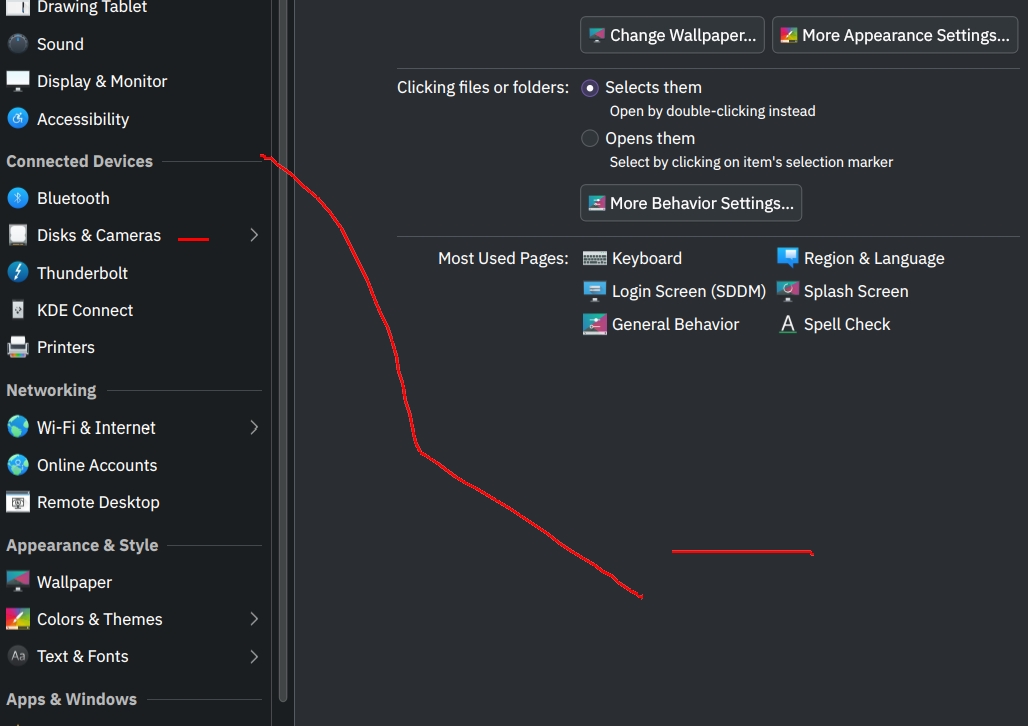
when pressing Super + Shift and moving the mouse around, the mouse act as a pencil drawing strange red lines
these stay persistent until I kill kwin_wyalnad_wr
KDE Arch Linux up to date, wayland, AMD
7 Comments
WadamT@lemmy.ml · 11 pts · 1y
You can turn it off here.
System Setting> Window Management> Desktop Effects> Mouse Mark
herzenschein@pawb.social · 10 pts · 1y
In that section, if you click the button to configure the Mouse Mark effect, you can see the shortcuts for clearing Mouse Mark:
boredsquirrel@slrpnk.net · 5 pts · 1y
These combos are insane XD but yeah that is the way
shadowintheday2@lemmy.world · 4 pts · 1y
tyvm
Ozonowsky@lemmy.world · 4 pts · 1y
I don't use plasma anymore but you should check in desktoo effects or kwin scripts sections of settings. If not there I'd check the keyboard shortcut list for Super + Shift to see what is being activated by the shortcut.
aradgus@lemmy.ml · 1 pts · 1y
you should be able to undo or remove all with "Super + Shift + F12" or " Super + Shift + F11"
Matty_r@programming.dev · 1 pts · 1y
Meta + Shift + F11
Turn off "Mouse Mark" in Desktop Effects