cross-posted from: https://lemmy.ml/post/22627659
Hi,
I have a couples of AV1 videos that I would like to display on a html page.
I've tried
<video controls preload="none">
    <source src="FooBar.mp4">
</video>
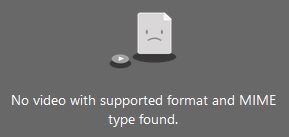
but it trow back
I've tried first with MKV container as it's listed on the wikipedia page.
but this is not listed on the mozilla page https://developer.mozilla.org/en-US/docs/Web/Media/Formats/Video_codecs 🤔
Confusing.. as I found also this in the firefox release note:
Firefox 97 and later versions support AV1 video in the MKV container.
So WTF !?
I've tried also
<video controls preload="none">
    <source src="FooBar.mp4" type="video/webm; codecs='av01.0.08M.08'">
</video>
but that change nothing...
Any ideas ?
Thanks.
4 Comments
BananaTrifleViolin@lemmy.world · 2 pts · 1y
Your html looks wrong to me in your second example.
The type should be closed with " not continued with ; Codecs should also use" "
I don't think the Codecs bit is needed though. Having the Type correct should be enough.
<video controls preload="none"> <source src="FooBar.mp4" type="video/webm"> </video>Edit: Also presumably your files are definitely AV1? Double check that. I think you can also drag and drop video into Firefox to see if they will play.
Edit2: Also on searching I've seen someone say you may need to use the video tag itself for mkv:
<video controls preload="none" src="FooBar.mkv"> </video>It's one of the solutions lower down on this stack post, but you'd need to test that. https://stackoverflow.com/questions/21192713/how-to-playback-mkv-video-in-web-browser
As a side, it's very frustrating to see how many people wrote code on that page that just works on Chrome. So much for Web standards!
Donatello@lemmy.ml · 1 pts · 1y
Thank you BananaTrifleViolin,
I've tried all your solutions, none works.
Yes they are AV1 (I have encoded them)
\
Couldn't agree more
no, this initiated a download :/
Donatello@lemmy.ml · 1 pts · 1y
Funny when I open .mp4 container version of it, by file path (url bar) like
file:///X:/path/FooBar.mp4it works, so Firefox can Open it.... (now still to make it work inside an html page 😑 )for .mkv it trigger a file download...
Donatello@lemmy.ml · 1 pts · 1y
MP4 container part, solved --> https://lemmy.ml/post/22627660