I use ctrl + alt + x to translate pages, this chatbot uses the same shortcut so translate addon can't
Is there way to disable AI chatbot keyboard shortcut?
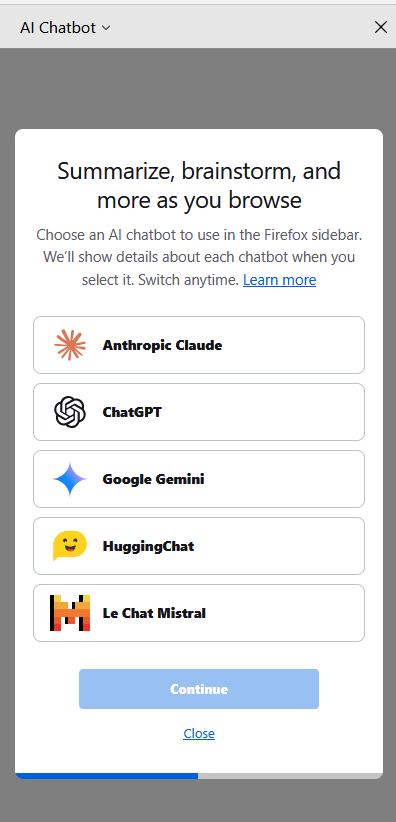
I use ctrl + alt + x to translate pages, this chatbot uses the same shortcut so translate addon can't
10 Comments
xhduqetz@lemmy.ml · 26 pts · 1y
Alas, Firefox doesn't allow changing any keybindings without modifying the source code. The bugzilla ticket about this is already 2 decades old.
NahMarcas@lemmy.ml · 11 pts · 1y
Librewolf
LWD@lemm.ee · 7 pts · 1y
deleted by creator
RmDebArc_5@sh.itjust.works · 5 pts · 1y
AFAIK you can’t
BroBot9000@lemmy.world · 5 pts · 1y
Fucking garbage!! At least give us a kill switch ya hacks!
j4yt33@feddit.org · 5 pts · 1y
Stupid question but can't you just change your translate shortcut?
Waffelson@lemmy.world · 8 pts · 1y
I can but this shortcut is very convenient
Firefox is very customizable so I thought I can edit some settings in about:config to fix this
I_quote_Seinfeld_a_lot@sh.itjust.works · 1 pts · 1y
Have you tried setting
browser.ml.chat.enabledtofalsein about:config? That immediately removes the chatbot from my sidebar.nick@midwest.social · -13 pts · 1y
This makes me glad that I switched back to safari.
nokturne213@sopuli.xyz · 24 pts · 1y
Sadly with how much Apple is pushing Apple Intelligence I am sure it will not be long before we have it in safari too.