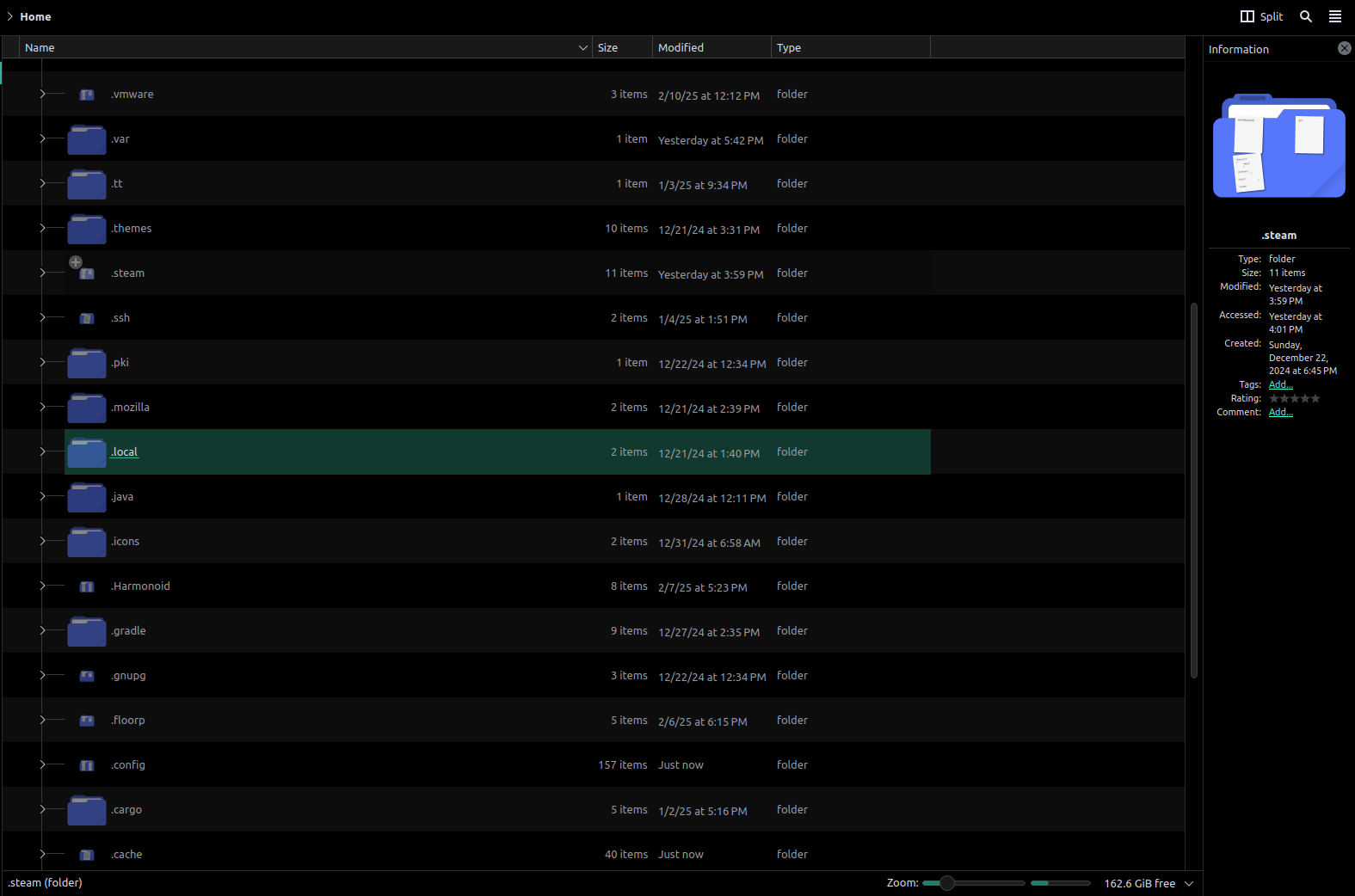
I having issue with dolphin not showing folder icons correctly, most hidden folders are small and all linked folder are also small, If anyone know how to fix this please help Edit: thanks to @MyNameIsRichard@lemmy.ml, I found that if I disable folder preview it should fix the issue, but now I can't see what's inside the folder without opening it
[Solved, short of] Issue with Dolphin folders icons
10 Comments
artem@social.anufrij.de · 2 pts · 1y
@ColdWater
I have same issue here.
cc: @kde
ColdWater@lemmy.ca · 3 pts · 1y
with the help of @MyNameIsRichard@lemmy.ml I found that if I disable "folder preview" it should fix the issue
artem@social.anufrij.de · 1 pts · 1y
@ColdWater @MyNameIsRichard
It sounds more like a workaround than a fix. 😏
ColdWater@lemmy.ca · 1 pts · 1y
A Linux's life for me XD, for now I have to live with it until they fix this bug 🪲
krimson@lemmy.world · 2 pts · 1y
Tried a different icon theme? Looks like some icon types are missing or not scalable.
ColdWater@lemmy.ca · 1 pts · 1y
I already tried multiple icon packs but none fix the issue even the default breeze icons
krimson@lemmy.world · 1 pts · 1y
Does adjusting the zoom level do anything?
ColdWater@lemmy.ca · 1 pts · 1y
MyNameIsRichard@lemmy.ml · 2 pts · 1y
I read somewhere that this only happens if the text preview is on.
ColdWater@lemmy.ca · 4 pts · 1y
Ok, I disabled text preview, and it did fix hidden folders but not linked folders, so I narrowed it down to "folder preview" After disabled everything, it looks just like it should even with text preview enabled, but now I can't see what's inside the folder without opening it.