Any permanent solution to this loose charging pin problem in Lenovo laptops which have rectangular pin port.
Can't we replace it with USB or anything better?
Edit 1: This is what I do to make it work.
- Turn ON the switch before plugging it into laptop.
- Slowly put it in until you see the LED light glow. Don't put it all the way into the port.
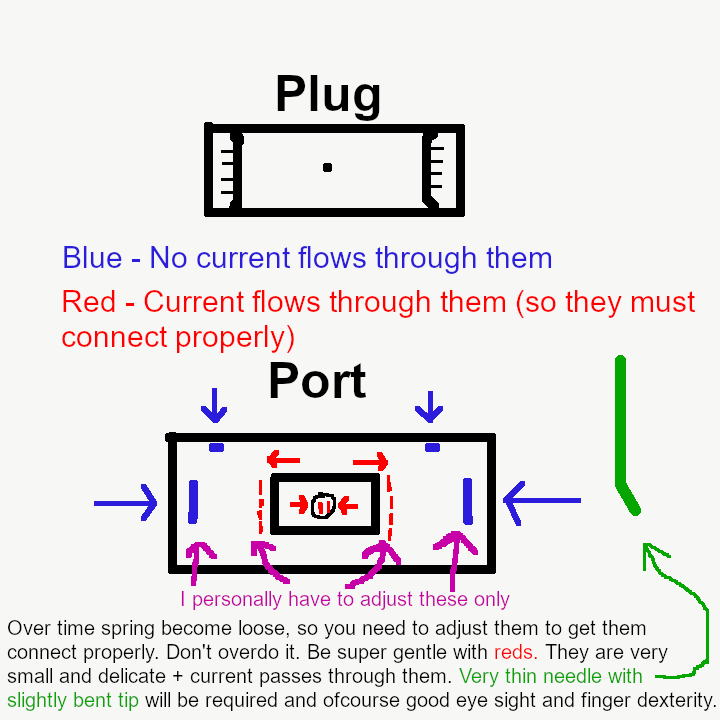
Edit 2: Oof, have to do some non-invasive procedure.
2 Comments
cheers_queers@lemm.ee · 2 pts · 1y
this is still an issue?? i will never buy Lenovo, i had 2 of their tablets almost 15 years ago and this was a major recurring problem. sent them both in multiple times for repairs before just switching to another brand
Chonk@lemmy.world · 1 pts · 1y
Oof! I'm still struggling with it.
Anyone here who has cut the wire and manually connect it to laptop. Should be possible if one knows where to connect each wire individually.