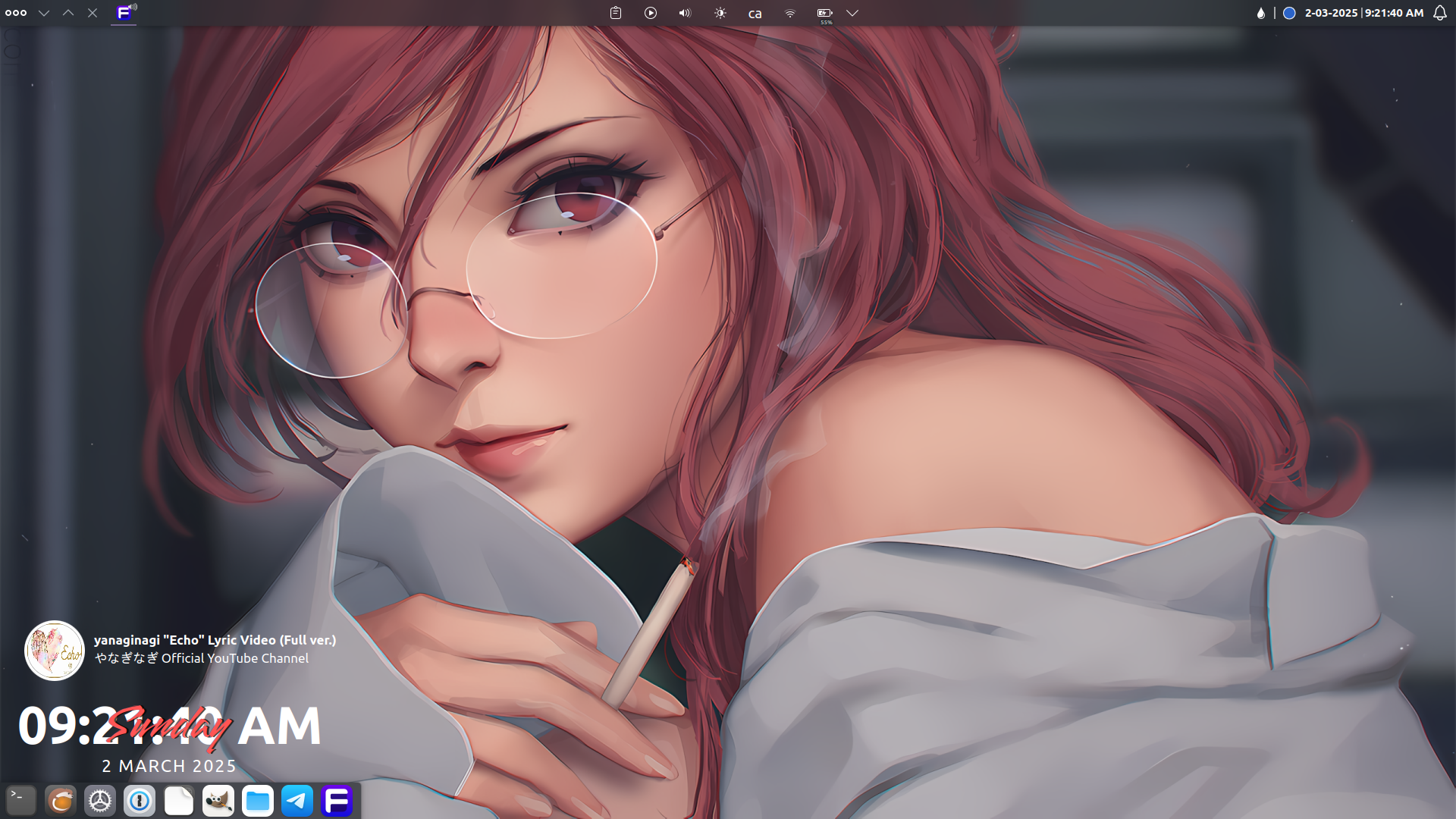
Panel widgets (left to right): Application Launcher, Icons only task manager, Application title bar (buttons only), Global menu, Spacer, System tray, Spacer, Color picker, Digital clock, Notification.
Desktop Widget (top to bottom): Circle Music, Clear clock, Default panel (auto dodge).
Plasma: Spectrum Classic Dark
Icons: WhiteSur
Window border: KDE Rounded corner(Github)
-to disable window decorations: Open Settings-> Color & Themes-> Window Decorations->Edit button-> Window-Specific Overrides-> +Add-> Regular expression to match: .* and check Hide window title bar.


5 Comments
ColdWater@lemmy.ca · 5 pts · 1y
Wallpaper: https://wallhaven.cc/w/z8zo3w
NinjaFox@lemmy.blahaj.zone · 4 pts · 1y
Is there a subtle blur on the wallpaper when their is a window in the foreground? Looks lovely
ColdWater@lemmy.ca · 9 pts · 1y
Yeah, it's a blur wallpapers plugin for KDE
Ashiette@lemmy.world · 1 pts · 1y
I have a few questions :
How do you put the titlebar buttons in a panel ?
How do you make it so it doesn't have a titlebar ?
What Plasma theme are you using ?
ColdWater@lemmy.ca · 2 pts · 1y
this is the configuration I used:
Panel widgets (left to right): Application Launcher, Icons only task manager, Application title bar (buttons only), Global menu, Spacer, System tray, Spacer, Color picker, Digital clock, Notification.
Desktop Widget (top to bottom): Circle Music, Clear clock, Default panel (auto dodge).
Plasma: Spectrum Classic Dark
Icons: WhiteSur
Window border: KDE Rounded corner(Github)
-to disable window decorations: Open Settings-> Color & Themes-> Window Decorations->Edit button-> Window-Specific Overrides-> +Add-> Regular expression to match: .* and check Hide window title bar.