I'm switching from firefox to librewolf on mac, and when I open the "import data" menu on librewolf I can't find the "import from firefox" option. Screenshot above.
How do I import firefox data to librewolf?
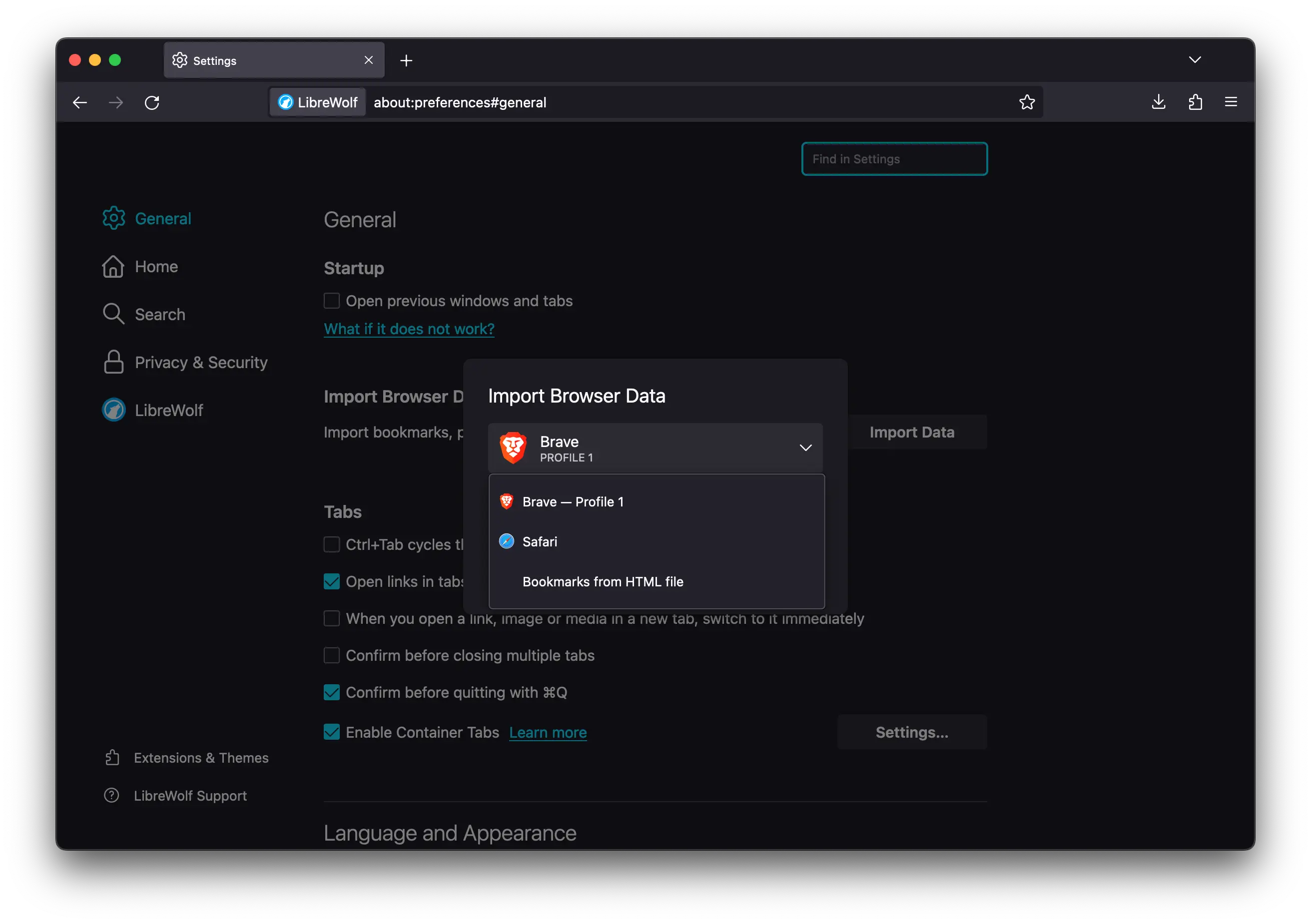
I'm switching from firefox to librewolf on mac, and when I open the "import data" menu on librewolf I can't find the "import from firefox" option. Screenshot above.
6 Comments
code@lemmy.mayes.io · 2 pts · 3y
I use a firefox sync login. If you then login on librewolf itll sync all of it.
CorrodedCranium@lemmy.dbzer0.com · 1 pts · 3y
Are you trying to import bookmarks?
You could open up the "Manage bookmarks" in the hamburger button menu and click the back up button in Firefox and the restore button in LibreWolf
first_ad4972@sh.itjust.works · 1 pts · 3y
I'm importing everything (bookmarks, history, logins, addons (if possible), etc)
CorrodedCranium@lemmy.dbzer0.com · 1 pts · 3y
You should be able to export your login information from Firefox to a file as well.
I don't know if there is much you can do with extensions. You might be able to find where the data is saved and click and drag or use your Firefox login but I'd probably just grab them like you do a regular Firefox extension.
first_ad4972@sh.itjust.works · 1 pts · 3y
What about history?
recursive_recursion@programming.dev · 1 pts · 3y
you can import bookmarks by using the browser built-in function/shortcut by hitting
Ctrl+Shift+H
There should be an Import/Backup button third from the left where you can choose to Restore or Import from an exported json/html file