Microslop: Please complete 2 factor authentication again to sign in.
User completes 2 factor authentication
Microslop: Thanks, you have been signed out.
User: ffs!
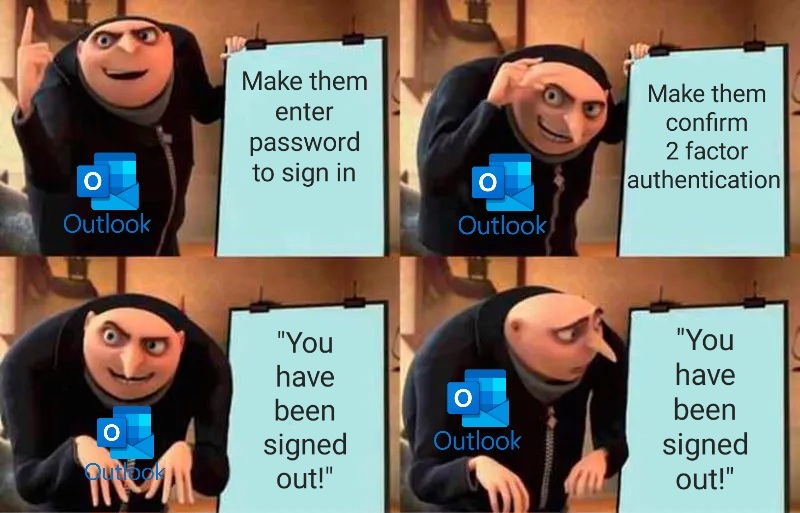
Microslop: Please complete 2 factor authentication again to sign in.
User completes 2 factor authentication
Microslop: Thanks, you have been signed out.
User: ffs!
20 Comments
slazer2au@lemmy.world · 37 pts · 145d
Sorry, we couldn't log you in.
More Details?
You are running windows 11 and the security policy only allows Windows 10.
No joke I got that error once.
asmer@reddthat.com · 6 pts · 144d
Security Policy knows what's shit af.
aeronmelon@lemmy.world · 26 pts · 145d
signs in
“You must complete two-factor authentication before you can sign in.”
asmer@reddthat.com · 11 pts · 145d
And then once you do it, you're signed out! Lmao
GreenKnight23@lemmy.world · 14 pts · 145d
I'm so fucking burnt out on this shit.
here's my day.
I do that twice a day. once in the morning, and once after lunch. why after lunch? because after 3 minutes of inactivity my laptop locks and disconnects from the network. after 5 minutes the remote desktop session expires. after 15 minutes the remote desktop shuts down. after an hour all sessions expire.
so my day consists of signing into the tools and platforms I need to again and again and not much else.
asmer@reddthat.com · 1 pts · 144d
Aye, did u just out yourself as OE?
GreenKnight23@lemmy.world · 1 pts · 144d
OE?
asmer@reddthat.com · 2 pts · 144d
Over employed
GreenKnight23@lemmy.world · 1 pts · 144d
heh, I wish. no.
single employed.
ParlimentOfDoom@piefed.zip · 13 pts · 145d
Finally get all the proper credentials typed in, but instead a different login forcefully overrides it
deadbeef79000@lemmy.nz · 12 pts · 145d
"it's a good idea to close all your browser tabs"
Duck off.
Outlook gets it's own private mode window for this reason
asmer@reddthat.com · 4 pts · 145d
Even with that, it'll ask you to sign in again and after giving it the password and 2 factor authentication, it'll sign you out!
OwOarchist@pawb.social · 2 pts · 145d
If (for some inexplicable reason) I actually used Outlook, then Outlook would have its own separate browser that I only used for Outlook. In fact, that might be a good use-case for Edge.
Securus777@lemmy.world · 5 pts · 145d
Holy shit! Thought that only happened to me!
SkyeStarfall@lemmy.blahaj.zone · 3 pts · 144d
It happens to me too, at work even
Broke ass software
asmer@reddthat.com · 3 pts · 144d
You are not alone.
howrar@lemmy.ca · 3 pts · 144d
Good to know I'm not the only one getting this. It's so annoying. I shouldn't have to clear my cache every time I want to log in.
asmer@reddthat.com · 1 pts · 143d
If only The Slop understood this, we might have a decent product
JillSteinsPuckeredAnus@lemmy.world · 2 pts · 144d
"Please wait while we sign you out".
ha ha joke's on them, I never wait.
PixeIOrange@lemmy.world · 1 pts · 144d
For me its "You used the wrong password too often" without any other option (its the correct password since i use a pw manager and already dealt with this problem.)