I've been tuning to print at a 0.1mm layer height, the ironing turned out like this. The left side of the Z is a little textured and more shiny.
Why did this happen and how could I fix it?
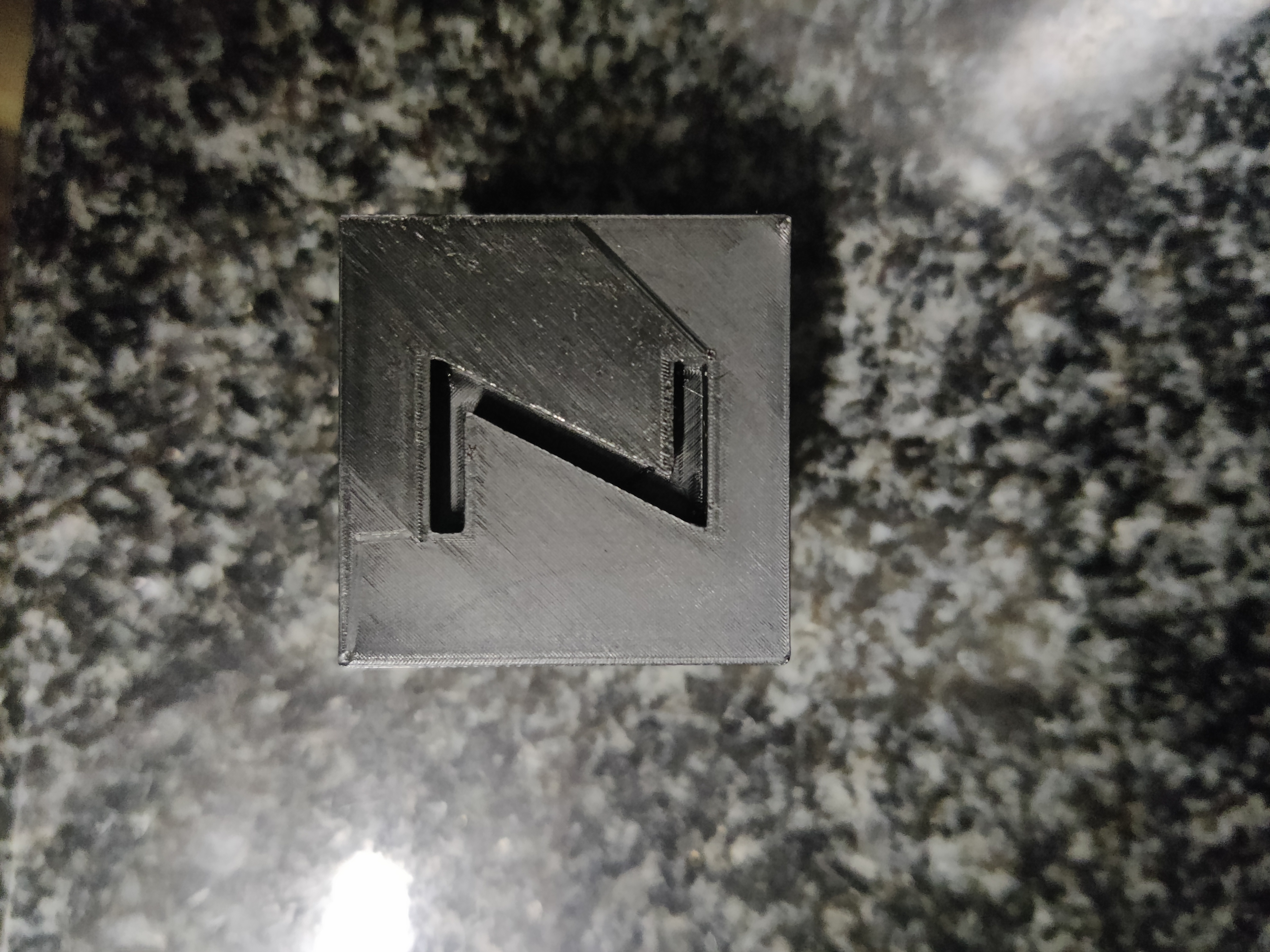
I've been tuning to print at a 0.1mm layer height, the ironing turned out like this. The left side of the Z is a little textured and more shiny.
Why did this happen and how could I fix it?
7 Comments
rambos@lemm.ee · 4 pts · 2y
Try monotonic order on top player. I never tried it with ironing, but its worth a shot
Thanks4Nothing@lemm.ee · 1 pts · 2y
That looks like the issue to me as well, good call.
jeansburger@lemmy.world · 4 pts · 2y
It's because your nozzle is ever so slightly too low when you're printing. I'd adjust your Z offset by one click upwards.
Reprint the cube, and see if that resolved it. If not adjust upwards by another click.
If after a handful of times you can't get a decent ironing pass, I'd take a look at your extrusion multiplier. Drop it down by 0.01 and recalibrate and retry doing the above ironing calibration sequence again.
Manifish_Destiny@lemmy.world · 1 pts · 2y
That's a kilometer sir.
Magrath@lemmy.ca · 2 pts · 2y
There's a video on this that might help you. https://youtu.be/wgXlyyJeY8I?feature=shared
krey@sh.itjust.works · 1 pts · 2y
moody@lemmings.world · 12 pts · 2y
Ironing is a 3d printing term where the heated nozzle is used to smooth the final layer, it's not about taking an actual iron to your print.
The print shown is a calibration cube, meant to show you the results of your print settings so you can adjust them to get better prints.
krey@sh.itjust.works · 2 pts · 2y
moody@lemmings.world · 3 pts · 2y
Exactly, it's not about fixing this print, but about figuring out what's going wrong so you know how to make the next one better.
j4k3@lemmy.world · 0 pts · 2y