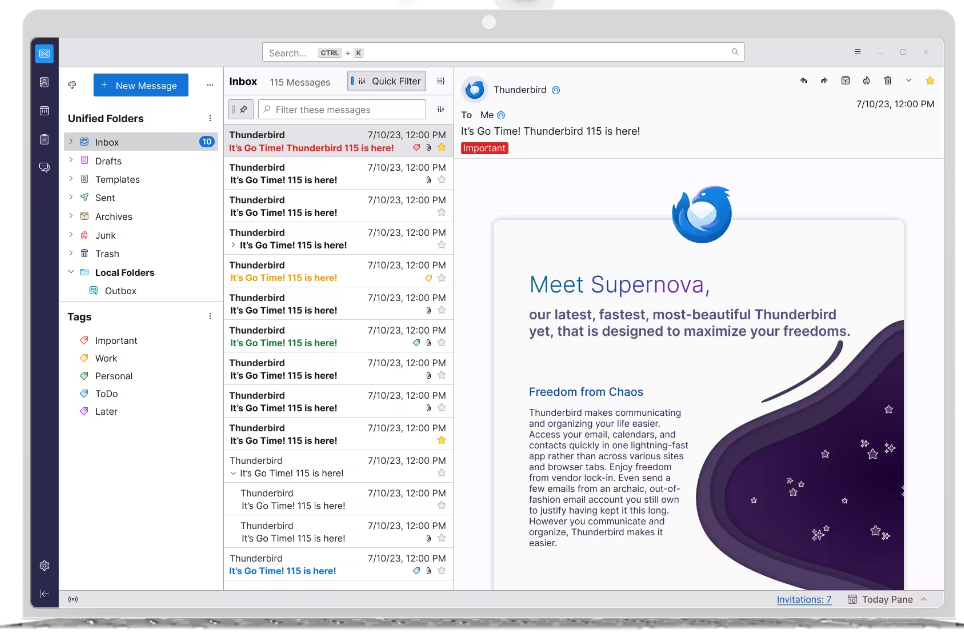
Anyone know where the setting is to do this? I prefer having the message preview next to the inbox list (as shown on the website, see the picture), but the default appears to have it along the bottom of the screen. Thanks
How to put the message preview next to the inbox list instead of below?
1 Comments
VelociCatTurd@lemmy.world · 1 pts · 3y
I have had setup this way for a while now, but try this: Click the three lines, View > Layout > Vertical view