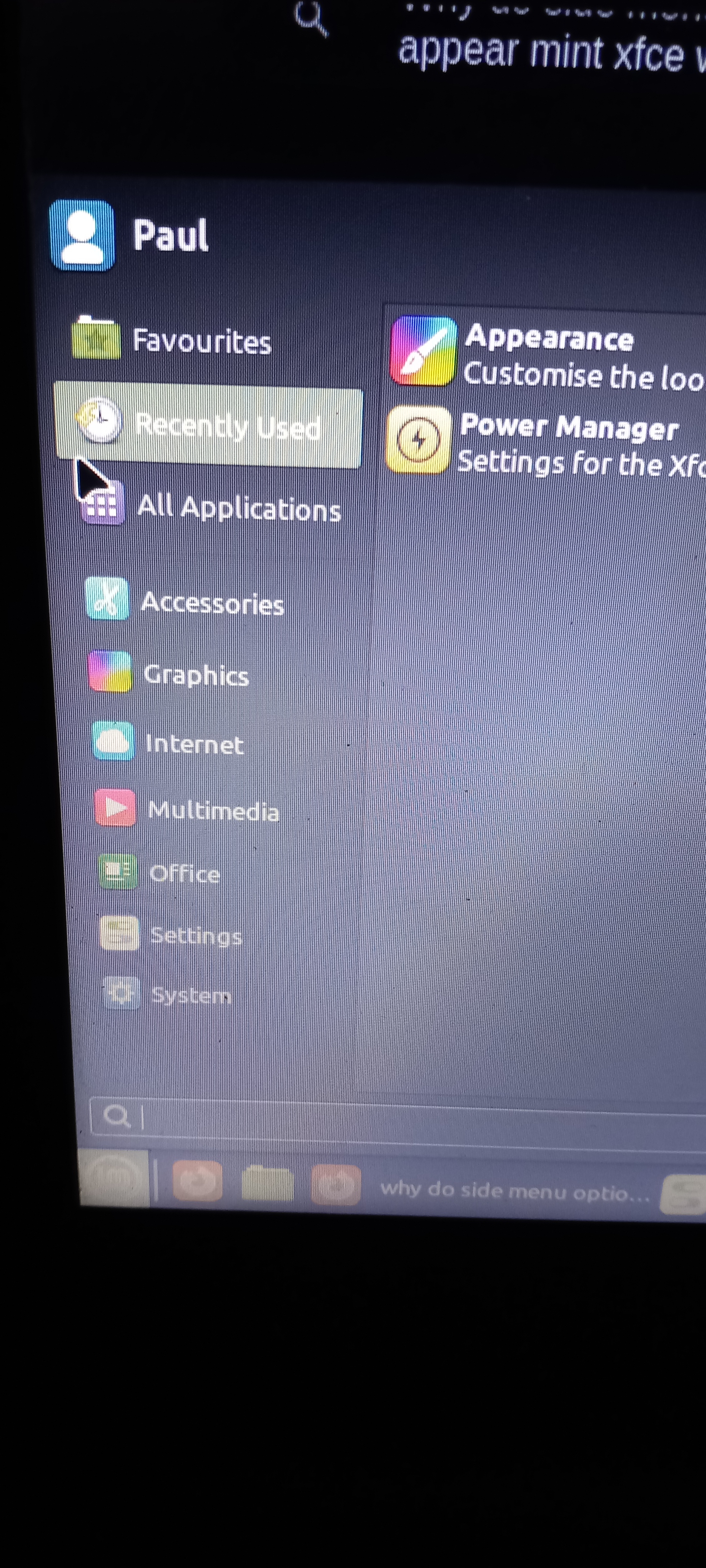
c/linux4noobs · by ch4rlie@lemmy.world · 2yThis is the dumbest question, but where is the side panel on the menu with the shutdown option (yes I know it's not a screenshot don't bully me) 14 points · 10 comments · view on lemmy.world
10 Comments
Haphazard9479@lemm.ee · 5 pts · 2y
Power options are usually on the top right of your screen.
canofloons@lemm.ee · 4 pts · 2y
Should be on top right of the menu. On the same horizontal line as your name.
ch4rlie@lemmy.world · 1 pts · 2y
The only options that were there was sign out and lock screen
razorsoup@lemmy.world · 2 pts · 2y
If you click "Sign out", does it give you an option to power off?
ch4rlie@lemmy.world · 2 pts · 2y
Yeh, it's just I was setting this laptop up for a senior and was trying to make it as simple as possible when I explain things like shutting it down
canofloons@lemm.ee · 2 pts · 2y
Ah ok. I remember the layout looking something like this: https://www.dedoimedo.com/images/computers-years/2020-2/mint-20-xfce-menu-show-desktop-icon.jpg
Must have changed then :(
ch4rlie@lemmy.world · 1 pts · 2y
Oh it does look like that, but i can't see the shutdown button in that picture. The one that I thought looked like shut down is actually log out
Vilian@lemmy.ca · 1 pts · 2y
if you still didn't discover it, try to take a bigger picture, i don't use mint so i don't remeber exactly where it was, but i csn remember with the bigger picture
STUPIDVIPGUY@lemmy.world · -5 pts · 2y
haha look at this dweeb he doesn't even know how to take a screenshot!
ch4rlie@lemmy.world · 3 pts · 2y
Why is everyone downvoting them, he's right!