I tried Linux and all the keybinding was a lot of fun, I gotta do it more with windows. I built my own specialized keyboard for inputting chords when I'm writing lyric sheets and I set CTRL+Tab as the keybind to switch between that and QWERTY.
I do composing, too, and I've written my fair share of shoddy scripts to automate tasks, but changing up the whole keyboard layout for a task, that's the sort of madness I aspire to. 🙃
Yeah, I had it on Super+T at first, too, but I have the command/application/everything runner bound to Super+Esc and I open a lot of terminal windows throughout the day, so I re-bound it to Super+R just because it's slightly easier to reach.
Pffsh, that's baby mode, I use butterflies by releasing them at just the right time to cause the air currents to change just right to cause a solar ray to pass through the atmosphere and flip the bit I want to flip. It is a bit trickier with error correcting memory...
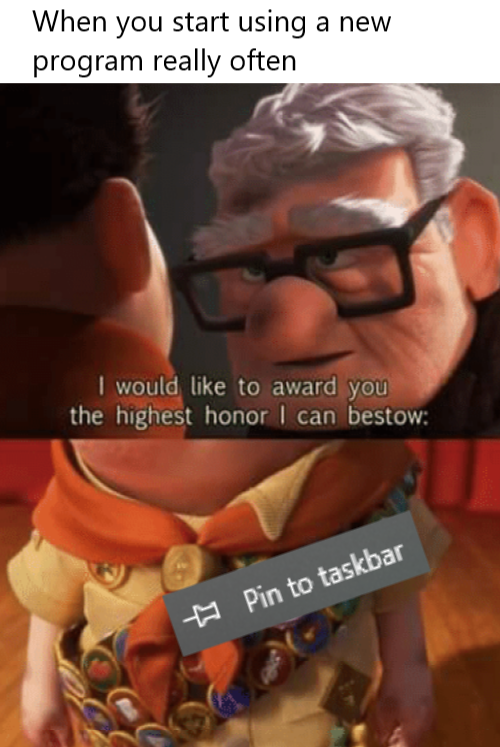
With a 4k monitor and small icons you can fit tons on your taskbar. It's how I roll and it's no honor. I don't pin games there though, that's what steam is for. Steam isn't even on my taskbar, it's in the system tray/active notification spot in the corner.
33 Comments
programmer_belch@lemmy.dbzer0.com · 80 pts · 2y
The highest honor is giving the program a keybind
drew_belloc@programming.dev · 19 pts · 2y
Having on taskbar already give it a keybind on most cases, i quickly open my "work" apps with super + (3..5)
Cysioland@lemmygrad.ml · 12 pts · 2y
My equivalent of autorun is just me pressing Super + 3,4,5,6
ZoopZeZoop@lemmy.world · 9 pts · 2y
Super?
Edit: Nevermind. Google answered. It's the Windows key, at least for a Windows computer.
drew_belloc@programming.dev · 9 pts · 2y
Unless you're on windows it doesn't make sense to call it "windows key" so on linux we call it super or meta key most of the time
Agent641@lemmy.world · 1 pts · 2y
But its a picture of a window.
drew_belloc@programming.dev · 2 pts · 2y
Not on all keyboards
Agent641@lemmy.world · 1 pts · 2y
Is it on yours?
MadBob@feddit.nl · 5 pts · 2y
Fuck me, that's a tip and a half! I love keyboard shortcuts!
Knusper@feddit.de · 7 pts · 2y
Super+F -> Firefox
Super+R -> Terminal
Super+E -> File Manager
Super+X -> Note-taking program
Classy@sh.itjust.works · 4 pts · 2y
Holy shit why did I never do this before.
I tried Linux and all the keybinding was a lot of fun, I gotta do it more with windows. I built my own specialized keyboard for inputting chords when I'm writing lyric sheets and I set CTRL+Tab as the keybind to switch between that and QWERTY.
Knusper@feddit.de · 2 pts · 2y
I do composing, too, and I've written my fair share of shoddy scripts to automate tasks, but changing up the whole keyboard layout for a task, that's the sort of madness I aspire to. 🙃
Classy@sh.itjust.works · 2 pts · 2y
I actually think this is slightly out of date, I combined Aug and dim into its own key with Shift for Alt, and maybe for flat/sharp, too?
flashgnash@lemm.ee · 1 pts · 2y
T is terminal for me, R would be to just run a single command in my top bar or something
Knusper@feddit.de · 1 pts · 2y
Yeah, I had it on Super+T at first, too, but I have the command/application/everything runner bound to Super+Esc and I open a lot of terminal windows throughout the day, so I re-bound it to Super+R just because it's slightly easier to reach.
Querk@discuss.tchncs.de · 7 pts · 2y
That's spoiling at that point
Ozzy@lemmy.ml · 3 pts · 2y
Task manager with my mouse keybind 🤤
this@sh.itjust.works · 1 pts · 2y
saltesc@lemmy.world · 31 pts · 2y
I pin things on the taskbar if it'll help me make an offensive word. Adobe and Microsoft app icons really help open up the Scrabble board.
nottheengineer@feddit.de · 23 pts · 2y
This is nothing compared to echo "alias np=new_program" >> ~/.zshrc
al177@lemmy.sdf.org · 11 pts · 2y
"map <F3> :!new_program" >> ~/.vimrc
nx2@feddit.de · 8 pts · 2y
Wait till you hear about a direct launch hotkey in your window manager
nottheengineer@feddit.de · 6 pts · 2y
Window manager? I use tmux directly on the tty, that way there's much less that can break.
andrew@lemmy.stuart.fun · 6 pts · 2y
That's nothing, I use a magnetized needle and a steady hand.
TechieDamien@lemmy.ml · 2 pts · 2y
Pffsh, that's baby mode, I use butterflies by releasing them at just the right time to cause the air currents to change just right to cause a solar ray to pass through the atmosphere and flip the bit I want to flip. It is a bit trickier with error correcting memory...
Ozzy@lemmy.ml · 3 pts · 2y
That's just the nerd version
doingthestuff@lemmy.world · 9 pts · 2y
With a 4k monitor and small icons you can fit tons on your taskbar. It's how I roll and it's no honor. I don't pin games there though, that's what steam is for. Steam isn't even on my taskbar, it's in the system tray/active notification spot in the corner.
asexualchangeling@lemmy.ml · 11 pts · 2y
kamen@lemmy.world · 7 pts · 2y
The first ten are still somewhat more important since you can access them via
Win+1,Win+2and so on.vox@sopuli.xyz · 1 pts · 2y
you have to launch it in order for it to appear there tho
Sylvartas@lemmy.world · 3 pts · 2y
Bold of you to assume that Steam isn't one of the select few softwares that I actually allow to run on startup
(Personally I still pinned it though because that way, its icon is always in the same place in my taskbar)
oldGregg@lemm.ee · 6 pts · 2y
I_Miss_Daniel@kbin.social · 6 pts · 2y
shell:startup if it's particularly useful.
dadarobot@lemmy.sdf.org · 4 pts · 2y
Terminal
hurricane@lemmy.world · 1 pts · 2y
jaackf@lemm.ee · -4 pts · 2y
Keep in dock