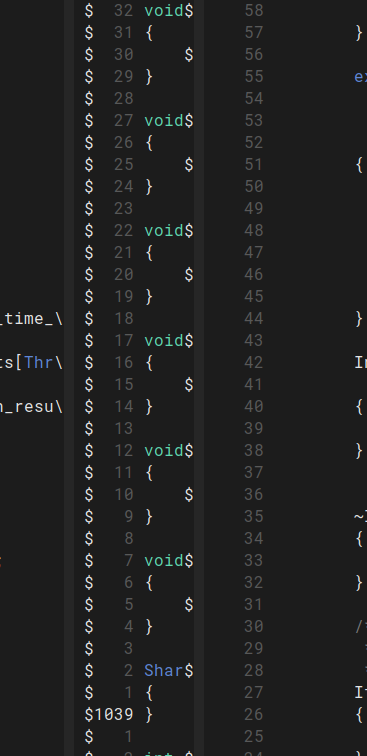
c/emacs · by AnythingBeneficial59@alien.top · 2yHow to remove `$` in the fringes on terminal emacs? 5 points · 6 comments · view on lemmy.world
6 Comments
AkibAzmain@alien.top · 3 pts · 2y
They are truncation glyphs. You can disable them by evaluating the following:
This replaces the truncation glyphs with spaces.
jokem59@alien.top · 1 pts · 2y
Perfect, this is exactly what I was hoping for! Thank you!
AnythingBeneficial59@alien.top · 1 pts · 2y
When opening mutliple windows in that frame, I see these
$signs refresh often which is visually distracting. I'm not sure what they're called, so I'm having a hard time figuring out how to configure them.7890yuiop@alien.top · 2 pts · 2y
FYI on GUI frames the indicators appear in the fringe, and can be configured like so:
/u/AkibAzmain has your solution for terminal frames.
For more info:
C-h i g (emacs)Line TruncationC-h i g (elisp)TruncationC-h i g (elisp)Display Tables00-11@alien.top · 1 pts · 2y
This.
AnythingBeneficial59@alien.top · 1 pts · 2y
Sublime! Thanks for the pointers on how I can get more information on it as well!