Hi, I want to add 2FA to my account but activating it won't trigger my keepass app, I can see the setup code on URL which I can use it with keepass to generate tokens but website expects me to follow link so please add a manual activation for 2FA
Hi, I want to add 2FA to my account but activating it won't trigger my keepass app, I can see the setup code on URL which I can use it with keepass to generate tokens but website expects me to follow link so please add a manual activation for 2FA
7 Comments
marswarrior@lemmy.world · 1 pts · 3y
I use keepassXC on linux.
Copy the secret key from the url.
otpauth://totp/Lemmy.world:username?secret=xxxxxxxxxxxxxxxxxxxxxxxxx&algorithm=SHA256&issuer=Lemmy.worldPaste that here:
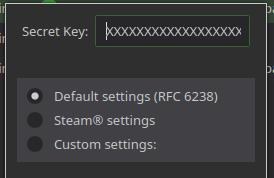
I tried all this, I did get keepass to provide the 2FA code, but lemmy won't accept it. I had to reset my password so I can get back in.
eekrano@lemmy.world · 1 pts · 3y
Same here. I added it to Keepass, then opened a private browser and tried to log in and it wouldn't take it. So one of 2 things:
I went ahead and removed 2FA so I wasn't locked out of my account if I get logged out somehow until this is fixed.
marswarrior@lemmy.world · 1 pts · 3y
Yeah I think it's just not working correctly yet. 2FA should be removed until it's fixed. I doubt the admins can remove it. Only the lemmy devs can.
ggnoredo@lemmy.world · 1 pts · 3y
yes exactly the same issue i tried to decribe
marswarrior@lemmy.world · 1 pts · 3y
My bad.
PriorProject@lemmy.world · 1 pts · 3y
I wouldn't use 2fa until it requires a successful code check on setup, at this point you won't know whether you've successfully enabled 2fa or locked yourself out until you next try to log in.
See https://lemmy.eus/post/190738 for details.
Archerofyail@lemmy.world · 1 pts · 3y
Yeah, I don't know why they wouldn't just generate a QR code that you can scan with your phone or give you the secret in text, like every other website does.