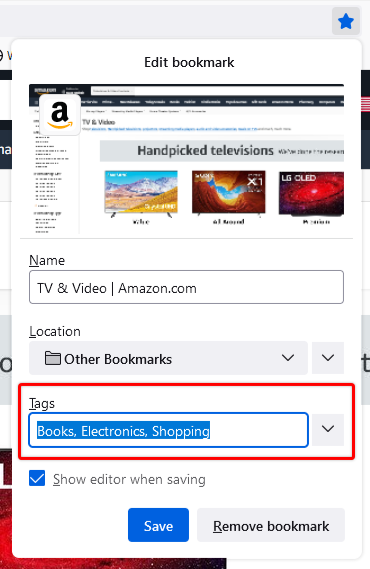
c/firefox · by Facni@kbin.social · 2yHow do I enable the tag box in the bookmark panel? https://support.mozilla.org/en-US/kb/categorizing-bookmarks-make-them-easy-to-find?redirectslug=Bookmark+Tags&redirectlocale=en-US https://assets-prod.sumo.prod.webservices.mozgcp.net/media/uploads/gallery/images/2021-04-29-13-27-24-b5af60.png It used to be there. When it was deleted?, Why? and How I restore it? SOLVED: https://support.mozilla.org/en-US/questions/1445487 26 points · 5 comments · view on lemmy.world

5 Comments
Vincent@feddit.nl · 2 pts · 2y
Hmm, it's there for me in Nightly. When I look at modified settings in
about:config, I do see thatbrowser.bookmarks.editDialog.firstEditFieldis set totagsField. I don't know how that got set, but it sounds like that could control it?Facni@kbin.social · 1 pts · 2y
It didn't work (In nightly too)
LWD@lemm.ee · 1 pts · 2y
Facni@kbin.social · 1 pts · 2y
I did, and I reinstalled firefox too.
pineapplelover@lemm.ee · 1 pts · 2y
Idk. Can't find it
cationiz3r@lemm.ee · 1 pts · 2y
Try editing the bookmarks from the side menu (when pressing
Ctrl+B).