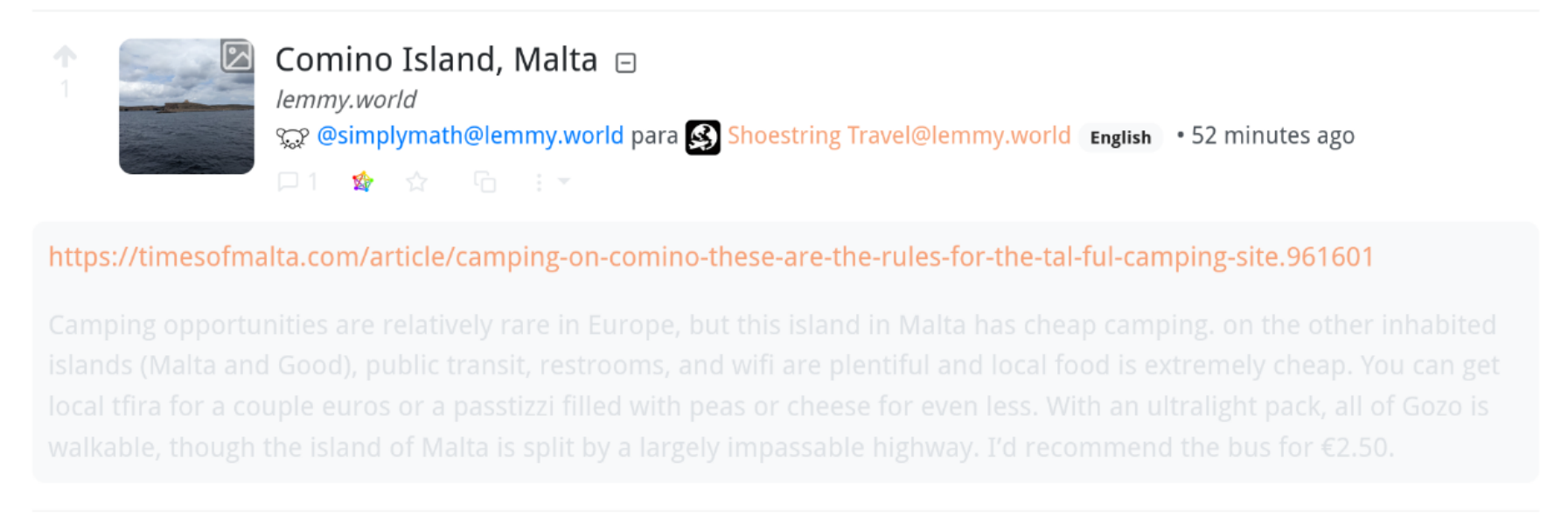
the text and secondary UI elements are too difficult to see, and i have no idea how to change the theme since i couldn't find the setting in my Account Settings page on desktop. any ideas how to fix? thank you
the text and secondary UI elements are too difficult to see, and i have no idea how to change the theme since i couldn't find the setting in my Account Settings page on desktop. any ideas how to fix? thank you
7 Comments
ada@lemmy.blahaj.zone · 3 pts · 2y
Head here and scroll down to the Themes section, just below the language selection box
https://lemmy.blahaj.zone/settings
Wilker@lemmy.blahaj.zone · 1 pts · 2y
thank you. changing from default defined by the browser to another theme fixed it. <3
ada@lemmy.blahaj.zone · 3 pts · 2y
You can also try using a different front end. alx.lemmy.blahaj.zone for example will take you to the Alexandrite front end for our instance, which has a whole UI overhaul
Wilker@lemmy.blahaj.zone · 1 pts · 2y
thank you, that also helped ^^
cwg1231@lemmy.blahaj.zone · 1 pts · 2y
Theme selection seems to not persist properly. The theme resets when I close and reopen my tab. Is there a fix for this?
ada@lemmy.blahaj.zone · 1 pts · 2y
What happens if you then refresh the page?
cwg1231@lemmy.blahaj.zone · 2 pts · 2y
It remains on light theme.
Edit: I am very silly and was forgetting to hit save. The fact that it was persisting in that tab when I navigated away, despite not having saved, gave me the mistaken impression that I didn't need to save.