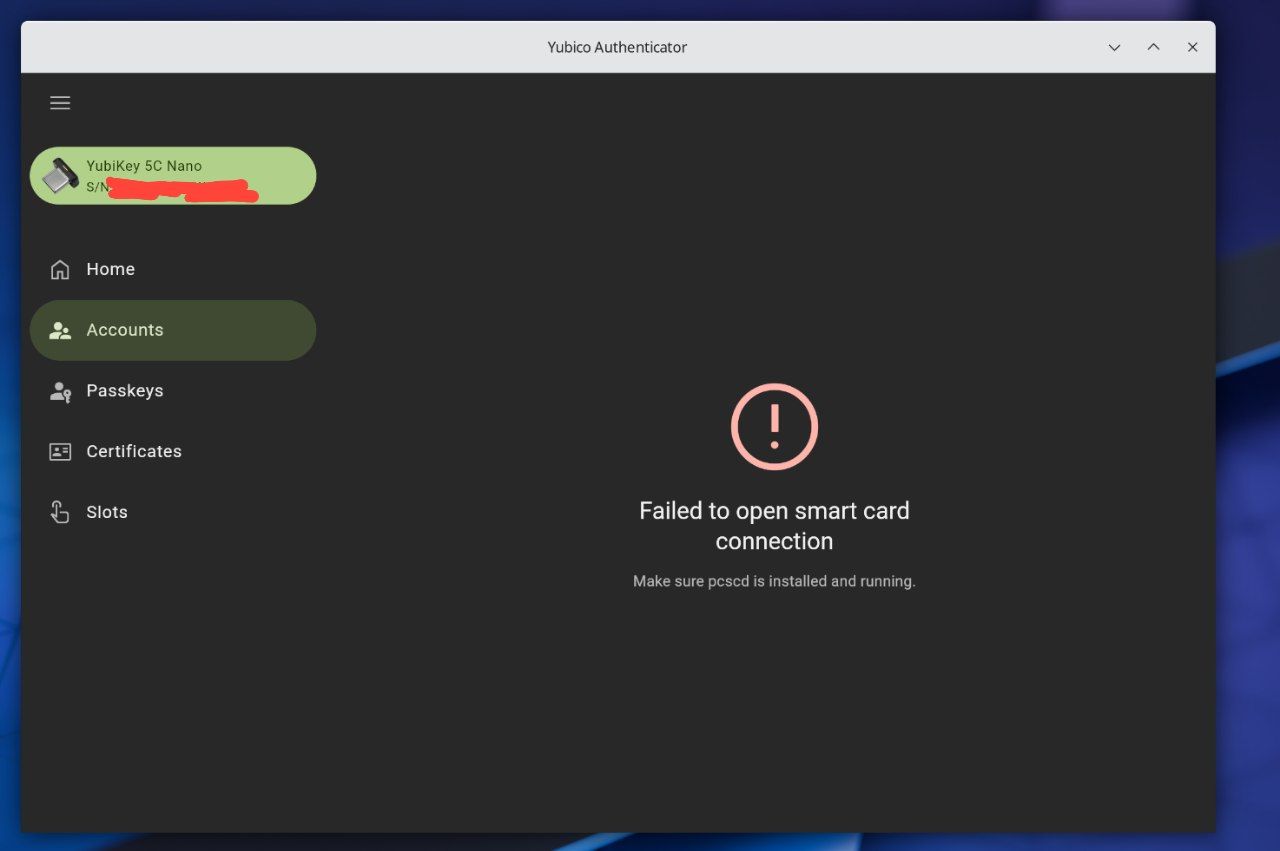
Hey there, I'm having a trouble with my Yubikey not showing me the TOPT passcodes I have saved to it, It DOES show Passkeys though. I don't have this problem when I plug it into my phone, so I'm really not sure what the problem is. Anybody know what the fix is?
EDIT: I figured out that for whatever reason, the Flathub version just doesn't function properly. When I install the tarball from Yubico's website, the executable DOES work right, but I can't seem to figure out how to make the .desktop file install into the programs list.
7 Comments
imalmo@lemmy.ml · 16 pts · 1y
Enable the PCSCD service. This happened to me after updating Arch yesterday. You'll find details on the Arch Wiki if you search for 'yubikey'.
Cornflake@pawb.social · 3 pts · 1y
Unfortunately, I don't believe it's working
BCsven@lemmy.ca · 5 pts · 1y
Cornflake@pawb.social · 1 pts · 1y
It used to work properly. I can use the challenge-response to unlock my password manager and I can use passkeys just fine, but for whatever reason it won't show me one-time codes.
pcscd is installed, but I don't believe it is functioning properly, even when I enable it
The Yubikey is plugged into a USB C port. The same issue persists even when used in the other USB C port.
BCsven@lemmy.ca · 2 pts · 1y
The other commentor mentioned theirs broke after update. So it is probably that. Reason I ask about USBC to A adapter is yubikey fits either way in the adapter A side. And I have had it upside down in the adapter and not realized it.
imalmo@lemmy.ml · 2 pts · 1y
Did you enable and start the service?
systemctl enable pcscd.service
systemctl start pcscd.service
That's what worked for me. Maybe try reinstalling pcscd if that doesn't work.
Coelacanthus@lemmy.kde.social · 3 pts · 1y
It looks like because the sandbox of Flatpak prevent the program access the unix domain socket of pcscd.
There is a document on Arch Wiki.
https://wiki.archlinux.org/title/Desktop_entries