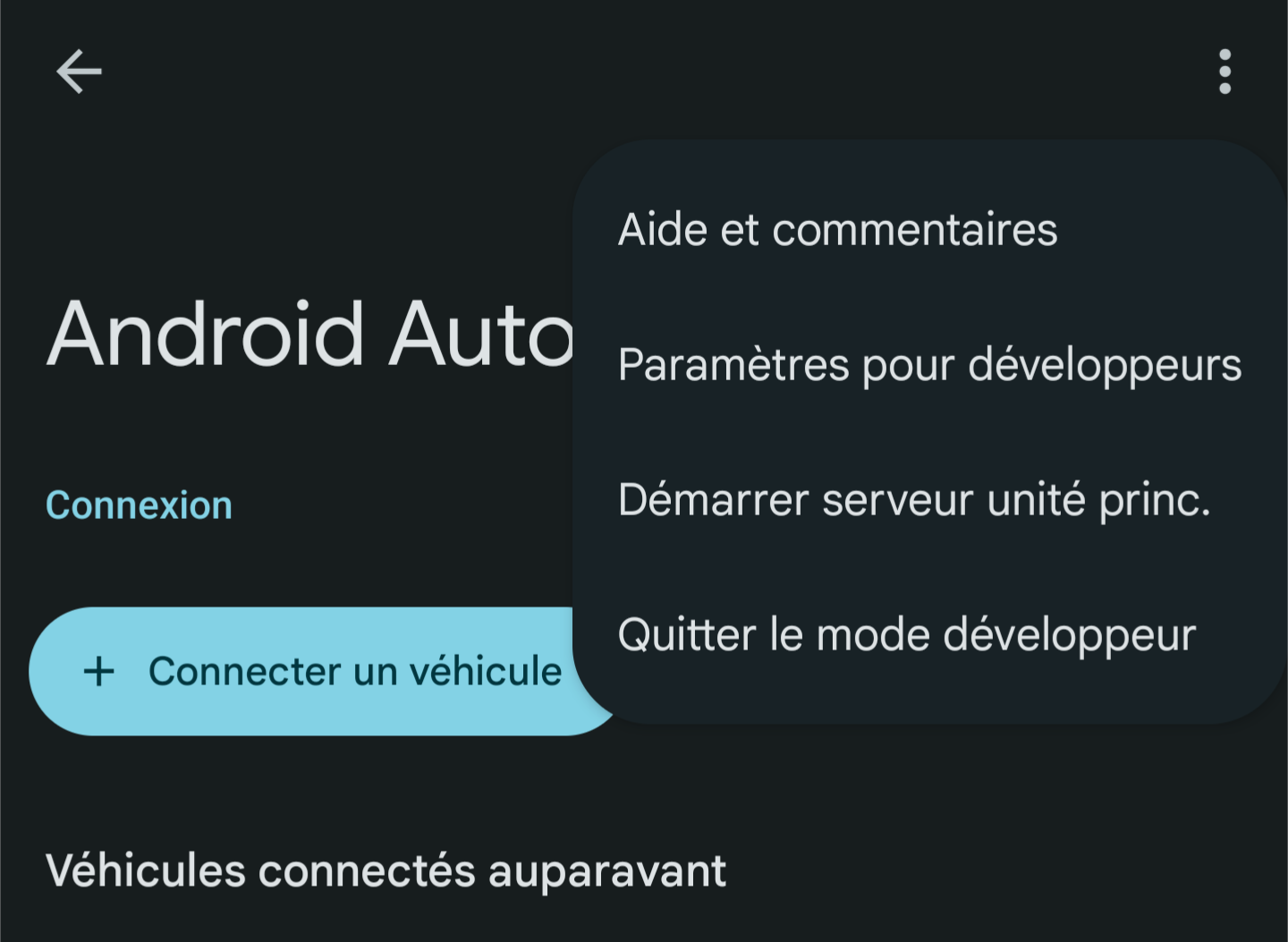
Not sure who needs to read this, but if like me you're using Android Auto with your LineageOS/other libre OS smartphone, you probably need to go to Android Auto's development settings (click 10x on Android Auto's version number) > "Allow apps from unknown sources", so that apps from Aurora Store/F-Droid can connect correctly to Android Auto. I used to have "Media Unavailable" whenever I tried to play things on my car, and this fixed it.


4 Comments
pipes@sh.itjust.works · 1 pts · 1y
Thank you this is useful, I never tried Android Auto, I run LOS+microg, does this require gapps? Does AAuto need internet access?
Kalytis@lemmy.world · 1 pts · 1y
Pretty sure it requires GApps, I don't believe Android Auto needs internet access to work but it requires regular updates on several Google apps
pipes@sh.itjust.works · 1 pts · 1y
Thanks, I'll wait to see when a FOSSy setup is possible, hopefully it'll be at least few years before I have to buy a car again 🏍️.
Dequei@sopuli.xyz · 3 pts · 1y
I made it work with MicroG using https://github.com/sn-00-x/aa4mg