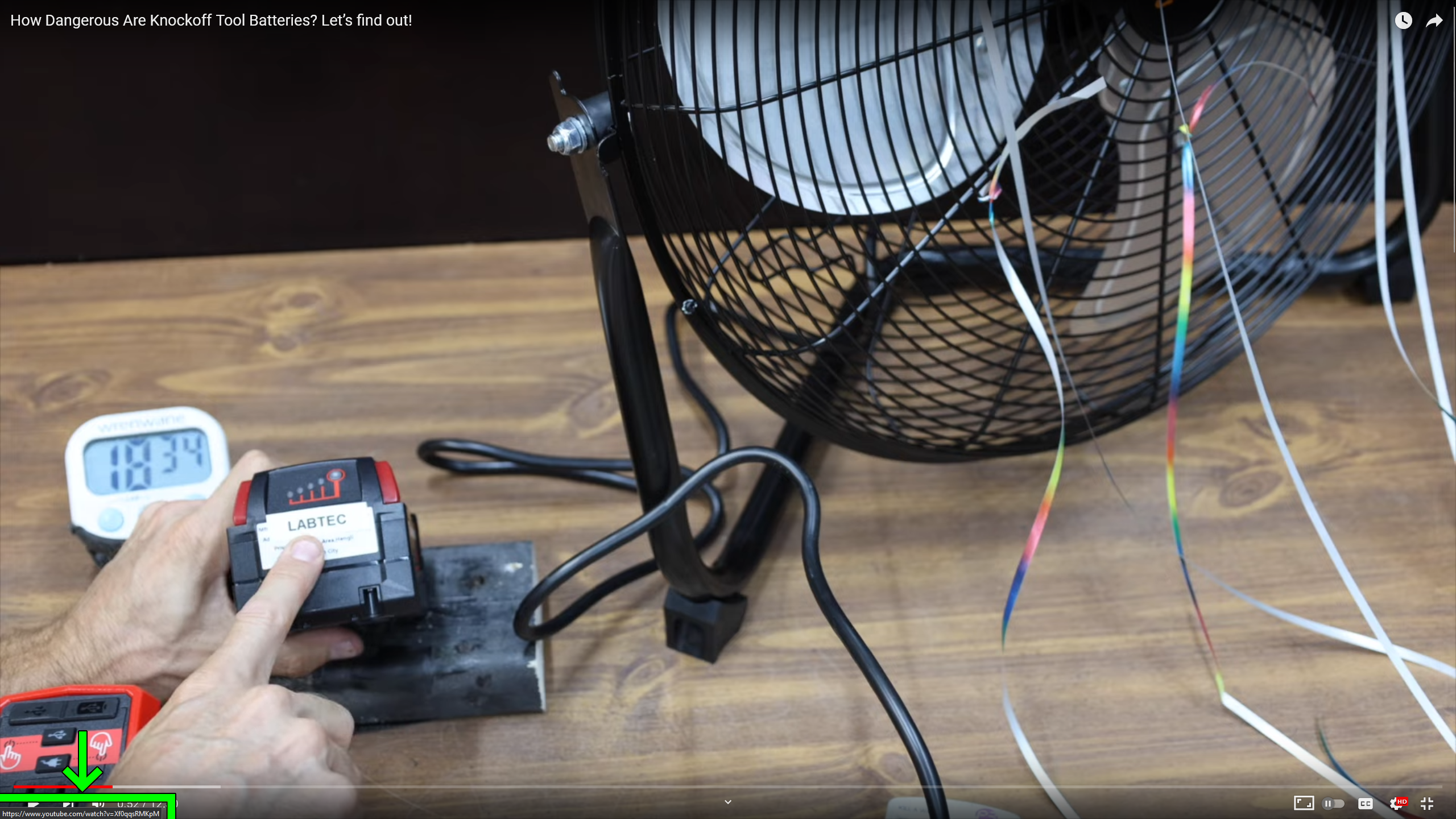
This may occur on other sites, but I notice it often on YouTube when I fullscreen a video. To make it disappear, I have to mouse over a link that changes the URL in the bottom left. If a video is in fullscreen, I have to exit fullscreen to do that.
This issue still occurs in safe mode.
v117.0 (64-bit)
Windows 11 v22H2 22621.2134
7 Comments
purple_sludge@lemmy.blahaj.zone · 12 pts · 2y
this seems to have been recently introduced, started seeing this about a month ago. Also not sure what triggers it exactly unfortunately :/
paganhobbit@sh.itjust.works · 4 pts · 2y
Try scrolling up in full screen mode. On my mac, I can do that and then move the cursor over one of the other videos and then the url will go away.
gridleaf@lemmy.world · 6 pts · 2y
I didn't think of that. That will make it disappear, but I shouldn't have to do that.
paganhobbit@sh.itjust.works · 3 pts · 2y
i wholeheartedly agree. It’s annoying.
WestwardWind@lemm.ee · 4 pts · 2y
I've noticed this for about 6 months or so, particularly on full screen videos
FeliXTV27@feddit.ch · 3 pts · 2y
I have this too, when I switch tabs (and back again) it's gone.
possiblylinux127@lemmy.zip · 1 pts · 2y
Reach out to YouTube to report the issue.