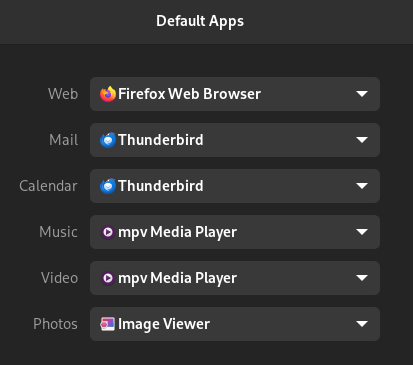
I'm working on a little program that'll launch different browsers based on the content of the URL passed and I'd like to set it as the default Web app in this list (under Settings → Default Apps). I've written a .desktop file based on the epiphany.desktop file, but it doesn't show up when I hit [Win]+o+p+e and it doesn't show up in the default apps either, so I'm hoping that someone here can explain what I've done wrong.
Here's the contents of the opening.desktop file:
$ cat ~/.local/share/applications/opening.desktop
[Desktop Entry]
Name=Opening
GenericName=Web Browser
Comment=Open links in the right browsers
Keywords=web;browser;internet;opening;
Exec=opening %u
StartupNotify=true
Terminal=false
Type=Application
Icon=/home/daniel/.local/share/applications/opening.png
Categories=Network;WebBrowser;
MimeType=text/html;application/xhtml+xml;x-scheme-handler/http;x-scheme-handler/https;multipart/related;application/x-mimearchive;message/rfc822;application/x-xpinstall;
Any criticisms are much appreciated!
5 Comments
Tartas1995@discuss.tchncs.de · 7 pts · 2y
I am guessing in the ~/.local/share/applications/mimeapps.list file?
tom42@lemmy.world · 1 pts · 2y
Right guess.
Vincent@kbin.social · 3 pts · 2y
Possibly you might need to run
update-desktop-databasefirst?eruchitanda@lemmy.world · 2 pts · 2y
walrusintraining@lemmy.world · 1 pts · 2y
I’m completely unfamiliar with this, but maybe you need to add the version number to your desktop file?
walrusintraining@lemmy.world · 1 pts · 2y
Just to supplement, here is the firefox .desktop file