Hello Linux people, I need a bit of help. I wanted to leverage the new 545 NVIDIA drivers, but no other OS that I know of has them yet, so I installed Arch Linux using the handy archinstall script. I followed an external guide on how to get NVIDIA cards up and running. This one specifically: https://github.com/korvahannu/arch-nvidia-drivers-installation-guide. And yes, I checked it against the wiki (from what I could understand, the linked guide has no issues). After I rebooted everything went okay. Tested out resource-intesive games and they ran as expected with the proprietary drivers. However (and I don't know if this is a problem related to the drivers), I just tried suspending the KDE Wayland session on my laptop (Forgot to mention that I followed the wiki on how to get nvidia-suspend and nvidia-hibernate set up, and they were set up correctly), but when I tried waking it up, the screen freezes in a black background with only the kde cursor (I cannot move the cursor in this state) so the only option I know of is to forcefully shutdown the system and reboot. I am not very experienced in Linux so I could use some assistance in finding the source of this problem.
Journalctl log:
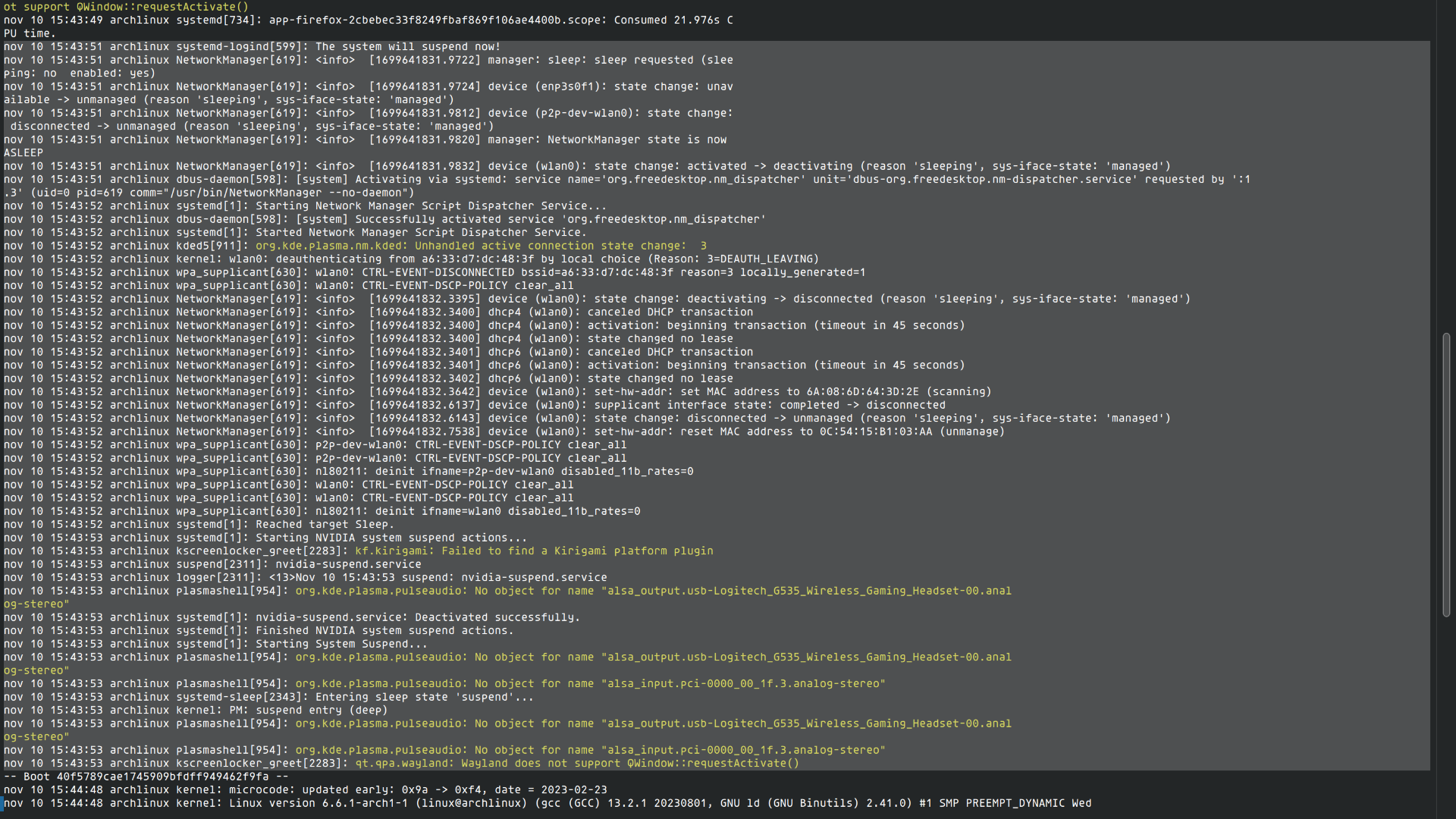
If there's anything else that would prove useful in debugging this issue, please tell me and I will provide
5 Comments
bobslaede@feddit.dk · 9 pts · 2y
My Lenovo laptop has a sleep setting in the BIOS that can be set to either Windows or Linux. Changing that helped me out 👍🐧
d3Xt3r@lemmy.nz · 9 pts · 2y
Seems like resuming from suspend on nVidia is a common issue.
Try this first https://forum.endeavouros.com/t/how-to-fix-the-sleep-suspend-issue-glitch-with-crashing-nvidia-propietary-drivers-and-x11-wayland-on-kde-plasma-arch-endeavouros/42303
And if that doesn't work, check https://gist.github.com/bmcbm/375f14eaa17f88756b4bdbbebbcfd029
Qvest@lemmy.world · 2 pts · 2y
Thanks for the reply. What's weird is that I've done what the endeavouros forums said (and, looking through them, they did similar steps as the ones outlined on the archwiki: https://wiki.archlinux.org/title/NVIDIA/Tips_and_tricks#Preserve_video_memory_after_suspend and I still get that black frozen screen with just a cursor. I'm guessing this is exclusively NVIDIA's fault... or KDE's as I never had this problem on GNOME. Thanks anyhow
Atemu@lemmy.ml · 5 pts · 2y
Post the journal after wakeup, not before.
Qvest@lemmy.world · 1 pts · 2y
astraeus@programming.dev · 4 pts · 2y
I have the opposite problem on Windows, my computer stops running whenever it goes to sleep. I think it’s Nvidia-related, but I’m not entirely sure how to track it down. The errors I get are not very helpful.
blackjack@sh.itjust.works · 1 pts · 2y