Two of those four things are part of a project I'm working on. My partner and I are opening early access on 8/1!
It is set to be a paid product upon full release, but is currently free during our early access phase, with the offer of a month of free service for users who sign up during August.
This has been a passion project myself and my business partner put a lot of love into to solve problems in our own households. We'd be honored if you'd give it a try and let us know what you think!
There's no mobile app -- yet! -- but the website is mobile-friendly. We're focused on the kitchen right now (recipes, meal plans, shopping lists) but the rest of the household is on our roadmap!
Fun fact: you can silence most gas pump ads by pushing the second-from-the-top button on the right-hand side of the gas pump screen... Not all pumps, and every now and then I encounter one that uses the third button down, but most pumps I've run into can be silenced.
It's unforgivable they've jammed ads into pumps full of disgustingly overpriced gas that you're already paying for...
Ohh, I see. That weird thing where people make one really specific, otherwise small thing an absurdly huge part of their personality.
I've seen it with tea, coffee, chocolate, meat (specifically bacon and steak), and a million other things food-related and otherwise. I follow what you're talking about now, and yeah it's weird. I enjoy meat quite a lot, and I do have some kinds of meat I do like cooked a (general) particular way. I'm not going to go around preaching to God and everyone about it, though, and I wouldn't consider "meat' a part of my personality, lol. When people take one small, specific thing and make it their entire personalities it does get... Strange.
I am very curious what "cultish behaviors" you've observed surrounding meat. Not discrediting your experience at all, just a curiosity! I'm sure you've had to explain it many times before, so please feel free to ignore my request. 🙂 Just someone looking to broaden their horizons and understand.
"I really only use the PC for gaming. Mostly, I play Valorant."
There ya go, you're not getting that working under Linux even if you are a master tinker. 🤷♂️ He did eventually switch, but not until long after he stopped playing Valorant regularly.
Some reasons are silly, some are incredibly valid. Sometimes it's just "I don't want to" and that's OK too, lol.
The Goblin's Notebook. It's a great prep tool that allows you to break up all your notes based on what things are, allows custom relationships between objects, and allows what is displayed at any given time to change based on whether specific objects in your notes are relevant to the current chapter of your campaign. And that's just scratching the surface of all the cool features. ~$3/mo thru patreon to fully unlock all features. I swear by it and I'll probably never use another tool to keep all my notes organized as long as I'm GMing.
The custom connections are my favorite feature, and I use them a lot to inform the decisions any given entity in my world makes. Example of custom connections attached, lol.
This is... An interesting assertion. Do you use all of your fingers when you make '''''air quotes'''''? I'm for this movement, by the way. I think it's delightful.
Yeah, it's a little confusing to look at but their pricing page does have "Starter only" next to the $55/100Gb on bandwidth for their "Free & Starter" tier overview.
EDIT: Just a heads up, since that fiasco in Feb 2024 (where the user got a surprise $104k bill) Netlify has updated to offer a Free Plan in addition to the Starter Plan. The difference being, the Free Site plan shuts off traffic after 100GB, and the Starter Site plan will begin billing at a rate of $55/100gb after the first 100Gb. So the site should be safe from unexpected bills, but could be shut down by a malicious attack...
And while you may just be "some stranger on the Internet," the whole point of sharing the tool is to make it better -- I'll be keeping your loud, opinionated thoughts in mind as I look at the roadmap for what's next for this tool. 😁
I'm glad the tool seems useful, and the idea sounds fun! I'm always looking to improve it, so if you come across anything or need any help, just let me know!
Bingo! It's a big hit with some of the folks I play with at my LGS. It's a game all about ordinary kids up against extraordinary odds. Mystery, adventure, a splash of horror -- you get the picture, lol.
The app is built in SvelteKit with TailwindCSS/DaisyUI. The database and authentication are handled by a Pocketbase instance hosted at Pockethost.io, and the app itself is deployed to Netlify.
A very valid point! An account is needed so that character data can be tied to you; your characters aren't stored in a cookie or a file somewhere local, they're stored in a hosted database, that way you can access them from your phone, a laptop, a library computer -- anywhere, really.
Allowing use without an account would be possible, but would require either: storing character data locally (so, if you used the app on your phone, you wouldn't be able to pull up that character on, say, a laptop) or forcing users to bookmark their characters and storing them without an associated account. Both are potential options I will explore.
In the mean time, though, I will gladly add some screenshots!
I can say with absolute confidence the data kept here is minimal: a username, email address, and password which are never used for anything more than authentication, and then your characters. There is an option to totally delete your account after creation, which wipes clean any and all data associated with your account from the database. No stored email, all your characters disappear, everything.
As much as people whine about it as a trend, "/s" goes a long way. 😂
There's no winning... I get you, though. And you're right, they do think they know best... Which is why I won't use GNOME. I left Windows for the same reason. And I'll catch a lot of hate for it, but IMO GNOME is far too opinionated about how the end-user "should" interact with their PC for my tastes.
I can't offer much but to say I'm quite jealous, lol. My wife and I have researched just about every possible opportunity to do the same, just to find everything either doesn't apply to us or is just out of reach at this time (and for the foreseeable future). Asking for help around this topic typically leads to an insane amount of backlash online, so I've found...
Honest answer: I've never had need of cutting edge repositories in Linux Mint, so I've never looked or tried. I would doubt that adding cutting edge repositories to Mint would be a good idea for system stability -- there's a reason "bleeding edge" distributions have a reputation for being a tinkerer's playground. Look at the stability reputation of, say, ArchLinux as an example.
I love Arch, and have used it extensively over the last decade or so, but I would not recommend it or nearly any other rolling release to a newcomer to the space; if you aren't comfortable getting your hands dirty in the terminal, it's only a matter of time before you end up with an unstable system that may or may not boot without the confidence to fix it.
My one exception to the rule above, if you aren't afraid of configuring some repositories for non-free software: OpenSUSE Tumbleweed was a wicked stable rolling release last time I tried it due to the way the organization behind it runs it. It tends to be a little heavier than what you're asking for, but as far as graphical options for system configuration you can't really beat OpenSUSE, IMO. YaST (their system configuration platform) has a tool to configure... Well, damn near everything, honestly. Even if the UI/UX feels a bit "dated", everything you need is there.
Depending on how mission-critical your PC setup is, I might recommend doing a little "distro-hopping." Back up your data, wipe your drive, install a distro and trial it for about a week or so. If one feels like it "fits," just stay there.
I would not say Fedora is hard to install and maintain. The biggest issue by far is a setup hurdle for getting "non-free packages" enabled -- Fedora (and a few other distros) is a "FOSS-only" distribution, meaning they don't include anything by default that is not "free, open-source software." That means media codecs for playing popular audio and video file formats, web browsers like Chrome (I would recommend migrating away from this platform if you're using it) and anything else that's "proprietary software."
There are ways to enable access to this software, but it requires configuring your software package repositories to point to them. It's not hard, just something to keep in mind.
Linux Mint is a great choice for newcomers to the space -- it includes access to non-free software OOTB, has sane default applications on all of its "flavors" with their separate desktop environments, provides decent utilities for configuring your system graphically without blocking you from learning how to do so by config file or terminal should you want to learn. It stays decently up-to-date with packages, you won't be on the bleeding edge but that's not a bad thing. If you aren't doing intense activities (gaming, video editing, etc) having the absolute latest packages won't really matter to you. It still gets security updates, so you're good there. It's a well documented distro with a friendly community and forum if you run into trouble with anything. All around a really solid choice, and would be my first recommendation for someone not looking to do any heavy gaming or other specialized work on their PC.
XFCE is my desktop environment of choice. Not only is it lightweight, it also comes with some of the better desktop environment defaults, in my opinion. Linux Mint will theme it nicely upon install, but it's a long-standing DE that has a huge backlog of support for customization and "beautifying" your install however you like. Lots of themes and cursor options for those who care, all without pushing your resources. It's a traditional desktop paradigm, so it won't try and force you to interact with your PC in new and unusual ways (looking at you, GNOME, you weirdo). It just... Gets out of your way and lets you use your PC the way you're used to.


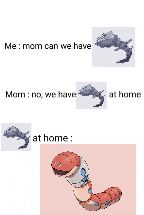

Funny you should ask...
Two of those four things are part of a project I'm working on. My partner and I are opening early access on 8/1!
It is set to be a paid product upon full release, but is currently free during our early access phase, with the offer of a month of free service for users who sign up during August.
This has been a passion project myself and my business partner put a lot of love into to solve problems in our own households. We'd be honored if you'd give it a try and let us know what you think!
There's no mobile app -- yet! -- but the website is mobile-friendly. We're focused on the kitchen right now (recipes, meal plans, shopping lists) but the rest of the household is on our roadmap!
Fun fact: you can silence most gas pump ads by pushing the second-from-the-top button on the right-hand side of the gas pump screen... Not all pumps, and every now and then I encounter one that uses the third button down, but most pumps I've run into can be silenced.
It's unforgivable they've jammed ads into pumps full of disgustingly overpriced gas that you're already paying for...
Ohh, I see. That weird thing where people make one really specific, otherwise small thing an absurdly huge part of their personality.
I've seen it with tea, coffee, chocolate, meat (specifically bacon and steak), and a million other things food-related and otherwise. I follow what you're talking about now, and yeah it's weird. I enjoy meat quite a lot, and I do have some kinds of meat I do like cooked a (general) particular way. I'm not going to go around preaching to God and everyone about it, though, and I wouldn't consider "meat' a part of my personality, lol. When people take one small, specific thing and make it their entire personalities it does get... Strange.
I am very curious what "cultish behaviors" you've observed surrounding meat. Not discrediting your experience at all, just a curiosity! I'm sure you've had to explain it many times before, so please feel free to ignore my request. 🙂 Just someone looking to broaden their horizons and understand.
"I really only use the PC for gaming. Mostly, I play Valorant."
There ya go, you're not getting that working under Linux even if you are a master tinker. 🤷♂️ He did eventually switch, but not until long after he stopped playing Valorant regularly.
Some reasons are silly, some are incredibly valid. Sometimes it's just "I don't want to" and that's OK too, lol.
The Goblin's Notebook. It's a great prep tool that allows you to break up all your notes based on what things are, allows custom relationships between objects, and allows what is displayed at any given time to change based on whether specific objects in your notes are relevant to the current chapter of your campaign. And that's just scratching the surface of all the cool features. ~$3/mo thru patreon to fully unlock all features. I swear by it and I'll probably never use another tool to keep all my notes organized as long as I'm GMing.
The custom connections are my favorite feature, and I use them a lot to inform the decisions any given entity in my world makes. Example of custom connections attached, lol.
This is... An interesting assertion. Do you use all of your fingers when you make '''''air quotes'''''? I'm for this movement, by the way. I think it's delightful.
Yeah, it's a little confusing to look at but their pricing page does have "Starter only" next to the $55/100Gb on bandwidth for their "Free & Starter" tier overview.
Great call out! Thanks a bunch.
EDIT: Just a heads up, since that fiasco in Feb 2024 (where the user got a surprise $104k bill) Netlify has updated to offer a Free Plan in addition to the Starter Plan. The difference being, the Free Site plan shuts off traffic after 100GB, and the Starter Site plan will begin billing at a rate of $55/100gb after the first 100Gb. So the site should be safe from unexpected bills, but could be shut down by a malicious attack...
Thank you, I appreciate that!
And while you may just be "some stranger on the Internet," the whole point of sharing the tool is to make it better -- I'll be keeping your loud, opinionated thoughts in mind as I look at the roadmap for what's next for this tool. 😁
That's always the hang up, isn't it? 😂
I'm glad the tool seems useful, and the idea sounds fun! I'm always looking to improve it, so if you come across anything or need any help, just let me know!
Bingo! It's a big hit with some of the folks I play with at my LGS. It's a game all about ordinary kids up against extraordinary odds. Mystery, adventure, a splash of horror -- you get the picture, lol.
Sure!
The app is built in SvelteKit with TailwindCSS/DaisyUI. The database and authentication are handled by a Pocketbase instance hosted at Pockethost.io, and the app itself is deployed to Netlify.
A very valid point! An account is needed so that character data can be tied to you; your characters aren't stored in a cookie or a file somewhere local, they're stored in a hosted database, that way you can access them from your phone, a laptop, a library computer -- anywhere, really.
Allowing use without an account would be possible, but would require either: storing character data locally (so, if you used the app on your phone, you wouldn't be able to pull up that character on, say, a laptop) or forcing users to bookmark their characters and storing them without an associated account. Both are potential options I will explore.
In the mean time, though, I will gladly add some screenshots!
I can say with absolute confidence the data kept here is minimal: a username, email address, and password which are never used for anything more than authentication, and then your characters. There is an option to totally delete your account after creation, which wipes clean any and all data associated with your account from the database. No stored email, all your characters disappear, everything.
Thank you! I'll post there, as well.
As much as people whine about it as a trend, "/s" goes a long way. 😂
There's no winning... I get you, though. And you're right, they do think they know best... Which is why I won't use GNOME. I left Windows for the same reason. And I'll catch a lot of hate for it, but IMO GNOME is far too opinionated about how the end-user "should" interact with their PC for my tastes.
We've explored that route pretty thoroughly, unfortunately... Neither of us are eligible.
I can't offer much but to say I'm quite jealous, lol. My wife and I have researched just about every possible opportunity to do the same, just to find everything either doesn't apply to us or is just out of reach at this time (and for the foreseeable future). Asking for help around this topic typically leads to an insane amount of backlash online, so I've found...
Honest answer: I've never had need of cutting edge repositories in Linux Mint, so I've never looked or tried. I would doubt that adding cutting edge repositories to Mint would be a good idea for system stability -- there's a reason "bleeding edge" distributions have a reputation for being a tinkerer's playground. Look at the stability reputation of, say, ArchLinux as an example.
I love Arch, and have used it extensively over the last decade or so, but I would not recommend it or nearly any other rolling release to a newcomer to the space; if you aren't comfortable getting your hands dirty in the terminal, it's only a matter of time before you end up with an unstable system that may or may not boot without the confidence to fix it.
My one exception to the rule above, if you aren't afraid of configuring some repositories for non-free software: OpenSUSE Tumbleweed was a wicked stable rolling release last time I tried it due to the way the organization behind it runs it. It tends to be a little heavier than what you're asking for, but as far as graphical options for system configuration you can't really beat OpenSUSE, IMO. YaST (their system configuration platform) has a tool to configure... Well, damn near everything, honestly. Even if the UI/UX feels a bit "dated", everything you need is there.
Depending on how mission-critical your PC setup is, I might recommend doing a little "distro-hopping." Back up your data, wipe your drive, install a distro and trial it for about a week or so. If one feels like it "fits," just stay there.
I would not say Fedora is hard to install and maintain. The biggest issue by far is a setup hurdle for getting "non-free packages" enabled -- Fedora (and a few other distros) is a "FOSS-only" distribution, meaning they don't include anything by default that is not "free, open-source software." That means media codecs for playing popular audio and video file formats, web browsers like Chrome (I would recommend migrating away from this platform if you're using it) and anything else that's "proprietary software."
There are ways to enable access to this software, but it requires configuring your software package repositories to point to them. It's not hard, just something to keep in mind.
Linux Mint is a great choice for newcomers to the space -- it includes access to non-free software OOTB, has sane default applications on all of its "flavors" with their separate desktop environments, provides decent utilities for configuring your system graphically without blocking you from learning how to do so by config file or terminal should you want to learn. It stays decently up-to-date with packages, you won't be on the bleeding edge but that's not a bad thing. If you aren't doing intense activities (gaming, video editing, etc) having the absolute latest packages won't really matter to you. It still gets security updates, so you're good there. It's a well documented distro with a friendly community and forum if you run into trouble with anything. All around a really solid choice, and would be my first recommendation for someone not looking to do any heavy gaming or other specialized work on their PC.
XFCE is my desktop environment of choice. Not only is it lightweight, it also comes with some of the better desktop environment defaults, in my opinion. Linux Mint will theme it nicely upon install, but it's a long-standing DE that has a huge backlog of support for customization and "beautifying" your install however you like. Lots of themes and cursor options for those who care, all without pushing your resources. It's a traditional desktop paradigm, so it won't try and force you to interact with your PC in new and unusual ways (looking at you, GNOME, you weirdo). It just... Gets out of your way and lets you use your PC the way you're used to.
Linux Mint + XFCE is my recommendation, for sure.