Yep. Several years ago I switched and it took a little getting used to. But now I would not want it any other way. The plugins in the browsers make it convenient and also a proper app on your mobile and you are set to go. Click on a password field and then you can click on the plugin to fill the fields.
I wish all my passwords were 128 characters. Most sites won't allow anything that complex. Because apperantly making the password hash field longer is hard /s
Not backup your PW manager's database + key file in the same location
(That would decrease security, x1 data breach would allow them to easily brute force your PW DB since they'll have the key)
Not go with a PW manager that does not allow you to choose a location where you desire to backup to
(Seen plenty of mainstream PW managers getting data breached by now, so going with a cloud, which is not solely used for PW managers, has an advantage imo, since they tend to be less targeted by hackers)
I've been happily using KeeWeb + Keepass2Android for years now:
You could use a USB drive that you only ever plug in to open the password manager. It's not the most secure option but it's a bit better than no key file at all.
Can't use it with a phone though. To be honest, I think just having a password manager gives you protection against 99% of the attack surface. And if someone is really determined, I'm not sure the key file will be hard to obtain for them no matter what. But I was curious what setup others have
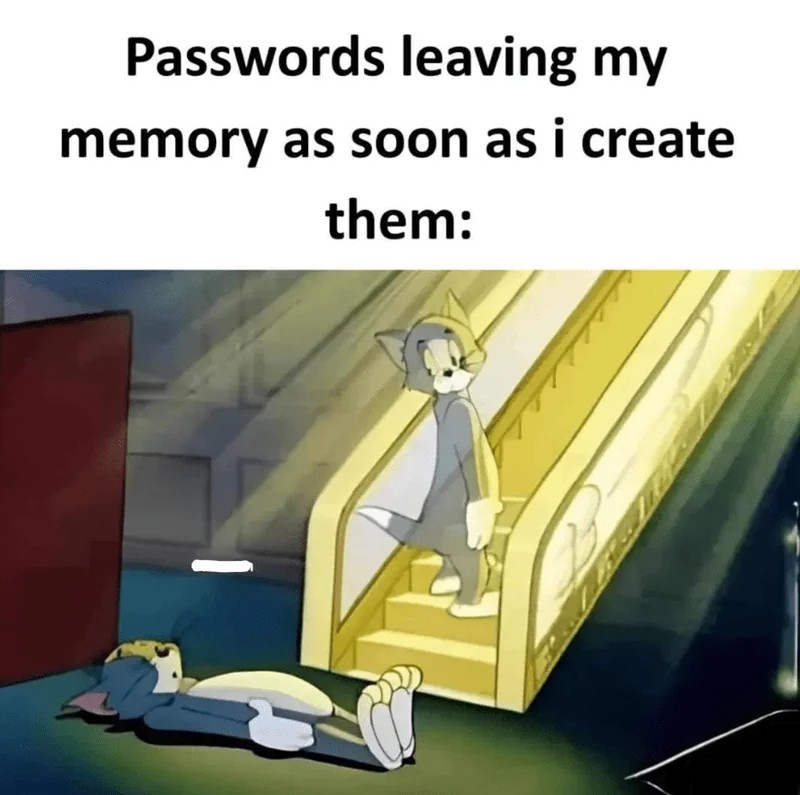
I really appreciate that one last look Tom gives, it's the same way I look at the already decomposing carcass of my fancy new password, as if 'I will surely remember you'.
32 Comments
Rikj000@discuss.tchncs.de · 52 pts · 2y
2 words for you:
Password Manager
Get around to using one :P
I only remember my password to my PW manager, which additionally is encrypted with a key file to increase security.
The rest of my PWs are 128 character long random generated PWs, with capitals, numbers, special characters etc..
Badeendje@lemmy.world · 12 pts · 2y
Yep. Several years ago I switched and it took a little getting used to. But now I would not want it any other way. The plugins in the browsers make it convenient and also a proper app on your mobile and you are set to go. Click on a password field and then you can click on the plugin to fill the fields.
AbsurdityAccelerator@lemmy.world · 6 pts · 2y
I wish all my passwords were 128 characters. Most sites won't allow anything that complex. Because apperantly making the password hash field longer is hard /s
mormund@feddit.de · 3 pts · 2y
Where do you keep the key file and the PW managers DB? I feel like they would be too much side-by-side to really increase security in my case
pipe01@programming.dev · 4 pts · 2y
Can always use a service like bitwarden, even their free tier is very good
Rikj000@discuss.tchncs.de · 4 pts · 2y
I won't disclose where I store mine.
But I'd recommend to:
(That would decrease security, x1 data breach would allow them to easily brute force your PW DB since they'll have the key)
I've been happily using KeeWeb + Keepass2Android for years now:
tkk13909@sopuli.xyz · 3 pts · 2y
You could use a USB drive that you only ever plug in to open the password manager. It's not the most secure option but it's a bit better than no key file at all.
mormund@feddit.de · 3 pts · 2y
Can't use it with a phone though. To be honest, I think just having a password manager gives you protection against 99% of the attack surface. And if someone is really determined, I'm not sure the key file will be hard to obtain for them no matter what. But I was curious what setup others have
lud@lemm.ee · 3 pts · 2y
If someone is really determined to attack you specifically they will just get a wrench.
vox@sopuli.xyz · 0 pts · 2y
or store the key in a tpm chip protected by password +biometric auth? that's what kost OSs do for storing passkeys and encryption keys
I_Has_A_Hat@lemmy.world · 1 pts · 2y
I have tried to use a password manager like 3 separate times now and can never seem to get the hang of it
Bezier@suppo.fi · 24 pts · 2y
If you recognise yourself from this meme, please get a password manager.
vox@sopuli.xyz · 9 pts · 2y
but then you still have to remember your vault password lol
pressanykeynow@lemmy.world · 8 pts · 2y
It's hunter2
vox@sopuli.xyz · 5 pts · 2y
or hunter3?
fossphi@lemm.ee · 6 pts · 2y
Yes, but only one (in principle)
general_kitten@sopuli.xyz · 3 pts · 2y
That's why you write it on a piece of paper
Legend@lemmy.sdf.org · 4 pts · 2y
But then you have to remember where you kept the paper
eatham@aussie.zone · 16 pts · 2y
Use a password manager, its way better. I use KeePass and sync the database across devices with syncthing.
possiblylinux127@lemmy.zip · -8 pts · 2y
KeePass is a password manager
Daxtron2@startrek.website · 11 pts · 2y
Astute observation
DAMunzy@lemmy.dbzer0.com · 11 pts · 2y
We need BitWarden running up with shocking paddles.
jacksilver@lemmy.world · 10 pts · 2y
Why did you title this "Was it ******* or ******"?
son_named_bort@lemmy.world · 7 pts · 2y
All my passwords are 12345. Makes it easier to remember.
hakase@lemm.ee · 5 pts · 2y
12345?? That's amazing, I've got the same combination on my luggage!
Evil_Shrubbery@lemm.ee · 5 pts · 2y
Klear@lemmy.world · 3 pts · 2y
That's the kind of thing an idiot would have on his luggage!
sirico@feddit.uk · 5 pts · 2y
Use bitwarden with a yubikey so you can double forget all of them quicker
Kyrgizion@lemmy.world · 3 pts · 2y
This T&J episode traumatized me as a kid.
Evil_Shrubbery@lemm.ee · 3 pts · 2y
I really appreciate that one last look Tom gives, it's the same way I look at the already decomposing carcass of my fancy new password, as if 'I will surely remember you'.
Dkarma@lemmy.world · 2 pts · 2y
"Simbaaaaa"
grandel@lemmy.ml · 1 pts · 2y
Good thing you saved it in your password manager first