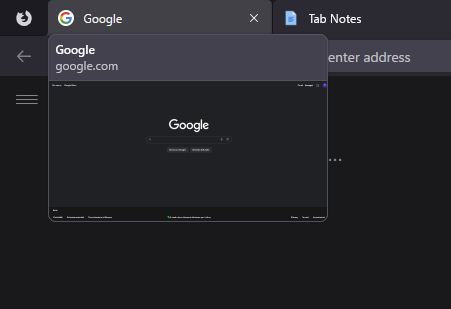
Hello,
I've already hided the preview of tab name on hover when they introduced it back then with:
/* disable preview of a tab name as you hover over it */ #tabbrowser-tab-tooltip { display: none !important; }
but I can't seem to find the selector to hide this new feature as well, so I was wondering if I could get some help :D
Thanks in advance!
7 Comments
pipes@sh.itjust.works · 8 pts · 1y
Hi, you can set browser.tabs.hoverPreview.enabled to False in about:config
MrOtherGuy@lemmy.world · 3 pts · 1y
There's also a checkbox in settings > general section.
pipes@sh.itjust.works · 1 pts · 1y
Oh you're right, under Tabs! Thanks
MiniBus93@lemmy.world · 2 pts · 1y
Thanks!
JackGreenEarth@lemm.ee · 2 pts · 1y
Why don't you like it? Obviously you should be able to hide it and customise it however you want, I'm just wondering.
MiniBus93@lemmy.world · 4 pts · 1y
I don't find it useful I guess?
On computers where I've got high specs, if I want a quick look on a tab it's faster to just switch to that tab rather than waiting for me to hover on the tab and get a preview of it, so I guess I could keep it there, but I feel like it distracts me on the rare occasion I have to close a tab clicking on the X with the mouse (I rarely do it, usually I'm a kb shortcut guy)
On computers where I got low specs, I feel like the tab hover preview is just something that doesn't actually give me any benefits and instead just slows more a modest specs system when I move the mouse on the tabs for whatever reasons.
I'm glad FF is introducing more things of course, I can see the appeal for the general public, but it's not for me I guess?
Ephera@lemmy.ml · 2 pts · 1y
Personally, I don't have as strong of an opinion on it, but I have noticed that I mostly switch tabs via keyboard shortcuts. So, pretty much the only time the preview shows up, is when I go to drag a tab to another window. And at that point, it usually rather gets in the way than it being useful...