Go to settings, search for Application Style, there, in the top right you can click Gtk Theme and select one. You can also click Get new.. and download a new one. Note that they might now show all by default.
You can find more via the website. To do so, select any, click Visit project website and search the site for more. To find them in the Get new... window, just put the name in the search bar. They are guaranteed to show then.
Edit: Any of the items I named might be slightly off. Need to get to my computer to correct that 😄
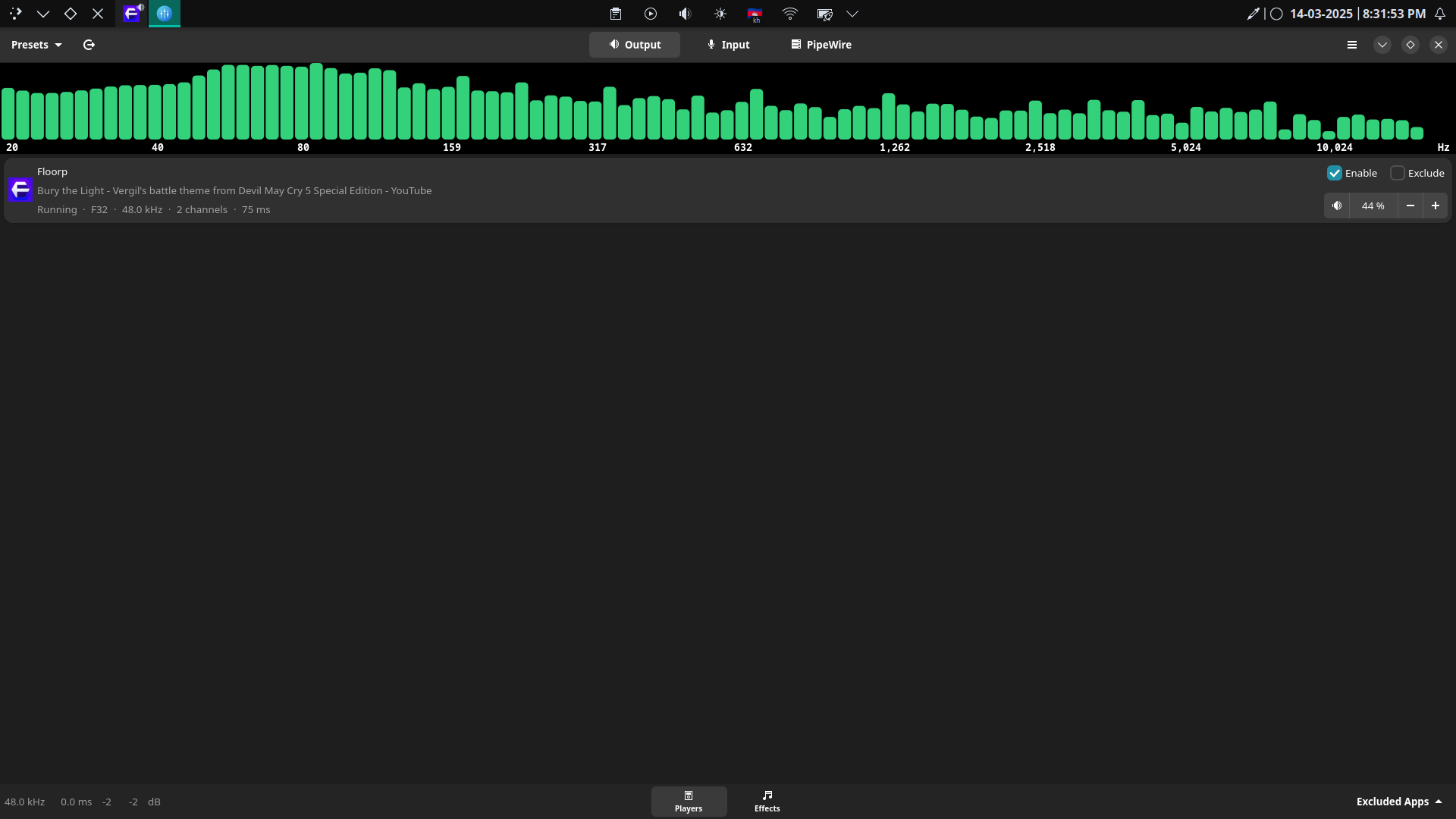
Right now I'm using "Flat Remix Darkest" but it only affected Lutris and some other gtk3 softwares but no luck with Easyeffect, but it did worked on Gnome disk utility tho
There is a hacky way to turn the background pitch black using css. There used to be an app that I think could change the background. https://github.com/GradienceTeam/Gradience
yes I did tried a lot of themes from gnome look but it only affect gtk3 softwares and maybe some gtk4 softwares, software like Gnome calculator, Easyeffects doesn't change a thing
Did you install EasyEffects and other apps with flatpak? If so you need to add some override flag, can't remember what it is but it should be easy to find, maybe arch wiki etc.
https://github.com/vinceliuice/Orchis-theme
Try this theme. It has some fix for libadwaita app. Although, your issue could be because of flatpaks. Any chance your flatpak apps are not getting themed?
18 Comments
Strit@lemmy.linuxuserspace.show · 9 pts · 1y
Wouldn't a high contrast dark theme do something like that?
ColdWater@lemmy.ca · 2 pts · 1y
how can I archive that on KDE? I never use Gnome before therefore I don't understand how gtk theming work XD
UnfortunateShort@lemmy.world · 3 pts · 1y
Go to settings, search for
Application Style, there, in the top right you can clickGtk Themeand select one. You can also clickGet new..and download a new one. Note that they might now show all by default.You can find more via the website. To do so, select any, click
Visit project websiteand search the site for more. To find them in theGet new...window, just put the name in the search bar. They are guaranteed to show then.Edit: Any of the items I named might be slightly off. Need to get to my computer to correct that 😄
ColdWater@lemmy.ca · 2 pts · 1y
Right now I'm using "Flat Remix Darkest" but it only affected Lutris and some other gtk3 softwares but no luck with Easyeffect, but it did worked on Gnome disk utility tho
astro_ray@piefed.social · 7 pts · 1y
There is a hacky way to turn the background pitch black using css. There used to be an app that I think could change the background. https://github.com/GradienceTeam/Gradience
anon5621@lemmy.ml · 4 pts · 1y
+1 for gradience
MonkderVierte@lemmy.ml · 3 pts · 1y
libadwaita-without-adwaita and use a theme.
And, i use Kvantum for Qt apps on XFCE but think it works the reverse too?
Mwa@lemm.ee · 2 pts · 1y
Tysm now libadwaita apps match my system theme and look less ugly now the only thing left is electron and wine apps.
MultipleAnimals@sopuli.xyz · 2 pts · 1y
Have you searched gnome-looks.org?
ColdWater@lemmy.ca · 3 pts · 1y
yes I did tried a lot of themes from gnome look but it only affect gtk3 softwares and maybe some gtk4 softwares, software like Gnome calculator, Easyeffects doesn't change a thing
MultipleAnimals@sopuli.xyz · 1 pts · 1y
Did you install EasyEffects and other apps with flatpak? If so you need to add some override flag, can't remember what it is but it should be easy to find, maybe arch wiki etc.
ColdWater@lemmy.ca · 2 pts · 1y
I don't use Flatpaks only the AUR or build from source as for Easyeffect I install it from the AUR
astro_ray@piefed.social · 0 pts · 1y
https://github.com/vinceliuice/Orchis-theme Try this theme. It has some fix for libadwaita app. Although, your issue could be because of flatpaks. Any chance your flatpak apps are not getting themed?
ColdWater@lemmy.ca · 3 pts · 1y
Thanks I'll give it a try, No I don't use Flatpaks I only use the AUR
dragnucs@lemmy.ml · 2 pts · 1y
You can use a black theme. Look at gnome-look.org
You can also reverse engineer them to look how they make the theme blank and apply it to adwaita. This is not complicated as themes are mostly CSS.
Edit to add that you can chat with people from open deskttop (gnome look) to ask your question: https://chat.opendesktop.org/#/welcome
bitwolf@sh.itjust.works · 1 pts · 1y
Cant you override the css for your app only? I think that exposes background.
HelloRoot@lemy.lol · -4 pts · 1y
Same dude... I fucking hate gtk apps on kde because of the fucked up theming shit piss cunt wankers
Mwa@lemm.ee · 1 pts · 1y
its only GTK 4 right?
GTK 3 can be easily customized