On Windows, you can open the emoji picker with Win+. or Win+, (depending on locale iirc).
Then just switch to the symbols tab by clicking the omega symbol and chose å
Alternatively, you can install PowerToys, which includes a quick accentuator tool.
I mostly just had the alt+whatever codes memorized when I was typing French or German, but I didn't always have a numpad when I was using laptops away from home. I just ended up using charmap and never realized newer windows had any replacement (although I'm on mac for work and also use linux for both work and some home stuff now as well so not spending as much time in Windows).
On a Mac, press and hold a character key and a list of accent characters will appear. There are also dead key combinations using the option key to enter special characters directly.
If you're like me and wondered what a dead key is…
A dead key is a special kind of modifier key on a mechanical typewriter, or computer keyboard, that is typically used to attach a specific diacritic to a base letter.[1] The dead key does not generate a (complete) character by itself, but modifies the character generated by the key struck immediately after.
19 Comments
darklamer@lemmy.dbzer0.com · 89 pts · 2y
ArmokGoB@lemmy.dbzer0.com · 17 pts · 2y
How do I type that on a desktop without a numpad and without putting "å" into my clipboard?
bob_lemon@feddit.org · 21 pts · 2y
On Windows, you can open the emoji picker with Win+. or Win+, (depending on locale iirc). Then just switch to the symbols tab by clicking the omega symbol and chose å
Alternatively, you can install PowerToys, which includes a quick accentuator tool.
ArmokGoB@lemmy.dbzer0.com · 21 pts · 2y
₽øɢĝê̌ℝ§
tiredofsametab@kbin.run · 8 pts · 2y
Failing that win+r and type
charmap. You can browse symbols there.rmuk@feddit.uk · 19 pts · 2y
charmap.exe? Holy shit. Windows 95 called, but I didn't have a 33.6k modem ready to answer.
tiredofsametab@kbin.run · 8 pts · 2y
I mostly just had the alt+whatever codes memorized when I was typing French or German, but I didn't always have a numpad when I was using laptops away from home. I just ended up using charmap and never realized newer windows had any replacement (although I'm on mac for work and also use linux for both work and some home stuff now as well so not spending as much time in Windows).
ChaoticNeutralCzech@feddit.org · 13 pts · 2y
Hold the
Combinekey (Linux-only, user-configurable, usuallyRCtrl) and pressatwice. OrCombine+a+*.Or get a laptop with a numpad. I am so used to
Alt+numthat I'd donate to someone to implement it in the Linuxlibinput, and I'm not alone.felbane@lemmy.world · 3 pts · 2y
You are not alone. I am here with you.
TheRedSpade@lemmy.world · 10 pts · 2y
Compose key
thehatfox@lemmy.world · 8 pts · 2y
Depends on your computing platform.
I see another reply has already covered Linux.
On a Mac, press and hold a character key and a list of accent characters will appear. There are also dead key combinations using the option key to enter special characters directly.
andioop@programming.dev · 4 pts · 2y
If you're like me and wondered what a dead key is…
—Wikipedia
sparkle@lemm.ee · 3 pts · 2y
US international layout, or make a custom layout (KbdEdit is multiplatform but there's free Linux programs to do it too)
Pissmidget@lemmy.world · 2 pts · 2y
Use a Scandinavian layout.
blackn1ght@feddit.uk · 34 pts · 2y
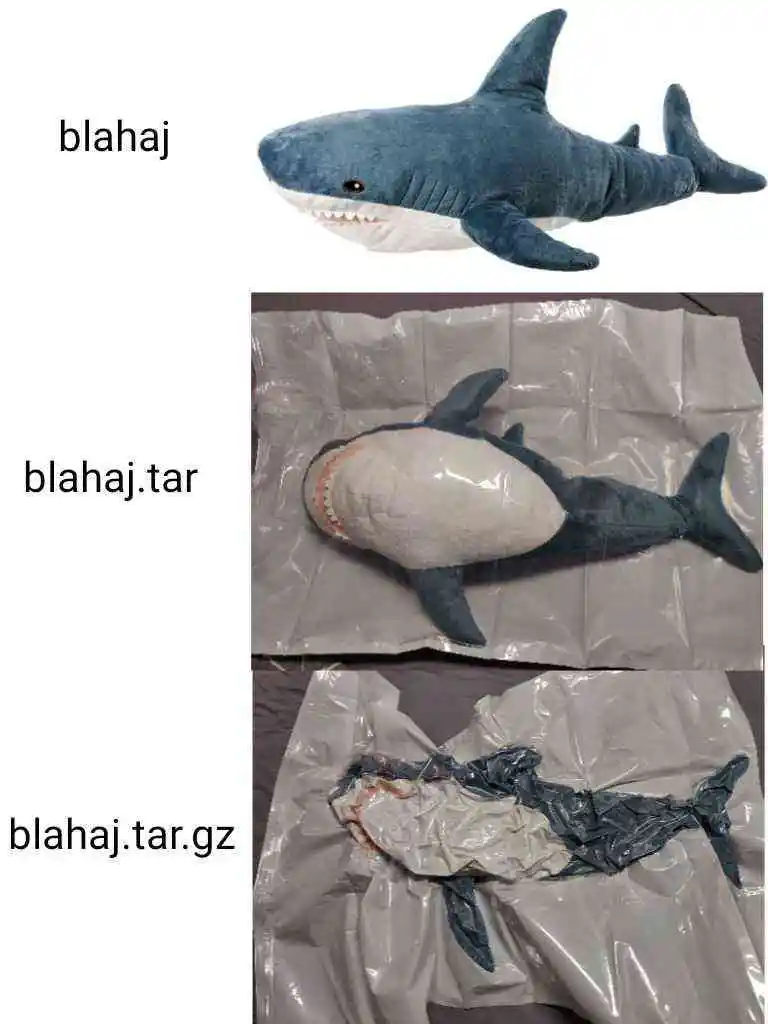
TIL blahaj refers to a soft toy shark sold by IKEA.
pelletbucket@lemm.ee · 24 pts · 2y
now do blahaj.zip
Rai@lemmy.dbzer0.com · 17 pts · 2y
blahaj, neatly in a sleeping bag, zipped up to their… chinjaw?
DeltaTangoLima@reddrefuge.com · 9 pts · 2y
Withy some compression straps around it to make it look smaller in places
andioop@programming.dev · 3 pts · 2y
I find it very appropriate this post came out of lemmy.zip
WaylandHater26@lemmy.zip · 9 pts · 2y
if you suck in the air of a blåhaj do you become a cute trans girl 🤔
nexussapphire@lemm.ee · 1 pts · 2y
armchair_progamer@programming.dev · 2 pts · 2y