Rather than trying to be different for the sake of being different, they’ve realized that photoshop and similar UIs actually make for pretty great UX so they’ve adopted it.
3 is in release candidate. Yeah I think many of the UI changes have been incremental over 2.x versions so it’s definitely not “2.9 looks completely different from 3.0”
Whenever I use gimp, and have to draw square, circle, text or a similar shape I swear I need to search the net for the answer.
You can do everything, but it is very counter intuitive to a noob. I don't need to use gimp/Photoshop so I regularly forget it and need to look it up every time. I'm sure that for somebody who uses it regularly it is intuitive.
My Gimp workflow heavily involves Inkscape for that reason. If you need shapes, curves, text, moving stuff around, even scaling and rotating, Inkscape is much better. It's only when I actually have to edit something in an existing image that I open Gimp. And sometimes when I need a complicated guideline, I'll create it in Inkscape, export to png, import in Gimp, just so I don't have to use the shape tool.
That's way harder than what I do, but I'm lucky enough to have access to a flat bed scanner. I just print it out, and then scan it at every angle. That way when I email the scanned photos to myself I have all the angles at once.
If you don't like it, buy a photoshop subscription instead, it's a heap of big corporate greed, money drain intended, functional, held together with ai features and licensing scams full effort.
Everything in the cloud is their property. And everything works in the cloud, so. Yeah. Cloud software is awesome. Pay per month, everything you make isn't your property. It's double penetration without lube, while all you wanted to do is some photo editing or illustrating.
Piracy is the answer. Back in the days you would miss out on things when pirating, compared to the purchased version. Now you're missing out when you pay, compared to piracy. Why would I pay to have more restrictions and less rights then when I pirate for free? When I get caught with an illegal copy of photoshop, whatever I created will still be my property. I'll get a fine, but still have more rights then a paying customer.
It's a fucking dystopian world we live in.
If the person who died in Disneyland due to their allergy never used Disney+ but would have illegally downloaded a Disney movie instead, the lawsuit wouldn't have been rejected by Disney as they never lost their rights by agreeing to their terms of service.
I rather have the risk to get a fine for illegal downloading then to pay to lose my rights.
So whenever there's an open source project, no matter how imperfect it may be, to help people achieve their goal without mega corporate rape, I wouldn't dare say anything bad about it. I don't want to pirate, I feel like I have no choice and open source projects like Gimp are a great alternative. Also, I don't mind paying for something if it would become my property and I would keep my rights and privacy.
Nah, it doesn't need to impress shareholders. It already is known as GIMP (GNU Image Manipulation Program). If they were to rename it, it would lose its name recognition.
Nope, I'm really used to GIMPs workflow and would actually prefer if they didn't change it. I don't want to learn a whole new program for no benefit. If you really care go use Krita.
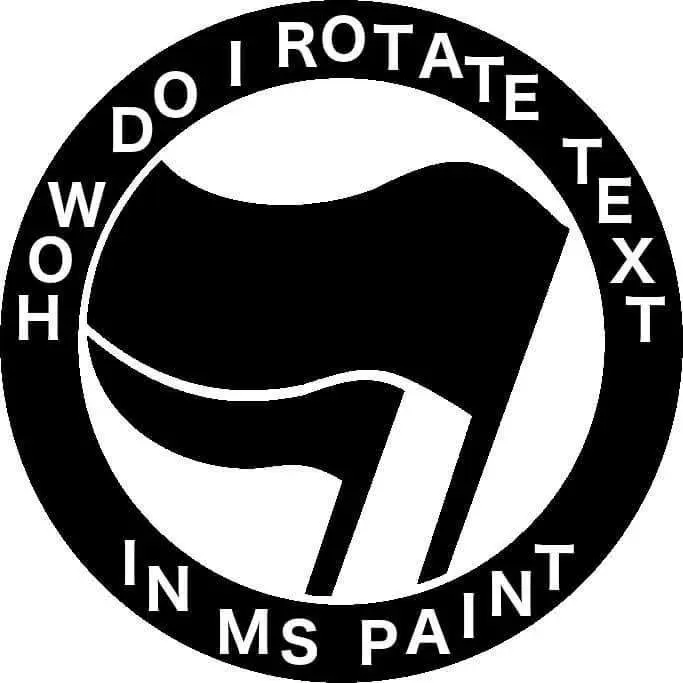
Each letter gets it's own text box. You rotate them once by one. You'll need to measure distance from inner perimeter of the circle and manage the exact angle to center. So a protractor, string, or drawn line can help. (Draw the line before putting the center picture in.
Source - Am Millennial, MSPaint was it back in the day.
Instead of using MS Paint, maybe you should use Inkscape for such projects. It can easily align text along lines, but the best thing is that it is vector based, so the images easily scale. Very useful for logos.
On Windows Paint is like Notepad. Barely functional. There are layers now though, which is a step into right direction. For anything decent you need 3rd party software.
Or use online editor like Photopea or Vector Ink. Checked just now and you can warp text there.
Rotate the layer. I hear they upgraded MS paint to have layers now. So it stands to reason you would create the text on its own later and then screw/rotate that layer on its own?
Neither have I, but it's neat to hear they finally added them. It's like they want to keep it antiquated, but figured it's been 20 years since layers came around in digital art, so why not
72 Comments
SnotFlickerman@lemmy.blahaj.zone · 152 pts · 1y
passiveaggressivesonar@lemmy.world · 69 pts · 1y
This image is 100 times funnier now compared to 1000 years ago when I first saw it
someguy3@lemmy.world · 26 pts · 1y
Does gimp not have a circle?
wreckedcarzz@lemmy.world · 45 pts · 1y
I dunno, but it does have the worst UI this side of the 60s.
(the new version is supposed to finally fix this but... [x] doubt)
ElectricTrombone@lemmy.world · 17 pts · 1y
New version? I'm pretty I've heard that statement before...
kautau@lemmy.world · 24 pts · 1y
https://www.gimp.org/news/2024/11/06/gimp-3-0-RC1-released/
Rather than trying to be different for the sake of being different, they’ve realized that photoshop and similar UIs actually make for pretty great UX so they’ve adopted it.
TLDR
This was gimp 2.0 when it came out
This is GIMP 3.0 RC
DannyBoy@sh.itjust.works · 18 pts · 1y
Single window by default did wonders for usability.
Zidane@lemmy.world · 15 pts · 1y
That looks damn near usable now
ouRKaoS@lemmy.today · 5 pts · 1y
I think I'm still using 2.6.something...
Looks about the same, but I didn't know they hit 3 finally. Time to upgrade, break everything, and loose all my custom brushes & textures!
kautau@lemmy.world · 5 pts · 1y
3 is in release candidate. Yeah I think many of the UI changes have been incremental over 2.x versions so it’s definitely not “2.9 looks completely different from 3.0”
fallingcats@discuss.tchncs.de · 4 pts · 1y
The UI looks exactly the same as it did 10 years ago. Using single window mode was always an option and only two clicks away
urheber@discuss.tchncs.de · 2 pts · 1y
why does everyone hate the UI? I love gimp, but it keeps freezing and crashing -that I don't like.Love the UI though.
wreckedcarzz@lemmy.world · 3 pts · 1y
takes one application and makes it into 16 separate windows
Gimp devs: "MORE"
takeda@lemmy.world · 30 pts · 1y
Whenever I use gimp, and have to draw square, circle, text or a similar shape I swear I need to search the net for the answer.
You can do everything, but it is very counter intuitive to a noob. I don't need to use gimp/Photoshop so I regularly forget it and need to look it up every time. I'm sure that for somebody who uses it regularly it is intuitive.
Hoimo@ani.social · 10 pts · 1y
My Gimp workflow heavily involves Inkscape for that reason. If you need shapes, curves, text, moving stuff around, even scaling and rotating, Inkscape is much better. It's only when I actually have to edit something in an existing image that I open Gimp. And sometimes when I need a complicated guideline, I'll create it in Inkscape, export to png, import in Gimp, just so I don't have to use the shape tool.
SharkEatingBreakfast@sopuli.xyz · 4 pts · 1y
Absolutely LOVE Inkscape! It even helped me to avoid having to purchase expensive embroidery software!
Plus, when I deliver artwork / graphics to web builders, they're ecstatic that I send SVG files instead of shitty jpegs.
1000% support Inkscape. ❤️
CosmicTurtle0@lemmy.dbzer0.com · 18 pts · 1y
The last time I used gimp...it does but in like a really weird way. It's not intuitive.
Iirc you take the circle selection tool and then make a path. Which you then assign a brush width and then a color.
eager_eagle@lemmy.world · 8 pts · 1y
yeah, I remember it like that too
It's as intuitive as moving the paper under the pen to draw something
mvirts@lemmy.world · 1 pts · 1y
Ya just gotta stroke the path
https://docs.gimp.org/en/gimp-path-stroke.html
gofsckyourself@lemmy.world · 81 pts · 1y
Like this
thawed_caveman@lemmy.world · 55 pts · 1y
Comments saying "you don't" are weak shit. The answer is you rotate each letter one by one.
It will look like shit because they will be ever so slightly misaligned, but such is the fate of the brave
Maggoty@lemmy.world · 6 pts · 1y
There are ways to deal with the kerning and angles. Mostly be drawing lines you later get rid of.
CubbyTustard@reddthat.com · 7 pts · 1y
sentient_loom@sh.itjust.works · 50 pts · 1y
Timecircleline@sh.itjust.works · 11 pts · 1y
That's way harder than what I do, but I'm lucky enough to have access to a flat bed scanner. I just print it out, and then scan it at every angle. That way when I email the scanned photos to myself I have all the angles at once.
fallingcats@discuss.tchncs.de · 1 pts · 1y
You can't scan things that aren't lieing flat on scanner.
ProgrammingSocks@pawb.social · 34 pts · 1y
Install GIMP, Krita, or Inkscape instead
Krudler@lemmy.world · -40 pts · 1y
GiMP needs to die. It is a misbegotten heap of well-intentioned, functional, held-together-with-love-and-bubble-gum half effort
LordWiggle@lemmy.world · 21 pts · 1y
If you don't like it, buy a photoshop subscription instead, it's a heap of big corporate greed, money drain intended, functional, held together with ai features and licensing scams full effort.
Tangent5280@lemmy.world · 9 pts · 1y
Also anything you make on it is Adobe's to train their AI with
LordWiggle@lemmy.world · 6 pts · 1y
Everything in the cloud is their property. And everything works in the cloud, so. Yeah. Cloud software is awesome. Pay per month, everything you make isn't your property. It's double penetration without lube, while all you wanted to do is some photo editing or illustrating.
Piracy is the answer. Back in the days you would miss out on things when pirating, compared to the purchased version. Now you're missing out when you pay, compared to piracy. Why would I pay to have more restrictions and less rights then when I pirate for free? When I get caught with an illegal copy of photoshop, whatever I created will still be my property. I'll get a fine, but still have more rights then a paying customer.
It's a fucking dystopian world we live in.
If the person who died in Disneyland due to their allergy never used Disney+ but would have illegally downloaded a Disney movie instead, the lawsuit wouldn't have been rejected by Disney as they never lost their rights by agreeing to their terms of service.
I rather have the risk to get a fine for illegal downloading then to pay to lose my rights.
So whenever there's an open source project, no matter how imperfect it may be, to help people achieve their goal without mega corporate rape, I wouldn't dare say anything bad about it. I don't want to pirate, I feel like I have no choice and open source projects like Gimp are a great alternative. Also, I don't mind paying for something if it would become my property and I would keep my rights and privacy.
uniquethrowagay@feddit.org · 13 pts · 1y
GIMP is great. I love to use it.
It's not perfect, but it's served me well over the past ten years.
blindbunny@lemmy.ml · 1 pts · 1y
sean@lemmy.wtf · 10 pts · 1y
fork it and make it better or pay someone else to or accept the downvotes for irrationality
SeekPie@lemm.ee · 8 pts · 1y
It doesn't need to die, it needs to be improved.
It's like saying this app is kind of ugly. Let's kill all the progress it has made and start over.
blindbunny@lemmy.ml · 7 pts · 1y
Gimp 2.x has improved and tbf gimp was never that bad it's just that people that use Photoshop think only they should have an opinion.
SeekPie@lemm.ee · 5 pts · 1y
Yeah, I'm not really the person to say anything about GIMP, I've been using Krita for as long as I've been on Linux.
blindbunny@lemmy.ml · 5 pts · 1y
My partner uses krita and she hasn't used anything else. Hopefully it being open source gets her to move to Linux soon 🐧
rob_t_firefly@lemmy.world · 2 pts · 1y
It also needs a better name.
SeekPie@lemm.ee · 3 pts · 1y
Nah, it doesn't need to impress shareholders. It already is known as GIMP (GNU Image Manipulation Program). If they were to rename it, it would lose its name recognition.
ProgrammingSocks@pawb.social · 1 pts · 1y
Nope, I'm really used to GIMPs workflow and would actually prefer if they didn't change it. I don't want to learn a whole new program for no benefit. If you really care go use Krita.
Maggoty@lemmy.world · 29 pts · 1y
Each letter gets it's own text box. You rotate them once by one. You'll need to measure distance from inner perimeter of the circle and manage the exact angle to center. So a protractor, string, or drawn line can help. (Draw the line before putting the center picture in.
Source - Am Millennial, MSPaint was it back in the day.
Treczoks@lemmy.world · 4 pts · 1y
Or, alternatively, use a professional paint program. Which does not necessarily have to be commercial.
DickFiasco@lemm.ee · 25 pts · 1y
This is much too high quality to be called a shitpost.
wabafee@lemmy.world · 14 pts · 1y
It's Ms post
IMongoose@lemmy.world · 18 pts · 1y
Rotate the whole picture
Empricorn@feddit.nl · 9 pts · 1y
Rotate my farts.
HeyThisIsntTheYMCA@lemmy.world · 3 pts · 1y
I know someone who charges for that
Treczoks@lemmy.world · 17 pts · 1y
Instead of using MS Paint, maybe you should use Inkscape for such projects. It can easily align text along lines, but the best thing is that it is vector based, so the images easily scale. Very useful for logos.
Abnorc@lemm.ee · 8 pts · 1y
Treczoks@lemmy.world · 7 pts · 1y
You can always export an Inkscape image as a bitmap in whatever resolution you'll probably need.
I once did an export with a width of >10000px (85cm ~=33.5in @ 300dpi). Yes, the file size sucked. But it looked good.
Waraugh@lemmy.dbzer0.com · 3 pts · 1y
Will it handle seven pixels?
AbsoluteChicagoDog@lemm.ee · 4 pts · 1y
Treczoks@lemmy.world · 7 pts · 1y
Or GIMP, yes, but for that kind of logo, Inkscape is definitely the better choice.
It always depends on the project.
chiliedogg@lemmy.world · 1 pts · 1y
Gimp is free, but God is the interface terrible.
Lots of free software is great. I love my QGIS and Inkscape, but Gimp just can't replace photoshop for me.
AprilShowers@lemmy.blahaj.zone · 2 pts · 1y
Good thing is that GIMP 3.0 is right around the corner, bringing a port from GTK2 to GTK3 and with that a much more modern GUI.
Inkscape would still be better for this in particular though.
stupidcasey@lemmy.world · 15 pts · 1y
You don’t, Microsoft realized back then that this is the coolest it could ever looked and thusly removed that ability permanently.
EleventhHour@lemmy.world · 14 pts · 1y
I used Adobe illustrator to make mine
wreckedcarzz@lemmy.world · 8 pts · 1y
absolutely proprietary
EleventhHour@lemmy.world · 2 pts · 1y
it works
R3D4CT3D@midwest.social · 12 pts · 1y
someguy3@lemmy.world · 7 pts · 1y
One pixel at a time.
robocall@lemmy.world · 5 pts · 1y
You don't! 😊
rob_t_firefly@lemmy.world · 4 pts · 1y
Just type normally along one side and then
.dnuora yaw rehto eht txet ruoy epyt
OfficerBribe@lemm.ee · 4 pts · 1y
On Windows Paint is like Notepad. Barely functional. There are layers now though, which is a step into right direction. For anything decent you need 3rd party software.
Or use online editor like Photopea or Vector Ink. Checked just now and you can warp text there.
loopedcandle@lemmynsfw.com · 4 pts · 1y
I really enjoy the ::woosh:: in the comments over the symbolism.
JackbyDev@programming.dev · 3 pts · 1y
There's a way to rotate things in MS Paint that involves using the "skew" feature lol. So maybe do that to each letter.
LifeInMultipleChoice@lemmy.world · 2 pts · 1y
Rotate the layer. I hear they upgraded MS paint to have layers now. So it stands to reason you would create the text on its own later and then screw/rotate that layer on its own?
JackbyDev@programming.dev · 2 pts · 1y
Idk, that skew trick was like Windows 7 days lol. I haven't used the cool layered one!
LifeInMultipleChoice@lemmy.world · 1 pts · 1y
Neither have I, but it's neat to hear they finally added them. It's like they want to keep it antiquated, but figured it's been 20 years since layers came around in digital art, so why not
ThrowawayPermanente@sh.itjust.works · 3 pts · 1y
I actually kind of like this way better
Samsy@lemmy.ml · 2 pts · 1y
"Woh odd, I rotate text in ms paint"
Good job!
mvirts@lemmy.world · 2 pts · 1y
Veeery carefully
NewNewAccount@lemmy.world · -8 pts · 1y
The new MS photos app actually has an AI-powered tool that can do precisely this. Was shocked at how well it worked for this exact use case.
SeekPie@lemm.ee · 9 pts · 1y
You need AI to help you rotate text?
NewNewAccount@lemmy.world · 3 pts · 1y
Sorry for using the solution that was right in front of me, free, and took ten seconds.
Should have watched a YouTube tutorial, paid for photoshop and done it myself the good old fashioned way.
trxxruraxvr@lemmy.world · 1 pts · 1y
Nobody should pay for Photoshop.