The most annoying part of these PCs is usually the keyboard - so terribly small! I have one tucked away which I see no reason to throw away, yet I have troubles finding a use for it. I'm thinking of building some sort of enclosure to hide the body, and use it as some sort of electronic journal with a properly sized keyboard. Hmm.
What a wonderful website for collecting people's passwords!
If you wanted to get fancy, you could combine this with some cross-site trackers and be able to associate these passwords with facebook/google accounts that they potentially unlock. But it would also be incredibly useful for training and refining the next generation of brute force password guessing software -- it would allow you to get a good sampling of various patterns usually found in passwords.
100%. They are hilarious and provided unironically by so many well known, and lesser known, security related vendors and even multiple government sites throughout the world. Just by supplying your password to one of these sites you have technically made your password less secure.
And it's running Firefox with two tabs open 😁Careful, that may be near the maximum of its browsing capabilities! Browsers (and webpages) were different beasts 17 years ago.
I wish I knew Linux just enough to save old computers.
Everyone how already know how to do it say it is easy but every time I did it it was paintful and I end up with either a very slow computer or something that can't connect easily to the internet..
Then is there distro and maybe softfare build with using the smallest amont of ressource in mind?
Typically, I'm not sure if I want to surf on the internet with an old computer. Today web pages are way too heavy with JavaScript everywhere. But I could see how a computer would benefit so much people if it can do office automation, access a mail client, talk to a printer or read local media. Even if it is a bit slow.
Also keep in mind that this netbook is nearly 20 years old, and it was kinda junk to begin with. My partner is decidedly non-techy, and he was able to install Linux Mint on his desktop that's just a little too old for Windows 11 with no problems.
The libre office suite runs just fine on the netbook, so you could still use it for the basics, but yeah it does choke on Youtube. This little thing is just gonna be a living room access point for my Home Assistant setup, so it doesn't have to do much!
There's a number of very small distros out there. The lightest-weight I've heard of is Puppy, but I had trouble getting the iso to burn, so I haven't tried it.
I have tried both. I have Puppy Linux bootable on a USB stick. It is not noticably slow but every time I want to connect to a new Internet access point it is a struggle and almost one time out of two it does not save what was done in the computing session. Idk why. So it is fine for browsing but I can imagine working on a file with it. Also when you finally connected to internet and it doesn't remember it not cool. That's my (bad) experience. It doesn't means the problem come from the distribution.
It had someone install Mint for me on an old computer (10 years old) but it is quite slow. I have add it Libre Office but it is also slow to the point it discourage me to us it. But Libre Office has always be very slow for me whichever computer I used it on.
I don't know what to do to fix it. I consider myself computer-savy but as often with open source there is a lot of technical possibility and technical documentation but user experience and user documentation are an after thought.
30 Comments
memo@slrpnk.net · 22 pts · 7d
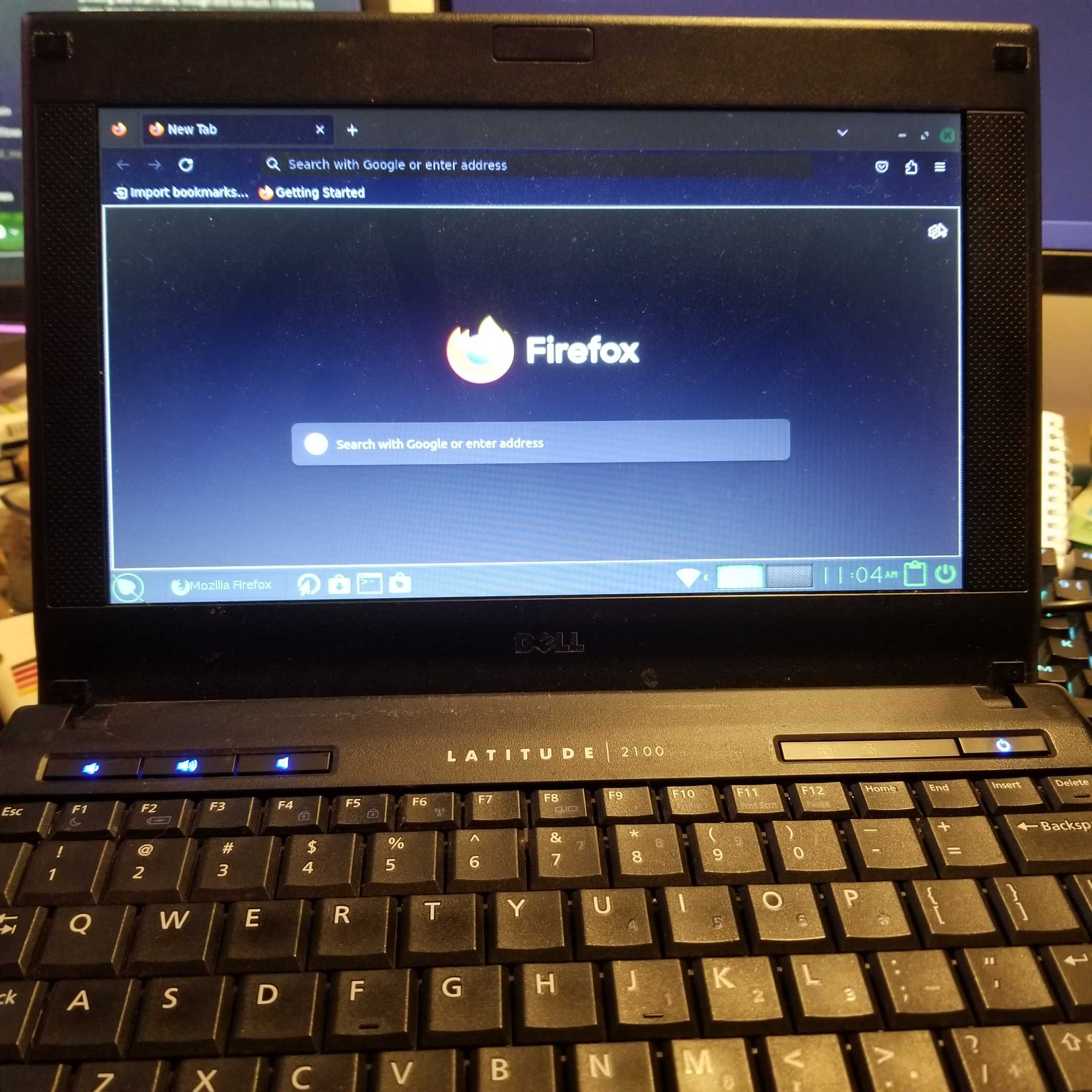
The most annoying part of these PCs is usually the keyboard - so terribly small! I have one tucked away which I see no reason to throw away, yet I have troubles finding a use for it. I'm thinking of building some sort of enclosure to hide the body, and use it as some sort of electronic journal with a properly sized keyboard. Hmm.
faythofdragons@slrpnk.net · 7 pts · 7d
I have fumble-fingered my password so many times aaaaaaaaaaaaaaaaaaaaaaaaaaaa
OwOarchist@pawb.social · 14 pts · 7d
aaaaaaaaaaaaaaaaaaaaaaaaaaaais a terrible password.faythofdragons@slrpnk.net · 8 pts · 7d
Shhh, my real password is hunter2
ApeNo1@lemmy.world · 10 pts · 7d
hunter2 is definitely the better choice in terms of password strength
OwOarchist@pawb.social · 8 pts · 7d
What a wonderful website for collecting people's passwords!
If you wanted to get fancy, you could combine this with some cross-site trackers and be able to associate these passwords with facebook/google accounts that they potentially unlock. But it would also be incredibly useful for training and refining the next generation of brute force password guessing software -- it would allow you to get a good sampling of various patterns usually found in passwords.
ApeNo1@lemmy.world · 4 pts · 7d
100%. They are hilarious and provided unironically by so many well known, and lesser known, security related vendors and even multiple government sites throughout the world. Just by supplying your password to one of these sites you have technically made your password less secure.
HerbGrower@slrpnk.net · 3 pts · 7d
Don't need to use the keyboard if you just access it over SSH
halm@leminal.space · 21 pts · 7d
And it's running Firefox with two tabs open 😁Careful, that may be near the maximum of its browsing capabilities! Browsers (and webpages) were different beasts 17 years ago.
MonkderVierte@lemmy.zip · 3 pts · 6d
Sad story.
Steve@startrek.website · 8 pts · 7d
I’m using a 2007 laptop to run a cnc plasma cutter and its can also run librecad no problem.
br3d@lemmy.world · 8 pts · 7d
Lovely work. It's great to show how these old machines can still get stuff done if you forget Windows
tae_glas@slrpnk.net · 4 pts · 7d
ahh amazing! netbooks are so portable, i miss the one i used for everything in the 2010s 🥹🫶
faythofdragons@slrpnk.net · 6 pts · 7d
These were ruggedized for students, and it was perfect for tossing into a backpack.
pseudo@jlai.lu · 3 pts · 6d
Congrats!
I wish I knew Linux just enough to save old computers. Everyone how already know how to do it say it is easy but every time I did it it was paintful and I end up with either a very slow computer or something that can't connect easily to the internet..
faythofdragons@slrpnk.net · 2 pts · 6d
Oh, don't get me wrong, it's very slow. This is pushing the limit of what's compatible with modern software.
pseudo@jlai.lu · 1 pts · 6d
Then is there distro and maybe softfare build with using the smallest amont of ressource in mind?
Typically, I'm not sure if I want to surf on the internet with an old computer. Today web pages are way too heavy with JavaScript everywhere. But I could see how a computer would benefit so much people if it can do office automation, access a mail client, talk to a printer or read local media. Even if it is a bit slow.
faythofdragons@slrpnk.net · 2 pts · 5d
Also keep in mind that this netbook is nearly 20 years old, and it was kinda junk to begin with. My partner is decidedly non-techy, and he was able to install Linux Mint on his desktop that's just a little too old for Windows 11 with no problems.
The libre office suite runs just fine on the netbook, so you could still use it for the basics, but yeah it does choke on Youtube. This little thing is just gonna be a living room access point for my Home Assistant setup, so it doesn't have to do much!
There's a number of very small distros out there. The lightest-weight I've heard of is Puppy, but I had trouble getting the iso to burn, so I haven't tried it.
pseudo@jlai.lu · 1 pts · 4d
I have tried both. I have Puppy Linux bootable on a USB stick. It is not noticably slow but every time I want to connect to a new Internet access point it is a struggle and almost one time out of two it does not save what was done in the computing session. Idk why. So it is fine for browsing but I can imagine working on a file with it. Also when you finally connected to internet and it doesn't remember it not cool. That's my (bad) experience. It doesn't means the problem come from the distribution.
It had someone install Mint for me on an old computer (10 years old) but it is quite slow. I have add it Libre Office but it is also slow to the point it discourage me to us it. But Libre Office has always be very slow for me whichever computer I used it on.
I don't know what to do to fix it. I consider myself computer-savy but as often with open source there is a lot of technical possibility and technical documentation but user experience and user documentation are an after thought.
NightmareQueenJune@lemmy.world · 1 pts · 6d
I quite like AntiX for slow systems. It's a good middle ground between small and usable.
MonkderVierte@lemmy.zip · 1 pts · 6d
Haiku?
orbituary@lemmy.dbzer0.com · 3 pts · 7d
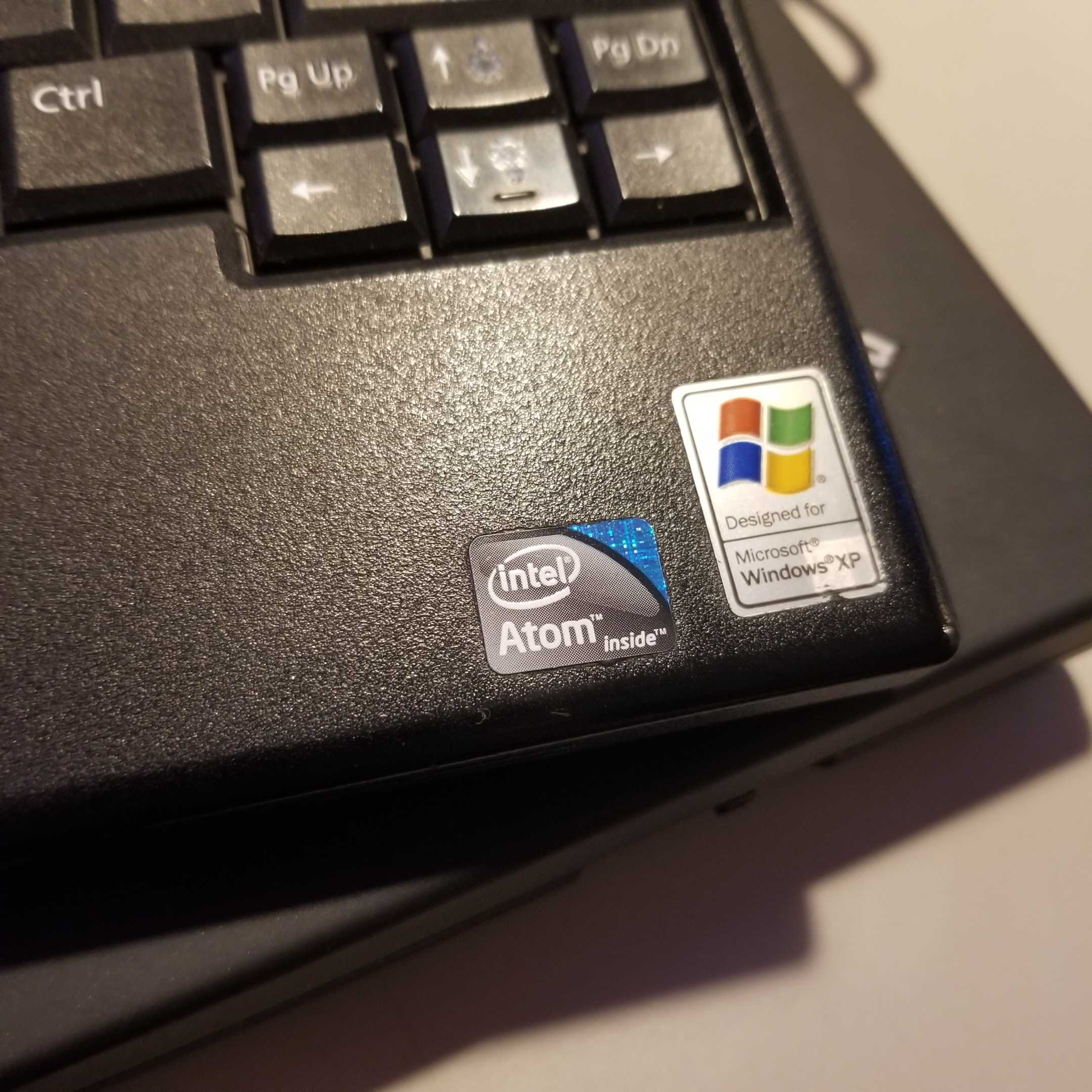
Ah, I'm running something on an Atom proc as well. Sort of an emergency terminal. Nice and simple.
HerbGrower@slrpnk.net · 3 pts · 7d
I wonder if you could play some of the Soldak games on it? I got Drox Operative 2 running on a low spec laptop from 2011 at 60FPS.
Probably the newest games with the lowest spec requirements I can think of. Otherwise there is retro gaming.
BrianTheeBiscuiteer@lemmy.world · 3 pts · 6d
Are you sure it's not 64-bit capable? My netbook shipped with 32-bit Windows but I found out it actually did support 64.
faythofdragons@slrpnk.net · 3 pts · 6d
Alas, it is indeed 32 bit.
late_pessimistic@slrpnk.net · 2 pts · 5d
What do you intend to use it for?
faythofdragons@slrpnk.net · 2 pts · 5d
Just a Home Assistant access point for the living room.
kibblebits@quokk.au · 2 pts · 7d
My fingernails are itchy looking at those stickers…
BromSwolligans@lemmy.world · 2 pts · 7d
You love to see it.
alexquiniou@lemmy.zip · 2 pts · 7d
Wonderful !