If you enjoy that, then let me introduce you you fzf - a fuzzy finder that has support for replacing ctrl + r in shells with fuzzy matching. Among other uses.
It's the same, ctrl + r. It is a bash/shell thing so works on any os that uses bash or similar shells. Note, it is not the command key, but ctrl, unlike a lot of other shortcuts on macos.
For real. Alternatively use alias to reassign a command to something shorter if it's one you're always searching for later. I use 'update' as an alias for 'apt update && apt upgrade -y && apt autoremove && apt autoclean'
Y'all know about ctrl-r to search history, right? I went for so many years without even thinking to look for something better than up-arrow, so I have to mention it.
It deletes all keystrokes that have been entered. So, if you know you made a typo when entering your password, you don't have to press backspace many times to make sure you have deleted all the characters before starting over but you can just press ctrl+u and start over.
Here's another mindfuck: gnu readline is so popular that developers of other software tend to implement its keybinds as hidden features/eastereggs. That's why ctrl+u works in GTK text input boxes as well!
Good tip!I didn't know about that. I just tried it out and it works pretty well but I worry how long it will take to break the habit of mashing the up arrow all the time since I've been doing it so long. This is clearly better though.
Hey! Sorry just getting into Linux, I love learning about cool ways of doing things more efficiently. What does this do exactly? I've noticed others mentioning CTRL+R and I am not sure what that means either. Thank you!
Basically, while ctrl+r is nice, this is how I got used to use my system. What this does is enable search for when you press arrow up. If you type nothing then it’s default behavior but if you type “ssh” and then start pressing arrow up it will bring up the previous command that had the word ssh in. It’s worth it for someone who constantly forgets ctrl+r exists
I feel this in my soul. Or when you realize you're hitting up up up up to find something trivial like ls and it would have been more efficient to just type ls. LOL.
yeah, the other day i was supposed to remove a restriction from a router that was some custom thing built on a raspberry pi. i logged in, started messing around, trying to figure out the system, and of course i looked at bash_history because why not, i'm unfamiliar with the setup so it seemed like a good place to start. up until i found some commands editing it. so i'm like
$ export HISTFILE=/dev/null # alright, two can play this game
it ended up being a simply cron job that runs a script that starts and stops hostapd every once in a while. i didn't disable the cron job, i just commented out a critical line from the stop script. happy debugging to the sysadmin, lol
Friendly Interactive SHell. I also use it, and I find some of the extra features delightful. I don't think it's POSIX compliant if you're one of the two dozen people who have to worry about that for your use case.
Fish Shell - Friendly Interactive Shell. It has tons of themes and customizable prompts, but most importantly it scans through your command history and autocompletes previous commands. You can even to back through previous versions of a certain command for example I copy a couple different files a lot so I'll type 'cd' then press up to get to the specific command I need. It'll also autocomplete command names if they're in the path. It's a life changer for sure
You know how we have the bash shell by default on most Linux systems? Well there's also the fish shell you can probably find it in your repo and try it out.
As some one who SSH's from a phone to run Docker containers and will be moving the container volumes to a different location, I thank you for this lovely command.
y... you do realise this is a meme, right? If you want to find a specific command that you ran in the past, you can just hit ctrl-r and search for it? No-one is actually spamming the up key, it's a joke.
I spend every day in a terminal, vim is my go to text editor lol. I can’t even imagine.
Also, I have RSI and I invested in a good keyboard. It literally saved my wrists. Just saying, if you need it to pay the bills, invest in a good keyboard.
What keyboard do u have btw? I recently built myself an ex-dactyl, and I absolutely loved it. The split layout actually lets my wrists be completely straight and relaxed, and the outward angle is preventing the wrist bones from crossing too much. It broke down a while ago tho, and I haven't had the motivation to fix it tho, so back to bog-standard ANSI layout for now (¬_¬)
Oh damn u got the kinesis advantage!! I don't own one personally, but I had a chance to type on one at a keyboard store. Absolutely loved it. It felt pretty much the same as my ex-dactyl, apart from a different layout around the thumb clusters. It also took me a while to get used to the weird layout (especially considering that I never learned to touch type lol. On a standard keyboard, I pretty much just peck-type very fast), but once I got up to speed, it felt wonderful. I think I would prefer my ex-dactyl to the Advantage tho, simply because it is two separate pieces. Not that it offers a huge ergonomic boost or anything, I just like having the extra desk space in the middle to put my coffee on (/¯–‿・)/¯ .
By the way, you can edit comments on lemmy, no need to reply twice. It's under the meatball menu next to the reply button.
If you like the kinesis, but want separate pieces check out the Ergodox EZ https://ergodox-ez.com/. It's another ortholinear keyboard, but I couldn't get used to the tenting.
I’ve been using unix for about 20 years (Oracle DBA) and am embarrassed about how few shortcuts I know.
I vaguely remember seeing someone use tab to auto fill a command but never remember to find out how.
I'm more of a tcsh user, where by default alt+p will search backwards for a command that starts with the text currently written in the prompt. So, type "vim" followed by alt+p as many times as necessary until I find the exact vim call that I'm looking for (normally followed by an alt+n because I pressed one too many times on p). In bash by default you have ctrl+r followed by the string you're looking for and press ctrl+r until you find the command. I can see online that alt+p is bound by default to non-incremental-reverse-search-history, where I think history-search-backward would be a better match to tcsh's behavior. Currently not at the computer so I can't test it.
135 Comments
not_neno@lemmy.world · 77 pts · 3y
ctrl + rgangjrandiny@lemmy.world · 10 pts · 3y
You can also install https://github.com/dvorka/hstr to supercharge your
ctrl+rSkuldugery@feddit.de · 4 pts · 3y
I can recommend fzf since it also supports searching the current directory
tlf@feddit.de · 2 pts · 3y
This is it, my first saved comment on lemmy
Doolbs@lemmy.world · 10 pts · 3y
Holy Crap. I have gotten into the arrow up mode. Then I went to History.
But, but, but ctrl + r. Holy crap.
Thank you kind sir or madam.
nous@programming.dev · 10 pts · 3y
If you enjoy that, then let me introduce you you fzf - a fuzzy finder that has support for replacing ctrl + r in shells with fuzzy matching. Among other uses.
https://github.com/junegunn/fzf#key-bindings-for-command-line
Doolbs@lemmy.world · 1 pts · 3y
Thank you very much.
not_neno@lemmy.world · 4 pts · 3y
Man I over use it at work - even when sitting in front of a pwsh prompt
raspberry_confetti@sh.itjust.works · 1 pts · 3y
pwsh with nushell is pretty good
frank@lemmy.world · 5 pts · 3y
Is there a MacOS versión of this? Asking for a friend.
nous@programming.dev · 8 pts · 3y
It's the same,
ctrl+r. It is a bash/shell thing so works on any os that uses bash or similar shells. Note, it is not the command key, but ctrl, unlike a lot of other shortcuts on macos.kentaromiura@feddit.it · 2 pts · 3y
Linssiili@sopuli.xyz · 3 pts · 3y
Fish gang arise (no need for ctrl+r, just press up)
degrix@lemmy.hqueue.dev · 1 pts · 3y
And with a fantastic approximation of fzf history searching.
RomanRoy@lemmy.world · 41 pts · 3y
Ctrl R > start typing
You're welcome to have your life changed
Contend6248@feddit.de · 2 pts · 3y
What the actual.... Thanks
jg1i@lemmy.world · 37 pts · 3y
Bruh. Ctrl-r
PlasticExistence@lemmy.world · 4 pts · 3y
For real. Alternatively use alias to reassign a command to something shorter if it's one you're always searching for later. I use 'update' as an alias for 'apt update && apt upgrade -y && apt autoremove && apt autoclean'
ianhclark510@lemmy.blahaj.zone · 2 pts · 3y
you're amazing, this is going to change how I use fish
potatisgris@lemmy.world · 2 pts · 3y
Very handy, thank you.
2ez@lemmy.world · 1 pts · 3y
Or the history substring search plugin for zsh showing inline history as you type, like fish.
atx_aquarian@lemmy.world · 36 pts · 3y
Y'all know about ctrl-r to search history, right? I went for so many years without even thinking to look for something better than up-arrow, so I have to mention it.
amanwithausername@vlemmy.net · 15 pts · 3y
Wait until they learn that you can
ctrl+uwhen you mistyped your password insudoinstead of spamming backspace...Interstellar_1@lemmy.world · 3 pts · 3y
What does that do?
amanwithausername@vlemmy.net · 3 pts · 3y
Delete until start of line. So essentially equivalent to spamming backspace a bunch.
goodnessme@lemmy.world · 2 pts · 3y
It deletes all keystrokes that have been entered. So, if you know you made a typo when entering your password, you don't have to press backspace many times to make sure you have deleted all the characters before starting over but you can just press ctrl+u and start over.
Interstellar_1@lemmy.world · 1 pts · 3y
ah neat, thanks.
Jamie@jamie.moe · 2 pts · 3y
I end up hitting Ctrl+u at work all the time and then being disappointed and holding backspace.
lemmy@lemmy.quad442.com · 2 pts · 3y
Bro. You just changed my life and don't even realize it
amanwithausername@vlemmy.net · 2 pts · 3y
Here's another mindfuck: gnu readline is so popular that developers of other software tend to implement its keybinds as hidden features/eastereggs. That's why ctrl+u works in GTK text input boxes as well!
0x4E4F@sh.itjust.works · 1 pts · 3y
Damn, that really does solve a lot of problems, lol 😂.
rambaroo@lemmy.world · 11 pts · 3y
history | grep
Does the job well if the key combo doesn't work.
knobbysideup@lemmy.world · 6 pts · 3y
Followed by !xxx where xxx is the number of the command to re-run
CerineArkweaver@lemmy.world · 3 pts · 3y
This. I didn't know about CTRL+R, but this has been my goto
TrinityTek@lemmy.world · 1 pts · 3y
Good tip!I didn't know about that. I just tried it out and it works pretty well but I worry how long it will take to break the habit of mashing the up arrow all the time since I've been doing it so long. This is clearly better though.
kentaromiura@feddit.it · 27 pts · 3y
Finally the
lscommand!drcouzelis@lemmy.zip · 22 pts · 3y
Time to up your game with Ctrl + R reverse search! 🤓
0x4E4F@sh.itjust.works · 5 pts · 3y
Oh, and Ctrl + Shift + R brings you back in the search, niiiiice.
Thank you kind stranger 👍 ☺️.
bronzing@lemmy.fmhy.ml · 1 pts · 3y
Look up fzf for luxury treatment
cyanarchy@sh.itjust.works · 4 pts · 3y
Holy hell this is the best thing since tab autocompletion
azvasKvklenko@sh.itjust.works · 19 pts · 3y
And the command is something like
ls -l👍lhx@lemmy.world · 4 pts · 3y
I see you and I had the same idea. Ha!
PCChipsM922U@sh.itjust.works · 3 pts · 3y
I usually use
ls -hal.azvasKvklenko@sh.itjust.works · 6 pts · 3y
ls -lahis what I do 🙌netburnr@lemmy.world · 2 pts · 3y
ls -lah unite
MinusPi@lemmy.fmhy.ml · 19 pts · 3y
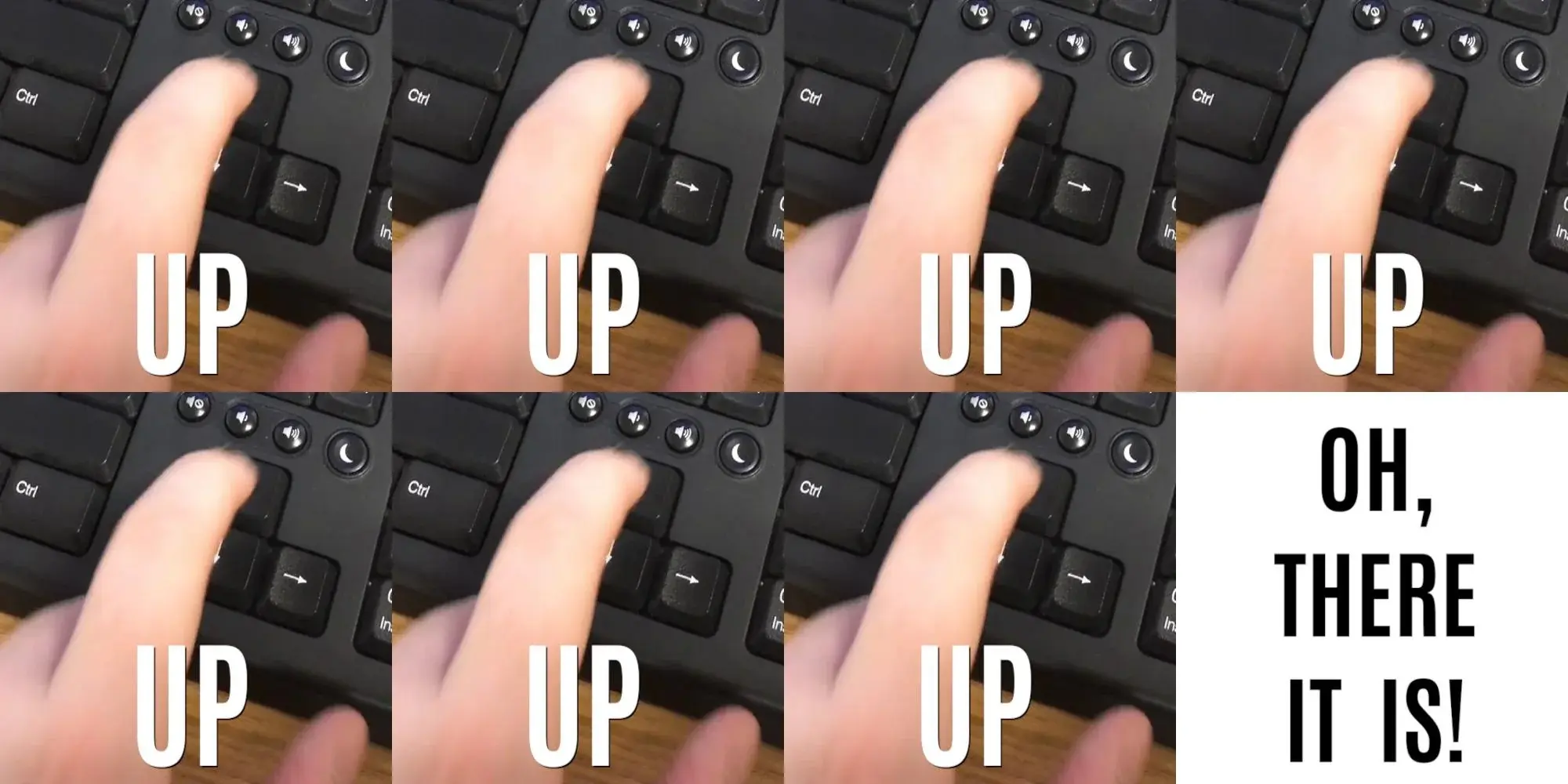
Up up up up up up up up up oh wait down
luka@lemmy.world · 6 pts · 3y
you allllways overshoot
FarLine99@lemm.ee · 3 pts · 3y
Based
jcb2016@lemmy.world · 17 pts · 3y
ctrl + r then enter phrase
reblochon@lemmy.world · 10 pts · 3y
With fzf!
jcb2016@lemmy.world · 1 pts · 3y
I haven't been on linux in a while but i remember using a file manager that had fuzzy finder and it was nice. I miss linux actually. oh well!
polite_cat@lemmy.world · 12 pts · 3y
Ctrl+R together with
fzfmakes this obsoletemeiti@lemmy.world · 8 pts · 3y
my humble method: history | grep -i searchterm
WiseassWolfOfYoitsu@lemmy.world · 5 pts · 3y
Then ![historynumber] to execute it
meiti@lemmy.world · 1 pts · 3y
exactly!
debil@lemmy.world · 2 pts · 3y
fzfis pretty cool, but I found its ctrl-r "menu" to be more confusing than the old "one entry at a time" style.(Ofc could be a configuration thing but I'm somewhat an oldhat when it comes to my terminal habits.)
CriticalMiss@lemmy.world · 11 pts · 3y
"\e[A": history-search-backward "\e[B": history-search-forwardThank me later
GuyWithLag@lemmy.world · 4 pts · 3y
Man, I've been on unix systems since, oh, 1994, but I've never messed with my .inputrc ... may need to take the dive....
dust_accelerator@lemmy.world · 1 pts · 3y
I'll be a madlad and thank you right here, right now!
overtinker@lemmy.world · 1 pts · 3y
Hey! Sorry just getting into Linux, I love learning about cool ways of doing things more efficiently. What does this do exactly? I've noticed others mentioning CTRL+R and I am not sure what that means either. Thank you!
CriticalMiss@lemmy.world · 7 pts · 3y
Basically, while ctrl+r is nice, this is how I got used to use my system. What this does is enable search for when you press arrow up. If you type nothing then it’s default behavior but if you type “ssh” and then start pressing arrow up it will bring up the previous command that had the word ssh in. It’s worth it for someone who constantly forgets ctrl+r exists
overtinker@lemmy.world · 1 pts · 3y
That's awesome. Thanks for explaining!
KD_14@lemmy.world · 1 pts · 3y
Ok this is actually great. Is there a way to make it so when you down arrow again it will clear the cmd line (or take it back to the prefix)?
Like "py" -> up -> down -> result is "py"
Currently it would show my last python command (or whatever matches).
jogurt@lemmy.world · 11 pts · 3y
I usually do ctrl+r but with zsh I can type the beginning of the command and press up and it will search that way too.
0x4E4F@sh.itjust.works · 2 pts · 3y
fish automatically searches as you type, just start typing and press -> when you find the command you need.
nodiet@feddit.de · 2 pts · 3y
Zsh does the same, though I think you need oh my zsh and a plugin for it.
lhx@lemmy.world · 10 pts · 3y
I feel this in my soul. Or when you realize you're hitting up up up up to find something trivial like
lsand it would have been more efficient to just typels. LOL.gnuplusmatt@aussie.zone · 10 pts · 3y
~/.bash_history is where my documentation lives
b3nsn0w@pricefield.org · 2 pts · 3y
yeah, the other day i was supposed to remove a restriction from a router that was some custom thing built on a raspberry pi. i logged in, started messing around, trying to figure out the system, and of course i looked at bash_history because why not, i'm unfamiliar with the setup so it seemed like a good place to start. up until i found some commands editing it. so i'm like
it ended up being a simply cron job that runs a script that starts and stops hostapd every once in a while. i didn't disable the cron job, i just commented out a critical line from the stop script. happy debugging to the sysadmin, lol
zekiz@lemmy.world · 9 pts · 3y
$ ls -la0x4E4F@sh.itjust.works · 2 pts · 3y
ls -halGustavoM@lemmy.world · 4 pts · 3y
ls -halalv7x@lemmy.world · 1 pts · 3y
Only had to scroll 15 time to find it.
rln@lemmy.world · 9 pts · 3y
Bro, do you even
^R?kenoh@lemm.ee · 8 pts · 3y
ctrl+p gang RISE UP
voidf1sh@lemm.ee · 8 pts · 3y
Fish finally broke me of this habit, and now it's one of the first things I install on any system
CannedYeet@lemmy.world · 2 pts · 3y
One of the top reasons I use fish is that I never learned how to cycle through the results of ctrl+r in bash
PCChipsM922U@sh.itjust.works · 2 pts · 3y
Yep, me as well ☺️.
Goodbye reddit and thanks for the fish.
Zaphodquixote@sh.itjust.works · 2 pts · 3y
Fish? Please enlighten a casual user
cyanarchy@sh.itjust.works · 3 pts · 3y
Friendly Interactive SHell. I also use it, and I find some of the extra features delightful. I don't think it's POSIX compliant if you're one of the two dozen people who have to worry about that for your use case.
voidf1sh@lemm.ee · 2 pts · 3y
Fish Shell - Friendly Interactive Shell. It has tons of themes and customizable prompts, but most importantly it scans through your command history and autocompletes previous commands. You can even to back through previous versions of a certain command for example I copy a couple different files a lot so I'll type 'cd' then press up to get to the specific command I need. It'll also autocomplete command names if they're in the path. It's a life changer for sure
KrapKake@lemmy.world · 2 pts · 3y
You know how we have the bash shell by default on most Linux systems? Well there's also the fish shell you can probably find it in your repo and try it out.
smorks@lemmy.ca · 2 pts · 3y
another happy fish convert here too!
Zaros@lemmy.world · 8 pts · 3y
No, no, no. You don't just land on the right one. You accidentally go past it and then have to press down once or twice.
norgur@discuss.tchncs.de · 8 pts · 3y
cat /var/www/vhosts.d/l[tab]o[tab]l[tab]a[tab]...
0x4E4F@sh.itjust.works · 4 pts · 3y
lola 🤨?
norgur@discuss.tchncs.de · 7 pts · 3y
cat /var/www/vhosts.d/lolanotherfilehasthesamenamebutwith1.conf
0x4E4F@sh.itjust.works · 2 pts · 3y
Oh 🤣🤣🤣
corvett@lemmy.world · 7 pts · 3y
history | grep term
meisme@lemmy.world · 6 pts · 3y
The command is ls
someacnt_@lemmy.world · 6 pts · 3y
Woah. Quality of meme in this site amazes me.
0x4E4F@sh.itjust.works · 3 pts · 3y
It's more or less like on reddit, but less users.
raspberry_confetti@sh.itjust.works · 9 pts · 3y
*fewer
unstable_confusion@lemmy.fmhy.ml · 7 pts · 3y
It's more or fewer like on Reddit, but with less users.
NorthWestWind@lemmy.world · 6 pts · 3y
I have my zsh set up so that I can type in something and press up to search for commands I ran with the the things I typed
Magister@lemmy.world · 0 pts · 3y
MX Linux does the same with bash
Magister@lemmy.world · 0 pts · 3y
MX Linux does the same with bash
CthulhuDreamer@lemmy.world · 5 pts · 3y
Or
history | grep {command}karson777@social.fossware.space · 2 pts · 3y
i have a alias for h which is history, then hg which does this and i can search my whole 52 thousand line history file and find anything i've ran
julianh@lemm.ee · 5 pts · 3y
Control+r.
You're welcome.
lemmyng@lemmy.ca · 5 pts · 3y
Ctrl-R
veng@lemmy.world · 5 pts · 3y
history | grep {some part of command}
Much more useful for going further back, even without grep.
mazkarth@lemmy.world · 3 pts · 3y
As some one who SSH's from a phone to run Docker containers and will be moving the container volumes to a different location, I thank you for this lovely command.
annoyed_onion@lemmy.world · 5 pts · 3y
I've just signed up to this site and I'm being personally attacked already. smh
imnotneo@lemmy.world · 4 pts · 3y
ah there's my password...
anthimatter@lemmy.world · 4 pts · 3y
Guilty. Even knowing better ways laziness wins. Skyrim console too.
snake@lemmy.world · 4 pts · 3y
cat .bash_history | grep keyword
But yeah pretty much.
1337@lemmy.world · 5 pts · 3y
0x4E4F@sh.itjust.works · 2 pts · 3y
You know you don't actually have to do cat 😂. But yeah, I know, I do it as well 🤣.
another_kbin_addict@lemmy.world · 1 pts · 3y
Yeah, I grep on history and then ! to execute the line I want
CheemsBread@lemmy.world · 3 pts · 3y
esc + kfor me! (vi for life)confluence@lemmy.world · 3 pts · 3y
I'm not proud to admit how long I spent as a SysAdmin before starting to use ctrl+r and just typing a search term.
bappity@lemmy.world · 3 pts · 3y
no I don't want to write the single word command out again I'd rather go up the history with more keypresses
open_world@lemmy.world · 3 pts · 3y
amanwithausername@vlemmy.net · 5 pts · 3y
y... you do realise this is a meme, right? If you want to find a specific command that you ran in the past, you can just hit ctrl-r and search for it? No-one is actually spamming the up key, it's a joke.
open_world@lemmy.world · 1 pts · 3y
WhatsHerBucket@lemmy.world · 2 pts · 3y
I spend every day in a terminal, vim is my go to text editor lol. I can’t even imagine.
Also, I have RSI and I invested in a good keyboard. It literally saved my wrists. Just saying, if you need it to pay the bills, invest in a good keyboard.
WhatsHerBucket@lemmy.world · 2 pts · 3y
amanwithausername@vlemmy.net · 1 pts · 3y
What keyboard do u have btw? I recently built myself an ex-dactyl, and I absolutely loved it. The split layout actually lets my wrists be completely straight and relaxed, and the outward angle is preventing the wrist bones from crossing too much. It broke down a while ago tho, and I haven't had the motivation to fix it tho, so back to bog-standard ANSI layout for now (¬_¬)
WhatsHerBucket@lemmy.world · 2 pts · 3y
I use a https://kinesis-ergo.com/keyboards/advantage2-keyboard/. It took about 2 weeks to get the hang of it, but I'll never use another one!
WhatsHerBucket@lemmy.world · 2 pts · 3y
Sorry, I just looked at your image again and see it’s the same setup lol. You’ll love this keyboard (no I don’t work for them).
amanwithausername@vlemmy.net · 2 pts · 3y
Oh damn u got the kinesis advantage!! I don't own one personally, but I had a chance to type on one at a keyboard store. Absolutely loved it. It felt pretty much the same as my ex-dactyl, apart from a different layout around the thumb clusters. It also took me a while to get used to the weird layout (especially considering that I never learned to touch type lol. On a standard keyboard, I pretty much just peck-type very fast), but once I got up to speed, it felt wonderful. I think I would prefer my ex-dactyl to the Advantage tho, simply because it is two separate pieces. Not that it offers a huge ergonomic boost or anything, I just like having the extra desk space in the middle to put my coffee on (/¯–‿・)/¯ .
By the way, you can edit comments on lemmy, no need to reply twice. It's under the meatball menu next to the reply button.
WhatsHerBucket@lemmy.world · 1 pts · 3y
If you like the kinesis, but want separate pieces check out the Ergodox EZ https://ergodox-ez.com/. It's another ortholinear keyboard, but I couldn't get used to the tenting.
c0mbatbag3l@lemmy.world · 3 pts · 3y
Me when configuring a switch.
knobbysideup@lemm.ee · 3 pts · 3y
Since this post triggered hidden gems:
^old^newwill substituteoldwithnewfrom the last command and execute.Crow@lemmy.world · 3 pts · 3y
This speaks to me more so for SSH, which I guess is the same…. But yah.
MeanEYE@lemmy.world · 2 pts · 3y
Easier to type
historythen!xxwhere xx is the number of record in history.janus2@lemmy.zip · 2 pts · 3y
i'm in this photo and i love it
TONKAHANAH@lemmy.world · 1 pts · 3y
I just type "history" to see the last like 20 things I typed in, chances are in that list.
TheFrogThatFlies@lemmy.world · 1 pts · 3y
CthulhuDreamer@lemmy.world · 1 pts · 3y
joneskind@lemmy.world · 1 pts · 3y
macOS terminal users too
zekiz@lemmy.world · 1 pts · 3y
ramblechat@lemmy.world · 1 pts · 3y
I’ve been using unix for about 20 years (Oracle DBA) and am embarrassed about how few shortcuts I know. I vaguely remember seeing someone use tab to auto fill a command but never remember to find out how.
Professeur_Falken@lemmy.world · 1 pts · 3y
zeppo@lemmy.world · 2 pts · 3y
I’m more of a ‘history | grep ’ sort of person
rtxn@lemmy.world · 1 pts · 3y
grep pattern $HISTFILEfor greater flexibility.And you can use `backticks` to format the text as inline code.
TheFrogThatFlies@lemmy.world · 1 pts · 3y
I'm more of a tcsh user, where by default alt+p will search backwards for a command that starts with the text currently written in the prompt. So, type "vim" followed by alt+p as many times as necessary until I find the exact vim call that I'm looking for (normally followed by an alt+n because I pressed one too many times on p). In bash by default you have ctrl+r followed by the string you're looking for and press ctrl+r until you find the command. I can see online that alt+p is bound by default to non-incremental-reverse-search-history, where I think history-search-backward would be a better match to tcsh's behavior. Currently not at the computer so I can't test it.
CthulhuDreamer@lemmy.world · 1 pts · 3y