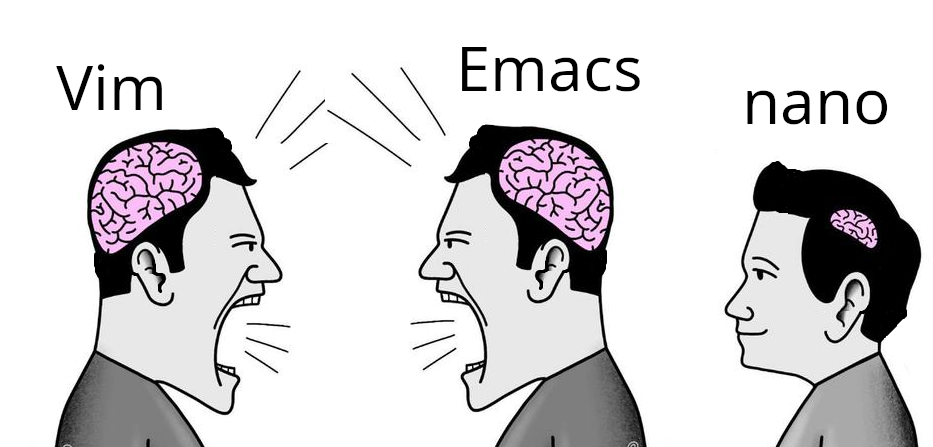
The image is misleading. The brain sizes represent the amount of grey matter it takes to operate the editor. The nano guy has plenty of brain power left over for things like hygiene, breathing and basic reasoning.
I'm team nano, I'm not smart enough to use the other two and for whenever I need to open a text file in terminal only environment once every year I can remember how to navigate nano. So I'll keep using nano.
It has nothing to do with intelligence. vi and emacs are just rote memorization and also endless installation of plugins and configuration. They are slow to pick up, but very powerful and also ergonomic once you know what to do.
A modern GUI like CSCode is faster to pickup and immediately very powerful.
A good emacs or vim configuration tailored to your needs can stay with you for decades. It’s stable, reliable, and does everything already. vim has released less than one point update per year for more than 2 years. During that time Sublime and VSCode had dozens, if not hundreds.
For most people the choice of editor doesn’t make a huge difference. They spend far more time reading than writing code.
Yep, I’ve gradually gone from using vim motions in VSCode to using Neovim with basically all the functionality I need for backend (.NET and TypeScript) and infrastructure work.
There are still some things I have to rebuild some muscle memory for, but it’s been great. I haven’t made it to zellij yet but that’s the next step.
Yes. It's newby-friendly, what is great for the time every 2 or 3 years that it opens in my face and there's no alternative editor installed.
Copy and paste are there too, but there's no reason to use them instead of the terminal buffer, so I can edit things in an editor I like. I just wish it made it easier to delete several lines at the same time.
I remember the time when Linux jokes were about audio drivers and X11 config files, but audio has long been working out of the box, and X11 is already dead and cremated.
Even recompiling kernel now takes around five minutes instead of two hours, so that joke is irrelevant too.
So all we are left with is timeless discussion of which text editor is the best, and dumping on Windows.
Real answer: those things matter to me because a quick frictionless experience very heavily dependant on muscle memory really helps with my ADHD. Laggy interfaces, having to hold left key for several seconds, and similar issues quickly pull my out of my train of thought.
It's not about shaving 2 minutes off my day, it's about not interrupting the flow.
I have nothing to do with the project but this binary is the absolute best. curl or wget to any host and away you go with effectively a Sublime Text / VSCode like in the terminal. It’s as simple as nano and as functional as a well configured and extended vim.
It’s baffling it’s not more well known and not installed by default on major distros.
IMO it needs better LSP support and things like refactoring, smart auto completion, and go to definition for a range of languages to be considered an ide.
Hahaha
Memorize
Okay guess what the keybind for Copy is in micro
Go on, guess
YEAH THAT'S RIGHT IT'S CONTROL+C
Now guess what Paste is
YOU GOT IT
Quit? Find? Undo? Save? Open?
If you guessed anything weird, that's on you.
My only complaint is that Ctrl+N is "find next" instead of Ctrl+G, but you can remap keybinds at will, so it's not that big of a deal.
If only I could get copy paste working when using micro over ssh. inside a document it works fine but I can't get it to put stuff on my system clipboard
to use the system clipboard I select with the mouse while holding shift, then do ctrl-shift-c iirc. That'll use the terminal emulator highlight and the system clipboard. At least on my machine, using kitty. Idk all the pieces that need to be in place for this to work.
Yep, and then Ctrl+Shift+V for paste.
But if you're pasting from Micro to Micro, and it's from the same session (horizontal/vertical splits, other tabs, elsewhere in the same document), you don't need to go to the system clipboard and can drop the Shift.
And in Emacs ctrl+k means kill the line or selection (adds it to the kill ring) and ctrl+y yanks a value from the kill ring. Meta+y cycles to the next item in the ring. Meta is usually escape, unless you're using the computer of someone with a key called meta
This comes from being earlier than MS-DOS, so it couldn't copy someone else's work (why did it take so long for DOS and windows to come up with the innovation of a copy history. It came after the windows key
How many Linux distros include micro in their minimal image? Vim, emacs, and nano are good because I can connect to just about any container or Linux VM and expect to have all of them available.
Let's say I have a test that always passes on my machine but fails in CI. If I can get a terminal on the test runner, I can open up my test code in vim, add extra logging and error handling, and rerun the test to check my fix.
I am not going to install additional editors in a VM that will be recreated next time I push a code change. If I am setting up a development environment for long term use, I will install my favorite IDE and configuring all the bells and whistles.
the same old argument that anal sex is good because it works on more people
you might appreciate it, but being preinstalled is not the selling point you think it is. I spend hundreds of times longer in the editor than installing it. I want something good while I'm using it. I don't care if it takes me 30 seconds to install, and maybe no one should.
I love nano. I used to do tech support for a Linux-based content management system (before SAaS take took off).. The customer sysadmins were sometimes whichever engineer was volun-told to do it, so competency varied wildly.
I helped mostly with installs. This might be the poor newbie sysadmin's first time on the command line. Nano was my go-to suggestion for editing config files--all the commands are right there! Much less intimidating than vi or emacs for a newbie.
nano is just a text editor, I use it as a text editor, it has keybindings on screen by default, no need to config or memorise, why bother? (for text editing, not whatever people use vim or emacs for)
Kind of, but not really? Nano by default displays US English(?) keyboard bindings which are different to the keyboard I have, so I still have to have a cheat sheet open when I'm on a system with nano-only editor.
Today I learned about the existence of "milli" and "kilo", both of which are terminal-based text editors! Quite interesting. I wonder if there are any more SI unit prefix text editors...
Honestly nano is perfect for quick edits. Vim and Emacs are powerful, but sometimes you just want to open a config file, change one line, and exit without fighting the editor. 😄
Funny story, when i first got into linux (almost a decade ago), I accidentally opened nano pasting some random command off the internet and didn't know how to close it because I didn't know what the ^ symbol meant.
I had successfully been quiting (and using) vim for a few months at this point.
Helix is my favorite, it does everything I want a text editor to do and it's much more intuitive than vim/nvim. I was never a power user of either so I'm sure it's missing plenty of functionality that nvim users are used to but it's perfect for my use cases.
I used some distro with vim back in the day and I just kept using it. I lose my shit when I use something with just nano and my muscle memory tries to do a vim thing.
I try to ctrl+x ctrl+c in things that aren't Emacs. Whichever you choose you eventually learn it well and it seems so easy that it's hard to see what the advantage of an alternative might be good for
No one can argue against you as you know how to use the tool. Vi and Emacs are both perfectly capable editors, both have been used to make huge amounts of code. Both are great for updating configuration files, both beat the simple editors when it comes to syntex highlighting and encouraging correct updates
EMacs is an operating system masquerading as an editor.
For OpenWRT Nano is a good choice. Nobody spends hours in a text editor on that system. You can ssh into it and use any fancy editor with a million plugins installed on your own computer.
I don't get why there's so much prejudice towards nano users in the Linux community, people act like nano is useless but it performs its job well, and it does it without being large or overly complicated.
with nano? /uj maybe it was an option during the install, IDK, I don't want to bother the folks with a suspicion and a shitty memory, nor do I want to reinstall deb somewhere else
I was joking, definitely don’t write them to install an editor that’s obsolete.
sed and grep (both inspired by ed) to do most of what ed does in a modern way, and ed was only useful over teletype when it was slow/expensive to render a scrollable field.
All modern TTYs support scroll regions, and with sed it just doesn’t make sense to use ed anymore.
nano is usually built in. Adding another one is just redundant if all you're using it for is editing an occasional config file.
Honestly never understood the hate for it. Who cares? Petty, stupid, nerd-wars over little crap like a text editor is the reason average people don't even consider linux.
I very rarely see people hate nano (except a few comments in this thread), and I always see nano recommended as the text editor when people give advice on doing things in the command line
I see vim preinstalled more than nano (e.g. in container images). I've been trying to convert to micro, though. It has better support for terminal emulators than nano.
I love how people fight over what's the better editor. I just use whatever makes sense for the time, and it's not always the same one. But if you're happy with just one of them and can make it work for you in any situation, then you do you. That's the point of Linux, or so I thought.
When I was first learning how to code I was working on some beginner project and couldn't figure it out. I asked a friend who knew a few things what I was doing wrong and he hopped on my computer, fixed the code then opened it in vim and told me my project wasn't working because of whatever text editor I was using (I think sublime). So for like a year I hardly learned how to code but I got pretty dang good with vim.
VS Code is probably the editor that's easiest to exit. If I ran it on the computer I first ran Emacs on, it'd exit immediately, because VS Code requires a modern version of Windows and that computer had Windows 3.11. If I ran it on the first computer I ran Linux on, it'd also exit immediately because the machine would run out of memory. (...it was a 486DX, I don't remember how much memory it had, but VS Code doesn't run well if your memory is measured in megabytes)
But just today my colleague asked what parameter add to a configuration file. He asked me should it be before or after this line? I told him before, he added it after.
He had to select the line with the mouse, copy the text, go above, paste it, go back and delete the line character by character.
I mean, not too bad; but I was feeling very bad while seeing it happen.
I first ran into nano when I gave Gentoo a try. I had to edit a few config files, so I ran vi... no vi. Emacs? No Emacs. Well, shit, what am I supposed to do? So I went back a bit and read more carefully, apparently there was a thing called nano.
So I ran that. Ew. It was a clone of an old DOS editor of all things. What kind of lunatic had ported that? Anyway I managed to do my edits with it, added normal editors to the system and was on my way.
It was also the last time I used it.
I've been using linux for 25 years and I can count the number of times I used vi to actually edit something on one hand. They will not "have to use vi sooner or later."
It's OK not to like and not use nano. It's also OK to like and use nano.
It's fine if you only use your own machine. I suppose having accounts on other boxes is less common nowadays, but there's much less guarantee to find your comfort editor there.
Picture is incorrect : it should be vi people yelling at everyone, the emacs guy trying to defend, and the nano guy like Keanu, just like "sure, pal, whatever you say."
At least, that's what I've seen from the vi cabal.
I've been in camp Vim for decades, but I almost always suggest micro to people dipping their toe into Linux. I can't imagine thinking nano, or whatever, would be more comfortable unless the person has never used a computer before.
yes I use DOOM Emacs and will never use another editor. It's my IDE, my Email Client, my document writer, my File Manager, and my Terminal. don't need anything else.
After reading a ton of discussions and inevitably trying out many interesting text editors (including niche ones like Leo and Sam), I just had to give it to Doom Emacs. Been very happy with it ever since.
I really dont care what editor you use, ive never used emacs, nano is disgusting and i really like vim but it could be the exact opposite for you and i wouldnt care.
201 Comments
MehBlah@lemmy.world · 184 pts · 162d
The image is misleading. The brain sizes represent the amount of grey matter it takes to operate the editor. The nano guy has plenty of brain power left over for things like hygiene, breathing and basic reasoning.
Skullgrid@lemmy.world · 35 pts · 162d
vim guy, emacs guy look big brain. me brain smol. me bathe yesterday, thank you.
30p87@feddit.org · 1 pts · 155d
I'm just gonna do :shower
MoffKalast@lemmy.world · 158 pts · 162d
Vim users: "I feel bad for you"
Nano users: "I don't think about you at all"
Skullgrid@lemmy.world · 64 pts · 162d
Nano users :
quips@slrpnk.net · 39 pts · 162d
Nano users have more important things to think about, saying this as an nvim user
h4x0r@lemmy.dbzer0.com · 2 pts · 161d
OP suggests otherwise.
MoffKalast@lemmy.world · 5 pts · 161d
Oh yeah? Well this says otherwise.
mcv@lemmy.zip · 1 pts · 162d
I think it's more likely the opposite.
ruuster13@lemmy.zip · 62 pts · 163d
I do appreciate this in nano. It helps me complete the new container config occasionally required to install vim.
faintwhenfree@lemmus.org · 40 pts · 163d
I'm team nano, I'm not smart enough to use the other two and for whenever I need to open a text file in terminal only environment once every year I can remember how to navigate nano. So I'll keep using nano.
bestboyfriendintheworld@sh.itjust.works · 3 pts · 162d
It has nothing to do with intelligence. vi and emacs are just rote memorization and also endless installation of plugins and configuration. They are slow to pick up, but very powerful and also ergonomic once you know what to do.
A modern GUI like CSCode is faster to pickup and immediately very powerful.
A good emacs or vim configuration tailored to your needs can stay with you for decades. It’s stable, reliable, and does everything already. vim has released less than one point update per year for more than 2 years. During that time Sublime and VSCode had dozens, if not hundreds.
For most people the choice of editor doesn’t make a huge difference. They spend far more time reading than writing code.
Nano is the right choice for you.
Mika@piefed.ca · 3 pts · 162d
I use emacs but it's only convenient to me with a lot of custom stuff on top. Vanilla emacs tho, hell no.
sloppy_diffuser@sh.itjust.works · 1 pts · 162d
neovim user (inside zellij) and same. More of a full blown IDE than an editor.
Also for the keybind memory impaired like myself:
marlowe221@lemmy.world · 2 pts · 162d
Yep, I’ve gradually gone from using vim motions in VSCode to using Neovim with basically all the functionality I need for backend (.NET and TypeScript) and infrastructure work.
There are still some things I have to rebuild some muscle memory for, but it’s been great. I haven’t made it to zellij yet but that’s the next step.
marcos@lemmy.world · 12 pts · 163d
Yes. It's newby-friendly, what is great for the time every 2 or 3 years that it opens in my face and there's no alternative editor installed.
Copy and paste are there too, but there's no reason to use them instead of the terminal buffer, so I can edit things in an editor I like. I just wish it made it easier to delete several lines at the same time.
SpaceNoodle@lemmy.world · 12 pts · 163d
CTRL-K,K,K...
dogdeanafternoon@lemmy.ca · 6 pts · 162d
That’s racist
SpaceNoodle@lemmy.world · 1 pts · 163d
Omega-level container brain
InfiniteStruggle@sh.itjust.works · 1 pts · 161d
Hey, what's the benefit in using vim with containers? I usually just apt install and get on with it.
hedders@fedia.io · 47 pts · 163d
Never ceases to amaze me how people get so exercised over a text editor.
pelya@lemmy.world · 39 pts · 163d
I remember the time when Linux jokes were about audio drivers and X11 config files, but audio has long been working out of the box, and X11 is already dead and cremated.
Even recompiling kernel now takes around five minutes instead of two hours, so that joke is irrelevant too.
So all we are left with is timeless discussion of which text editor is the best, and dumping on Windows.
SpaceNoodle@lemmy.world · 26 pts · 162d
This has been a lighthearted fake rivalry for as long as these text editors have existed.
roundup5381@sh.itjust.works · 7 pts · 162d
That's because we all know which is the obvious superior text editor.
SpaceNoodle@lemmy.world · 7 pts · 162d
Windows 11 Notepad.
Aussieiuszko@aussie.zone · 1 pts · 162d
The AI helps me corrupt my .txt faster.
southernwolf@pawb.social · 2 pts · 162d
Helix, the true choice among champions.
bestboyfriendintheworld@sh.itjust.works · 1 pts · 162d
Neovim-HEAD or you’re a boomer.
TheV2@programming.dev · 1 pts · 162d
But I wouldn't be surprised if the memes give outsiders the impression that there is a real text editor war.
Aussieiuszko@aussie.zone · 1 pts · 162d
It’s not a war, war implies a fight, it’s a one sided massacre.
caseyweederman@lemmy.ca · 1 pts · 162d
I'd even say as long as text editors have existed at all
psud@aussie.zone · 2 pts · 157d
Most old ones - older than vi - are terrible. I have to sometimes use the IBM mainframe editor at work. It is terrible.
sundray@lemmus.org · 6 pts · 162d
Gnome sucks!
Ducks and runs away
SpaceNoodle@lemmy.world · 2 pts · 162d
Bullshit, gedit is great
AntEater@discuss.tchncs.de · 1 pts · 162d
How long before gedit depends on systemd??
psud@aussie.zone · 1 pts · 157d
Gnome is fine if it works the way you do.
Carighan@piefed.world · 4 pts · 162d
FTFY. :P
drath@lemmy.world · 3 pts · 161d
PointyFluff@lemmy.ml · -1 pts · 161d
seriously . wayland is hot dumpster sludge
brie_cheese@piefed.ca · 1 pts · 162d
the ootb audio drivers on my thinkpad running fedora sound better than my work windows laptop
azertyfun@sh.itjust.works · 7 pts · 162d
Real answer: those things matter to me because a quick frictionless experience very heavily dependant on muscle memory really helps with my ADHD. Laggy interfaces, having to hold left key for several seconds, and similar issues quickly pull my out of my train of thought.
It's not about shaving 2 minutes off my day, it's about not interrupting the flow.
wewbull@feddit.uk · 4 pts · 162d
Most tradespeople will have favoured tools. It might be for woodworking, plumbing, electrics, plastering or writing code.
There's little point in being tribal about it, but conversations will happen.
WanderingThoughts@europe.pub · 3 pts · 162d
when nerds fight, it's the text editors that suffer
bleistift2@sopuli.xyz · 2 pts · 163d
You mean a Rubik’s cube.
InputZero@lemmy.world · 2 pts · 162d
Because there is only one objectively right answer. Anyone who use anything else is no true unix user.
rosco385@lemmy.wtf · 44 pts · 162d
nano gang represent😎
Bluewing@lemmy.world · 7 pts · 162d
I can use Vim, it was the choice for years. But I actually like using nano because it's what I need and all I need.
Agent641@lemmy.world · 4 pts · 162d
I actually prefer micro
fartsparkles@lemmy.world · 38 pts · 163d
Static, portable binary with no dependencies.
Out of the box:
I have nothing to do with the project but this binary is the absolute best. curl or wget to any host and away you go with effectively a Sublime Text / VSCode like in the terminal. It’s as simple as nano and as functional as a well configured and extended vim.
It’s baffling it’s not more well known and not installed by default on major distros.
bleistift2@sopuli.xyz · 14 pts · 163d
That’s not a text editor, that’s an IDE.
fartsparkles@lemmy.world · 30 pts · 163d
And emacs is an operating system 😂
ramasses@social.ozymandias.club · 21 pts · 162d
And vim is a way of life
Cevilia@lemmy.blahaj.zone · 4 pts · 162d
eager_eagle@lemmy.world · 8 pts · 162d
IMO it needs better LSP support and things like refactoring, smart auto completion, and go to definition for a range of languages to be considered an ide.
Agent641@lemmy.world · 3 pts · 162d
But you can edit text with it.
0ops@piefed.zip · 6 pts · 162d
I use nano because I can't be assed to memorize key bindings, but I'll give this a go
caseyweederman@lemmy.ca · 3 pts · 162d
Hahaha
Memorize
Okay guess what the keybind for Copy is in micro
Go on, guess
YEAH THAT'S RIGHT IT'S CONTROL+C
Now guess what Paste is
YOU GOT IT
Quit? Find? Undo? Save? Open?
If you guessed anything weird, that's on you.
My only complaint is that Ctrl+N is "find next" instead of Ctrl+G, but you can remap keybinds at will, so it's not that big of a deal.
MaggiWuerze@feddit.org · 3 pts · 162d
If only I could get copy paste working when using micro over ssh. inside a document it works fine but I can't get it to put stuff on my system clipboard
eager_eagle@lemmy.world · 3 pts · 162d
to use the system clipboard I select with the mouse while holding shift, then do ctrl-shift-c iirc. That'll use the terminal emulator highlight and the system clipboard. At least on my machine, using kitty. Idk all the pieces that need to be in place for this to work.
caseyweederman@lemmy.ca · 1 pts · 162d
Yep, and then Ctrl+Shift+V for paste.
But if you're pasting from Micro to Micro, and it's from the same session (horizontal/vertical splits, other tabs, elsewhere in the same document), you don't need to go to the system clipboard and can drop the Shift.
psud@aussie.zone · 1 pts · 157d
And in Emacs ctrl+k means kill the line or selection (adds it to the kill ring) and ctrl+y yanks a value from the kill ring. Meta+y cycles to the next item in the ring. Meta is usually escape, unless you're using the computer of someone with a key called meta
This comes from being earlier than MS-DOS, so it couldn't copy someone else's work (why did it take so long for DOS and windows to come up with the innovation of a copy history. It came after the windows key
CodeMonkey@programming.dev · -4 pts · 162d
How many Linux distros include micro in their minimal image? Vim, emacs, and nano are good because I can connect to just about any container or Linux VM and expect to have all of them available.
Let's say I have a test that always passes on my machine but fails in CI. If I can get a terminal on the test runner, I can open up my test code in vim, add extra logging and error handling, and rerun the test to check my fix.
I am not going to install additional editors in a VM that will be recreated next time I push a code change. If I am setting up a development environment for long term use, I will install my favorite IDE and configuring all the bells and whistles.
eager_eagle@lemmy.world · 4 pts · 162d
the same old argument that anal sex is good because it works on more people
you might appreciate it, but being preinstalled is not the selling point you think it is. I spend hundreds of times longer in the editor than installing it. I want something good while I'm using it. I don't care if it takes me 30 seconds to install, and maybe no one should.
Dr_Del_Fuego@slrpnk.net · 1 pts · 162d
Wow I love this argument, you're bang on 😆
Neptr@lemmy.blahaj.zone · 1 pts · 162d
Most include micro iirc
smh@slrpnk.net · 35 pts · 162d
I love nano. I used to do tech support for a Linux-based content management system (before SAaS take took off).. The customer sysadmins were sometimes whichever engineer was volun-told to do it, so competency varied wildly.
I helped mostly with installs. This might be the poor newbie sysadmin's first time on the command line. Nano was my go-to suggestion for editing config files--all the commands are right there! Much less intimidating than vi or emacs for a newbie.
bestboyfriendintheworld@sh.itjust.works · 9 pts · 162d
Nano you can pick up in ten minutes and master in an afternoon. By that time you’re still reading the intro to vim or eMacs.
cepelinas@sopuli.xyz · 32 pts · 162d
nano is just a text editor, I use it as a text editor, it has keybindings on screen by default, no need to config or memorise, why bother? (for text editing, not whatever people use vim or emacs for)
AbsolutelyClawless@piefed.social · 5 pts · 162d
Kind of, but not really? Nano by default displays US English(?) keyboard bindings which are different to the keyboard I have, so I still have to have a cheat sheet open when I'm on a system with nano-only editor.
cepelinas@sopuli.xyz · 4 pts · 162d
There are exceptions to everything.
Cevilia@lemmy.blahaj.zone · 30 pts · 162d
hakunawazo@lemmy.world · 4 pts · 162d
Ah, the famous NCIS way of exiting editors.
Cevilia@lemmy.blahaj.zone · 3 pts · 161d
eager_eagle@lemmy.world · 29 pts · 162d
I use micro. It's 1000x better.
sbeak@sopuli.xyz · 12 pts · 162d
Today I learned about the existence of "milli" and "kilo", both of which are terminal-based text editors! Quite interesting. I wonder if there are any more SI unit prefix text editors...
some_kind_of_guy@lemmy.world · 2 pts · 162d
Holding out for a cursed deca
kalpol@lemmy.ca · 12 pts · 162d
Pico...I'm going the wrong direction
daychilde@lemmy.world · 5 pts · 162d
Ugh. At least two decades I've used them and never made that connection. Thank you. And curse you. lol
caseyweederman@lemmy.ca · 2 pts · 162d
Peta
bitjunkie@lemmy.world · 4 pts · 162d
moendopi@lemmy.world · 3 pts · 162d
I was coming here to say "what about micro?"
MonkderVierte@lemmy.zip · 1 pts · 162d
Nano with a few config options by default?
Jakeroxs@sh.itjust.works · 0 pts · 161d
Doesn't come standard like nano tho for a lot of distros
eager_eagle@lemmy.world · 3 pts · 161d
barely an inconvenience, you're one curl away from it
Jakeroxs@sh.itjust.works · 1 pts · 161d
Assuming you have internet access lmao
eager_eagle@lemmy.world · 1 pts · 161d
idk if I ever set up a new machine without internet access, but sure
there are corner cases you'll need to use what's available. They should be exceptions.
Francislewwis@lemmy.world · 19 pts · 161d
Honestly nano is perfect for quick edits. Vim and Emacs are powerful, but sometimes you just want to open a config file, change one line, and exit without fighting the editor. 😄
creation7758@lemmy.ml · 6 pts · 161d
This is what i use vim for. Vim doesn't necessarily have to be a full blown ide with 30 plugins
Gladaed@feddit.org · 4 pts · 161d
Vim does not just work if you don't know how to get into edit mode and save and quit from there. Nano even has built in search and replace.
creation7758@lemmy.ml · 4 pts · 161d
Funny story, when i first got into linux (almost a decade ago), I accidentally opened nano pasting some random command off the internet and didn't know how to close it because I didn't know what the ^ symbol meant.
I had successfully been quiting (and using) vim for a few months at this point.
callyral@pawb.social · 18 pts · 162d
I use Helix btw
Skullgrid@lemmy.world · 4 pts · 162d
nice! LMK if they ever get that frontend running
callyral@pawb.social · 4 pts · 162d
You can subscribe to the GitHub discussion, it looks like there are some prototypes but not a definitive GUI: https://github.com/helix-editor/helix/discussions/11783
NeilBru@lemmy.world · 3 pts · 162d
Ah, my kith and kin. Salutations, ye of excellent discerning taste.
penguin@lemmy.pixelpassport.studio · 3 pts · 162d
Helix is my favorite, it does everything I want a text editor to do and it's much more intuitive than vim/nvim. I was never a power user of either so I'm sure it's missing plenty of functionality that nvim users are used to but it's perfect for my use cases.
southernwolf@pawb.social · 1 pts · 162d
+1 for a Helix home.
Grass@sh.itjust.works · 17 pts · 162d
I used some distro with vim back in the day and I just kept using it. I lose my shit when I use something with just nano and my muscle memory tries to do a vim thing.
sin_free_for_00_days@sopuli.xyz · 5 pts · 162d
Same. Makes nano a fucking nightmare.
sol6_vi@lemmy.makearmy.io · 4 pts · 162d
If I can't :wq I have a panic attack
psud@aussie.zone · 1 pts · 157d
I try to ctrl+x ctrl+c in things that aren't Emacs. Whichever you choose you eventually learn it well and it seems so easy that it's hard to see what the advantage of an alternative might be good for
No one can argue against you as you know how to use the tool. Vi and Emacs are both perfectly capable editors, both have been used to make huge amounts of code. Both are great for updating configuration files, both beat the simple editors when it comes to syntex highlighting and encouraging correct updates
Steamymoomilk@sh.itjust.works · 15 pts · 162d
Some real talk.
Can we just include the 4 most popular text editors on basic systems??
Like i wanna scream when there isnt my text editor installed on a lightweight distro.
Vi Emacs Micro Nano
For context,
Debian ships with nano and vi Openwrt only ships with nano
Like cant we just include small editors. In a perfect world i would want neovim installed. But i understand its larger and has alot more dependency's.
So having VI isnt as good but im willing to be reasonable.
JUST INCLUDE VI
the reason i learned vim is because VI is installed by default on almost every distro.
Im tempted to try emacs tho
daychilde@lemmy.world · 6 pts · 162d
It's important to learn how to use package managers. :)
bestboyfriendintheworld@sh.itjust.works · 4 pts · 162d
EMacs is an operating system masquerading as an editor.
For OpenWRT Nano is a good choice. Nobody spends hours in a text editor on that system. You can ssh into it and use any fancy editor with a million plugins installed on your own computer.
eestileib@lemmy.blahaj.zone · 3 pts · 162d
Emacs macros are sooo nice.
Bluewing@lemmy.world · 3 pts · 162d
Madness lies in that direction.
stoly@lemmy.world · 0 pts · 162d
No love for vim?
PointyFluff@lemmy.ml · 0 pts · 161d
vim is just vi in drag
AlbatrossFanboy@programming.dev · 13 pts · 161d
I don't get why there's so much prejudice towards nano users in the Linux community, people act like nano is useless but it performs its job well, and it does it without being large or overly complicated.
Wildmimic@anarchist.nexus · 12 pts · 162d
Kate users:

user224@lemmy.sdf.org · 12 pts · 162d
Having exposed brain probably lead to significant damages to it.
RaoulDook@lemmy.world · 1 pts · 162d
Get that boy a helmet and a doctor!
kate@lemmy.uhhoh.com · 6 pts · 162d
i use micro
Jankatarch@lemmy.world · 5 pts · 162d
The only daily kate user I seen was a guy writing his operating system on youtube.
xtools@programming.dev · 3 pts · 162d
i'm using it daily, but mainly just to take notes in markdown
Morphit@feddit.uk · 3 pts · 162d
Here's the soundtrack: https://youtube.com/watch?v=TGIvO4eh190
xtools@programming.dev · 3 pts · 162d
kate is not so bad, i use it almost daily to take notes while working
panda_abyss@lemmy.ca · 9 pts · 162d
Just use ed.
Ctrl+D. Easy.
Skullgrid@lemmy.world · 11 pts · 162d
WHERE GOD NOW?
panda_abyss@lemmy.ca · 11 pts · 162d
What sins have you committed on your system to remove ed?
Skullgrid@lemmy.world · 7 pts · 162d
me no remove package. me start with vanilla debian install. no need gui until me choose to install gui.
panda_abyss@lemmy.ca · 6 pts · 162d
Please file a bug with the Debian maintainers.
How are people supposed to edit files without the standard editor?
Skullgrid@lemmy.world · 4 pts · 162d
with nano? /uj maybe it was an option during the install, IDK, I don't want to bother the folks with a suspicion and a shitty memory, nor do I want to reinstall deb somewhere else
panda_abyss@lemmy.ca · 7 pts · 162d
I was joking, definitely don’t write them to install an editor that’s obsolete.
sed and grep (both inspired by ed) to do most of what ed does in a modern way, and ed was only useful over teletype when it was slow/expensive to render a scrollable field.
All modern TTYs support scroll regions, and with sed it just doesn’t make sense to use ed anymore.
ed as the standard editor is mostly a meme based on this page https://wiki.c2.com/?EdIsTheStandardTextEditor
swab148@lemmy.dbzer0.com · 5 pts · 162d
kautau@lemmy.world · 2 pts · 162d
using arch, btw
Skullgrid@lemmy.world · 3 pts · 162d
actually using debian btw
eager_eagle@lemmy.world · 5 pts · 162d
but... but... Ed is the standard editor 😦
Adderbox76@lemmy.ca · 9 pts · 162d
nano is usually built in. Adding another one is just redundant if all you're using it for is editing an occasional config file.
Honestly never understood the hate for it. Who cares? Petty, stupid, nerd-wars over little crap like a text editor is the reason average people don't even consider linux.
Skullgrid@lemmy.world · 4 pts · 162d
I very rarely see people hate nano (except a few comments in this thread), and I always see nano recommended as the text editor when people give advice on doing things in the command line
kkj@lemmy.dbzer0.com · 2 pts · 161d
I see vim preinstalled more than nano (e.g. in container images). I've been trying to convert to micro, though. It has better support for terminal emulators than nano.
psud@aussie.zone · 1 pts · 157d
Nano is fine for editing, fine for working with configuration files. It only fails when you try to use it as a development editor
jeffep@lemmy.world · 8 pts · 161d
My computer my choice
prenatal_confusion@feddit.org · 1 pts · 161d
There is a right choice and you know it. Stop bring silly and say it out loud!
(Duck and cover, flame war!)
rozodru@piefed.world · 8 pts · 162d
Nano or as I like to call it "The Sudo Editor"
ranzispa@mander.xyz · 4 pts · 162d
VIsudo -> opens nano ¯\_(ツ)_/¯
m33@lemmy.zip · 8 pts · 162d
Meanwhile in an alternate universe, two people argue about edit vs edlin… 😆
Steamymoomilk@sh.itjust.works · 0 pts · 162d
You use a text editor?!??
I just uses echo 'text here' > file.txt
/s
Neovim is my drug of choice
bilb@lemmy.ml · 7 pts · 161d
Linux text editor discourse has been baffling to me for decades now. I don't care which you use, and I care even less about why.
Rhaedas@fedia.io · 6 pts · 163d
I love how people fight over what's the better editor. I just use whatever makes sense for the time, and it's not always the same one. But if you're happy with just one of them and can make it work for you in any situation, then you do you. That's the point of Linux, or so I thought.
SpaceNoodle@lemmy.world · 8 pts · 162d
I also use whatever makes sense at the time, and it's always nano.
Skullgrid@lemmy.world · 4 pts · 162d
Carcinization : there is one step, and it is crab.
flango@lemmy.eco.br · 6 pts · 162d
parzival@lemmy.org · 5 pts · 162d
But... Micro is better
Skullgrid@lemmy.world · 4 pts · 162d
if micro so good, why no installed ?
Unga Nano : turn place linux
eager_eagle@lemmy.world · 3 pts · 162d
the best things in life take some effort to achieve
MaggiWuerze@feddit.org · 2 pts · 162d
Love it, use it daily. If copy worked properly over ssh I would be so happy but for now I use less if I just want to copy something
parzival@lemmy.org · 1 pts · 161d
If you add -X to your ssh command, it works flawlessly using ctl c and v
neomachino@lemmy.dbzer0.com · 5 pts · 162d
When I was first learning how to code I was working on some beginner project and couldn't figure it out. I asked a friend who knew a few things what I was doing wrong and he hopped on my computer, fixed the code then opened it in vim and told me my project wasn't working because of whatever text editor I was using (I think sublime). So for like a year I hardly learned how to code but I got pretty dang good with vim.
UnfortunateShort@lemmy.world · 5 pts · 162d
That has to come from someone who doesn't know the bliss of micro
vaderaj@lemmy.world · 5 pts · 162d
Gedit users be like
MsPenguinette@lemmy.world · 5 pts · 163d
JOE is over in hospice care
bajabound@lemmy.world · 2 pts · 162d
I'm standing up for joe!
bajabound@lemmy.world · 2 pts · 160d
I was thinking about this. Pico is probably sitting next to him watching golden girls reruns.
umbraroze@slrpnk.net · 4 pts · 161d
VS Code is probably the editor that's easiest to exit. If I ran it on the computer I first ran Emacs on, it'd exit immediately, because VS Code requires a modern version of Windows and that computer had Windows 3.11. If I ran it on the first computer I ran Linux on, it'd also exit immediately because the machine would run out of memory. (...it was a 486DX, I don't remember how much memory it had, but VS Code doesn't run well if your memory is measured in megabytes)
bandwidthcrisis@lemmy.world · 4 pts · 163d
I pressed 6 while holding shift, then x. But it just typed ^x in my file.
Maybe I need to swap black and white as I type them, but I don't know how to do that.
Skullgrid@lemmy.world · 2 pts · 163d
I think M is meta/alt
bandwidthcrisis@lemmy.world · 6 pts · 163d
I'm not typing all that in. No wonder emacs users are angry all the time.
Skullgrid@lemmy.world · 3 pts · 163d
rofl
Shanmugha@lemmy.world · 4 pts · 162d
I no understand nano. I hate key combinations
Dave@lemmy.nz · 4 pts · 162d
Nano say so at bottom but so does vim if it thinks you're trying to exit.
user224@lemmy.sdf.org · 5 pts · 162d
It even knows when you discover features by accident
![]()
Skullgrid@lemmy.world · 4 pts · 162d
ROFL
ICastFist@programming.dev · 4 pts · 161d
Emacs is a table saw, vim is a chainsaw, nano is a scissor. Every problem those 3 solve is a differently sized single sheet of paper.
PointyFluff@lemmy.ml · -8 pts · 161d
HAHAHA HAHAHA
announce to the world you know fuck-all about either, lol
fuck_u_spez_in_particular@lemmy.world · 3 pts · 161d
Helix:
AnnaFrankfurter@lemmy.ml · 3 pts · 161d
Brain size for neovim????
Skullgrid@lemmy.world · 5 pts · 161d
the templates for memes are free on the internet.
I have over 83 templates.
perishthethought@piefed.social · 2 pts · 160d
myrrh@ttrpg.network · 3 pts · 161d
ranzispa@mander.xyz · 3 pts · 162d
I mean, nano is cool I guess.
But just today my colleague asked what parameter add to a configuration file. He asked me should it be before or after this line? I told him before, he added it after. He had to select the line with the mouse, copy the text, go above, paste it, go back and delete the line character by character.
I mean, not too bad; but I was feeling very bad while seeing it happen.
bisby@lemmy.world · 7 pts · 162d
^K Cutand^U Uncut(paste) were on the screen the WHOLE time this happened."The instructions are on screen at all times!" is only a positive if you follow the instructions, otherwise they are wasting space.
sin_free_for_00_days@sopuli.xyz · 1 pts · 162d
ddpbisby@lemmy.world · 2 pts · 162d
:m-2sin_free_for_00_days@sopuli.xyz · 1 pts · 161d
What does that do?
bisby@lemmy.world · 2 pts · 161d
Moves the current line up 2 lines.
It's "2" because the syntax is actually "move to after -2". So if you are on line 20, it will move you to after line 18... Aka line 19
sin_free_for_00_days@sopuli.xyz · 1 pts · 161d
Ah, that makes sense. Thanks for explaining.
Thorry@feddit.org · 3 pts · 162d
Pico gang rise up!
csolisr@hub.azkware.net · 3 pts · 161d
I use Nano with the CUA keybindings because screw it, modal editors are too slow for me
AnUnusualRelic@lemmy.world · 3 pts · 162d
I first ran into nano when I gave Gentoo a try. I had to edit a few config files, so I ran vi... no vi. Emacs? No Emacs. Well, shit, what am I supposed to do? So I went back a bit and read more carefully, apparently there was a thing called nano.
So I ran that. Ew. It was a clone of an old DOS editor of all things. What kind of lunatic had ported that? Anyway I managed to do my edits with it, added normal editors to the system and was on my way.
It was also the last time I used it.
bestboyfriendintheworld@sh.itjust.works · 15 pts · 162d
nano is the perfect editor for people who only use editors in the terminal, once in a while to edit a config file.
AnUnusualRelic@lemmy.world · -3 pts · 162d
I don't think it's the perfect editor for anything. They'll have to use vi sooner or later, they might as well learn the basics. Or just use kate.
aberrate_junior_beatnik@midwest.social · 3 pts · 161d
I've been using linux for 25 years and I can count the number of times I used vi to actually edit something on one hand. They will not "have to use vi sooner or later."
It's OK not to like and not use nano. It's also OK to like and use nano.
AnUnusualRelic@lemmy.world · 1 pts · 161d
It's fine if you only use your own machine. I suppose having accounts on other boxes is less common nowadays, but there's much less guarantee to find your comfort editor there.
Also a 30 year+ linux/unix user.
Skullgrid@lemmy.world · 1 pts · 154d
Fuck you all, Linus Torvalds here /s
Jakeroxs@sh.itjust.works · 1 pts · 162d
Use Kate in command line over ssh?
AnUnusualRelic@lemmy.world · 1 pts · 161d
Ssh - X
Then run kate, easy :)
Jakeroxs@sh.itjust.works · 2 pts · 161d
But I don't have a DE installed! :p
Skullgrid@lemmy.world · 8 pts · 162d
"I hated using it"
"But you have used it, yes?"
AnUnusualRelic@lemmy.world · 2 pts · 162d
Well, yes. But I did wash my hands afterwards.
Asfalttikyntaja@sopuli.xyz · 4 pts · 162d
Do they have a sink in eMacs now?
AnUnusualRelic@lemmy.world · 4 pts · 162d
There's https://github.com/alex-hhh/emacs-soap-client
corsicanguppy@lemmy.ca · 2 pts · 162d
Picture is incorrect : it should be vi people yelling at everyone, the emacs guy trying to defend, and the nano guy like Keanu, just like "sure, pal, whatever you say."
At least, that's what I've seen from the vi cabal.
RickyRigatoni@piefed.zip · 2 pts · 162d
I like micro
sin_free_for_00_days@sopuli.xyz · 2 pts · 162d
I've been in camp Vim for decades, but I almost always suggest micro to people dipping their toe into Linux. I can't imagine thinking nano, or whatever, would be more comfortable unless the person has never used a computer before.
IndustryStandard@lemmy.world · 2 pts · 160d
Micro for the win
dadarobot@lemmy.sdf.org · 2 pts · 162d
does anyone still use emacs? honest question.
abbadon420@sh.itjust.works · 4 pts · 162d
Yes, the same kind of people who install headless linux on their daily driver
rozodru@piefed.world · 3 pts · 162d
yes I use DOOM Emacs and will never use another editor. It's my IDE, my Email Client, my document writer, my File Manager, and my Terminal. don't need anything else.
whelk@retrolemmy.com · 2 pts · 162d
I think it's pretty great
pheusie@programming.dev · 2 pts · 162d
Yup.
After reading a ton of discussions and inevitably trying out many interesting text editors (including niche ones like Leo and Sam), I just had to give it to Doom Emacs. Been very happy with it ever since.
psud@aussie.zone · 2 pts · 157d
Emacs has a menu, it's not exactly hard. F10 to open the menu in text mode
MonkderVierte@lemmy.zip · 2 pts · 162d
dwt@feddit.org · 1 pts · 161d
You should all try fresh (the editor)…
AI_toothbrush@lemmy.zip · 1 pts · 162d
I really dont care what editor you use, ive never used emacs, nano is disgusting and i really like vim but it could be the exact opposite for you and i wouldnt care.
PointyFluff@lemmy.ml · -2 pts · 162d
Nano is trash.
micro